Fix preorder product warnings in the offer editor
Clear the "Preorder button may not appear on some products" warning by fixing variant settings and inventory.
Last updated
When you add products to a preorder offer, STOQ may show a banner: “Preorder button may not appear on some products.” It means some variants aren’t configured for the offer type yet. There are two kinds of warning, and both are quick to fix.
Setting: “Continue selling when out of stock” is off
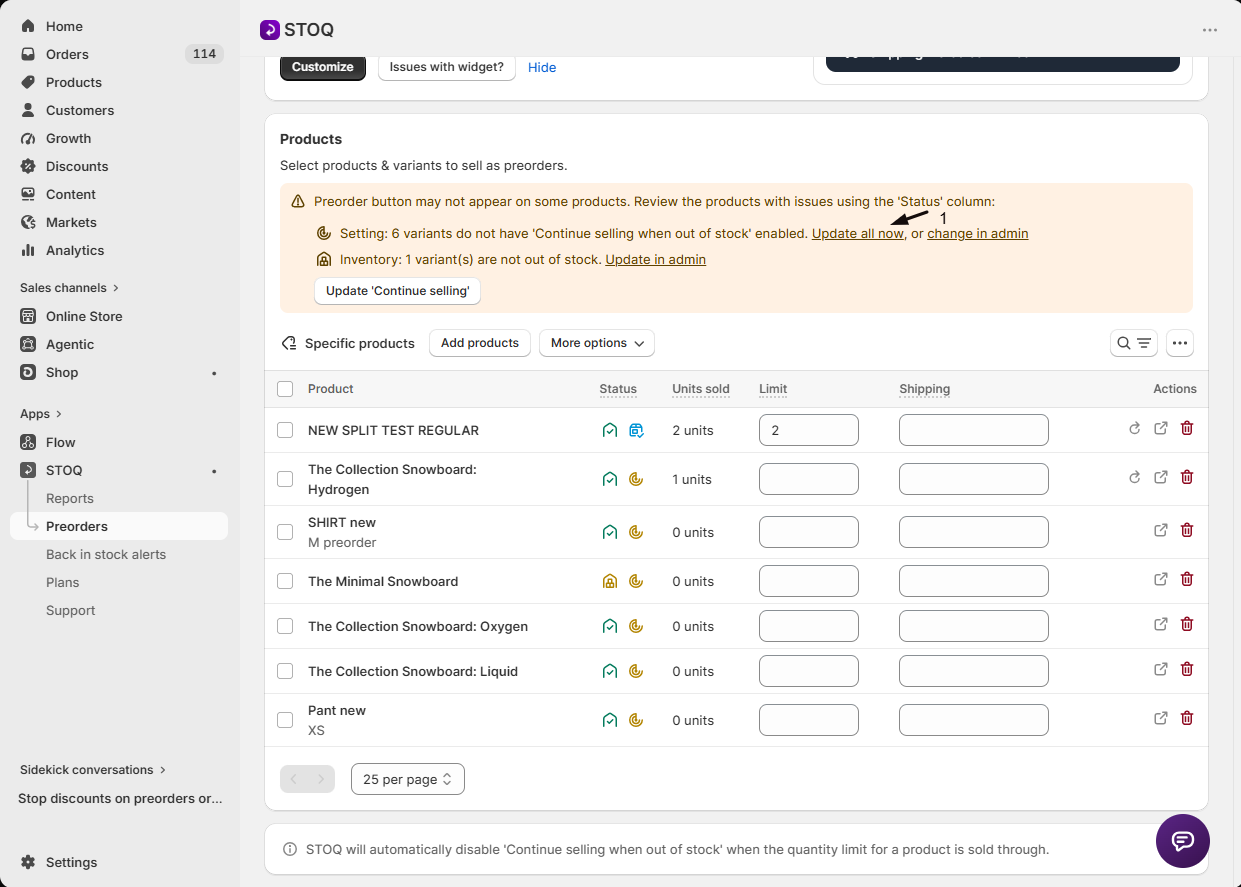
Section titled “Setting: “Continue selling when out of stock” is off”This applies to out-of-stock preorder offers (inventory provider: STOQ). Shopify needs Continue selling when out of stock enabled on each variant, otherwise the variant reads as unavailable and the preorder button can’t show.
Fastest fix: click Update all now in the banner and STOQ enables the setting on every flagged variant at once.
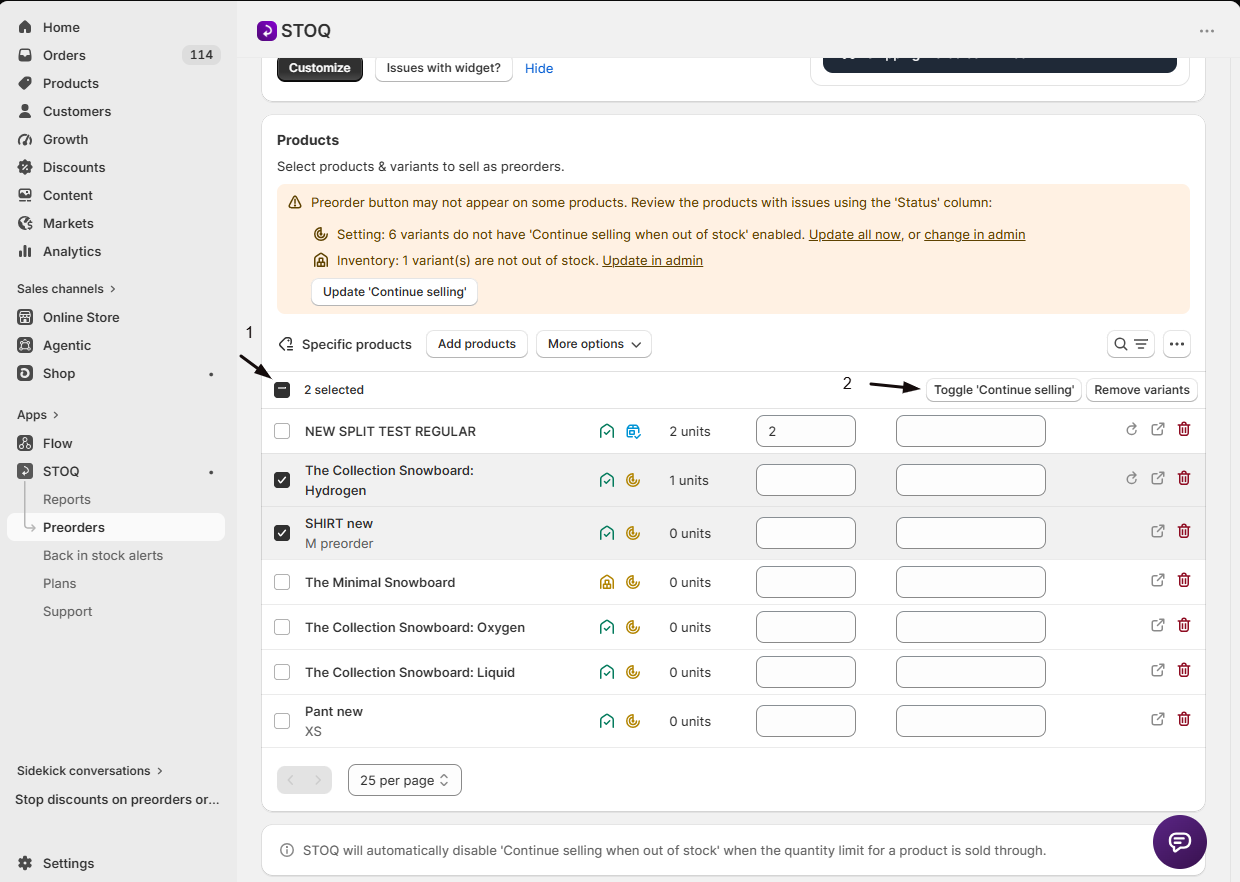
You can also fix them individually: select the variants in the Products section, click Toggle continue selling, choose the setting, and click Update, or enable Continue selling when out of stock on the variant directly in Shopify admin.
Inventory: variants aren’t out of stock
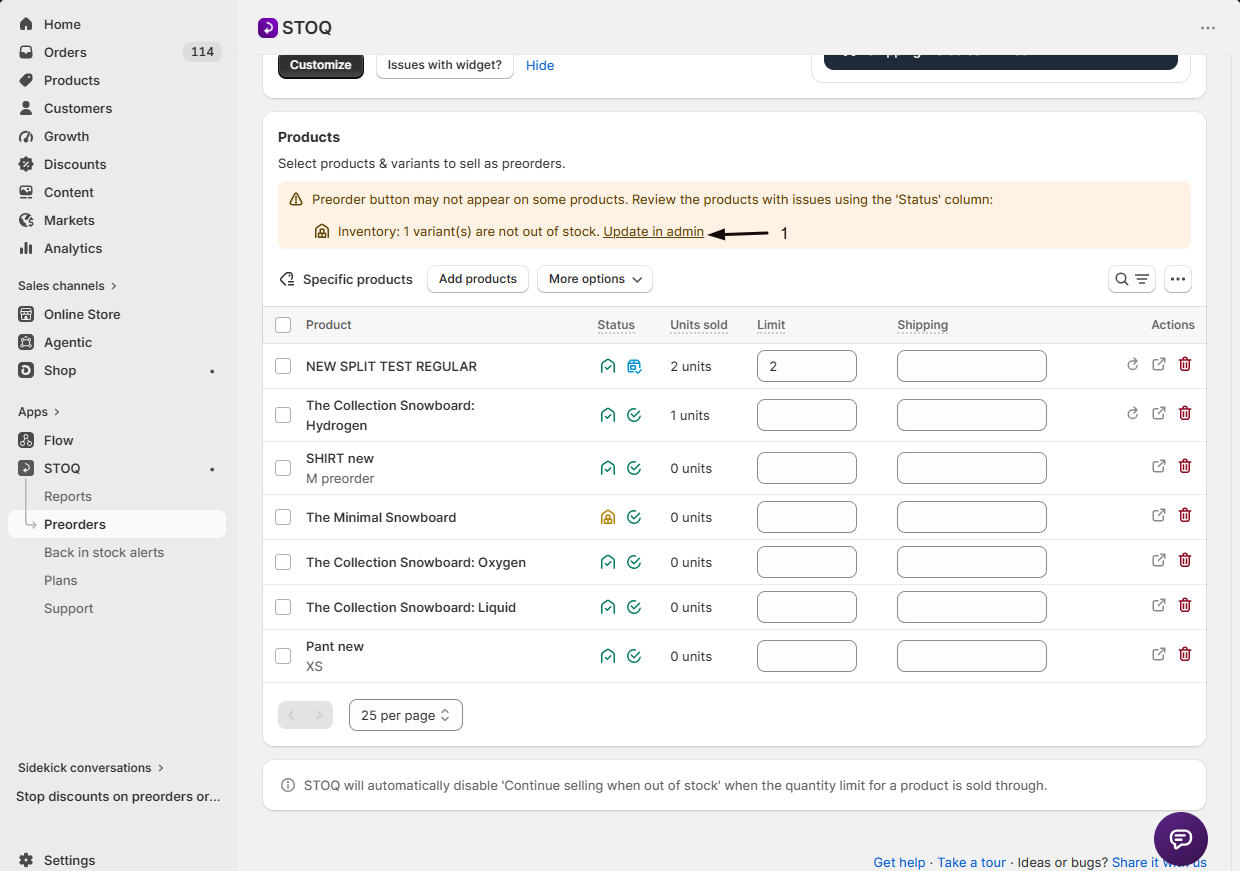
Section titled “Inventory: variants aren’t out of stock”Also for out-of-stock preorder offers: the preorder button only shows when a variant’s inventory is 0 or lower. Variants with stock show the normal Add to cart button.
Fix: click Update in admin to open the inventory page, and set the variant’s quantity to 0 or lower. If you’d rather sell preorders while the product is still in stock, switch the offer’s inventory provider to Shopify (in-stock preorders) instead of STOQ.
Read the Status column
Section titled “Read the Status column”Each variant in the Products table shows two icons:
| Icon | Meaning |
|---|---|
| Inventory, green check | Out of stock (correct for out-of-stock preorders) |
| Inventory, yellow warning | Still has stock (set it to 0 or lower) |
| Continue selling, green | Continue selling is on (correct) |
| Continue selling, yellow warning | Continue selling is off (turn it on) |
| Continue selling, blue info | Quantity limit reached, STOQ disabled continue selling on purpose |
Hover any icon for a tooltip with the exact issue and current inventory.
In-stock preorder offers
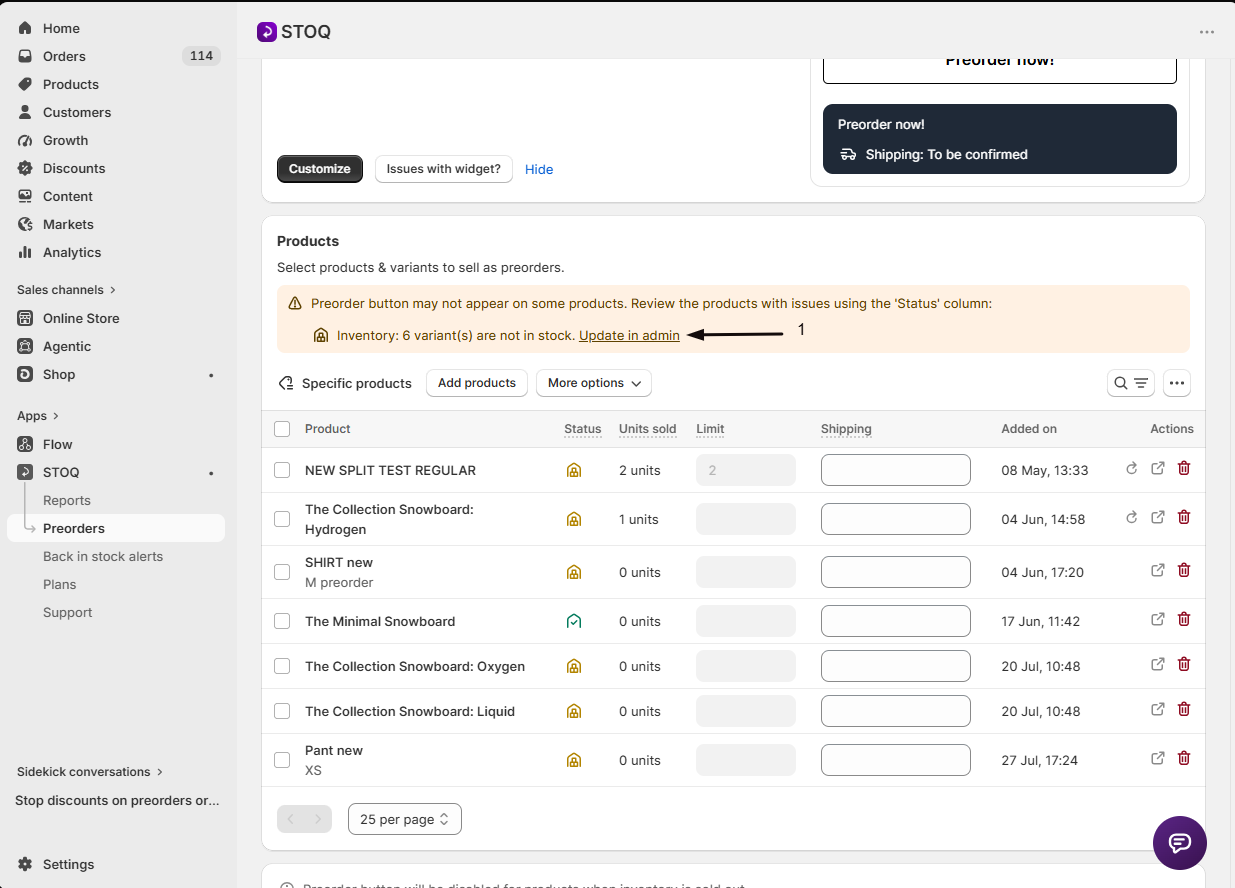
Section titled “In-stock preorder offers”Offers using the Shopify inventory provider (in-stock preorders) work the other way: they warn only when a variant is out of stock, because in-stock preorders need available inventory. The Continue selling warning doesn’t apply. Fix by giving the variant inventory of 1 or more.
Troubleshooting
Section titled “Troubleshooting”The warning persists after Update all now
The update is still processing on offers with many variants. Wait for the progress indicator, then refresh.
The inventory warning stays after I set inventory to 0
Shopify’s change hasn’t synced yet. Refresh the offer editor to pull the latest inventory.
Status column is all green but the button still doesn't show
Something else is off, usually the app embed. See Enable STOQ on your theme.
A variant shows the blue info icon
That’s expected. The variant hit its preorder quantity limit, so STOQ disabled continue selling to stop taking more preorders.
Related guides
Section titled “Related guides”Thanks for letting us know.
Still stuck? Ask Quinn or chat with support