Delete a preorder offer
Permanently remove a preorder offer, and decide what happens to Continue selling on its products.
Last updated
Use this guide to permanently remove a preorder offer you no longer need. Once it’s deleted, customers can’t preorder the products it covered.
What happens when you delete
Section titled “What happens when you delete”| Result | |
|---|---|
| The offer | Permanently removed from your Offers list |
| The storefront | The Preorder button disappears from its products |
| Existing orders | Unaffected. They stay in Shopify and STOQ keeps processing them |
| Customers | No email or SMS is sent |
Delete the offer
Section titled “Delete the offer”On a phone, this menu is collapsed. In the Shopify mobile app, tap the STOQ logo at the top of the screen to open it, then choose the section named below. There is no hamburger icon. See Finding the STOQ menu.
-
Open the offer
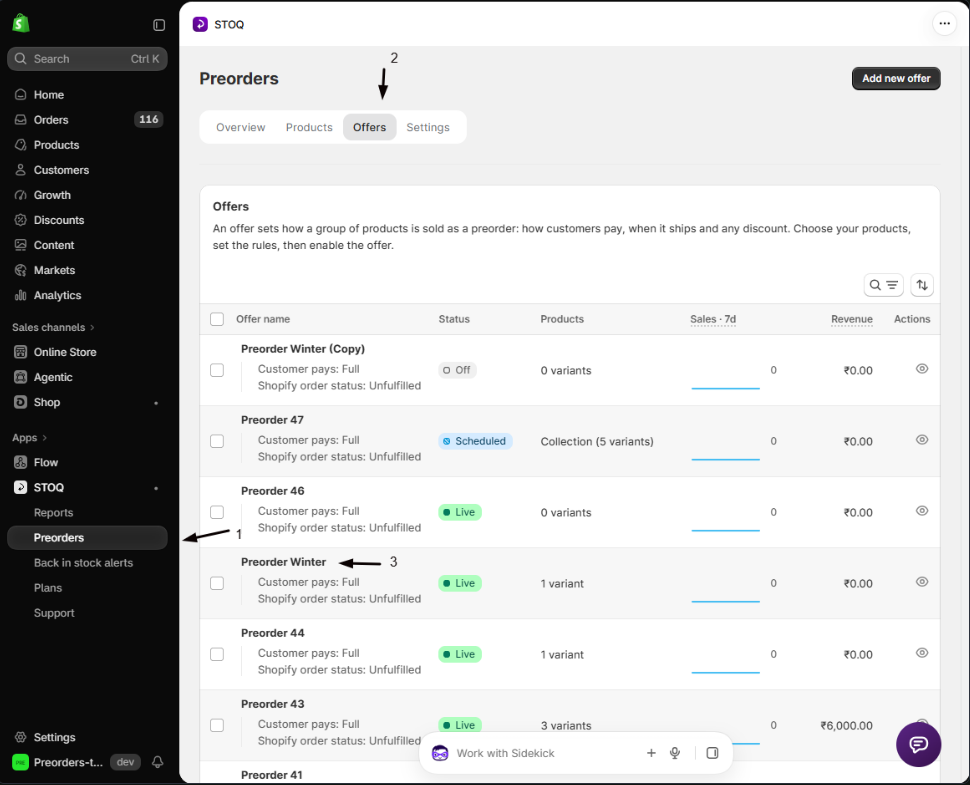
- In the left menu bar of the STOQ app, click Preorders, then the Offers tab.
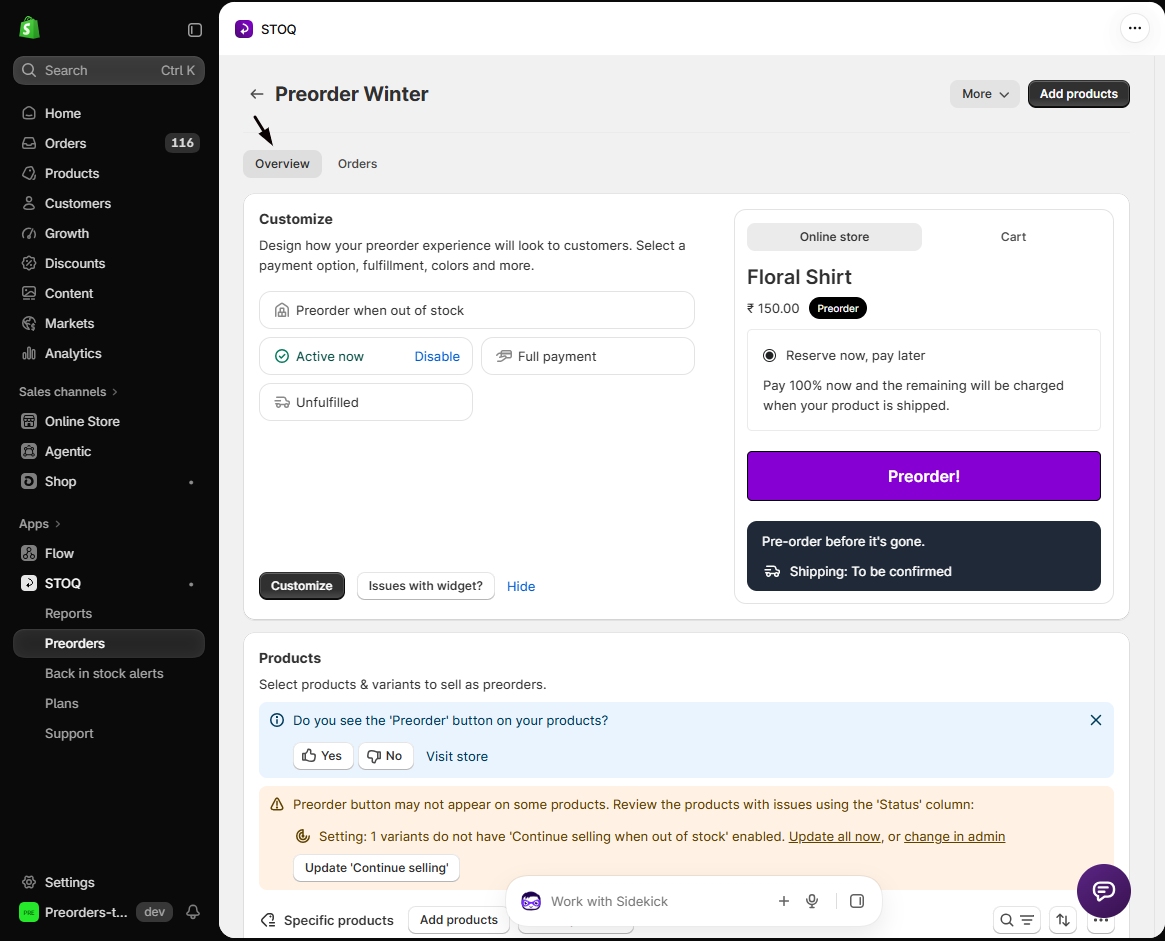
- Click the offer’s name to open its Overview tab.
-
Delete it
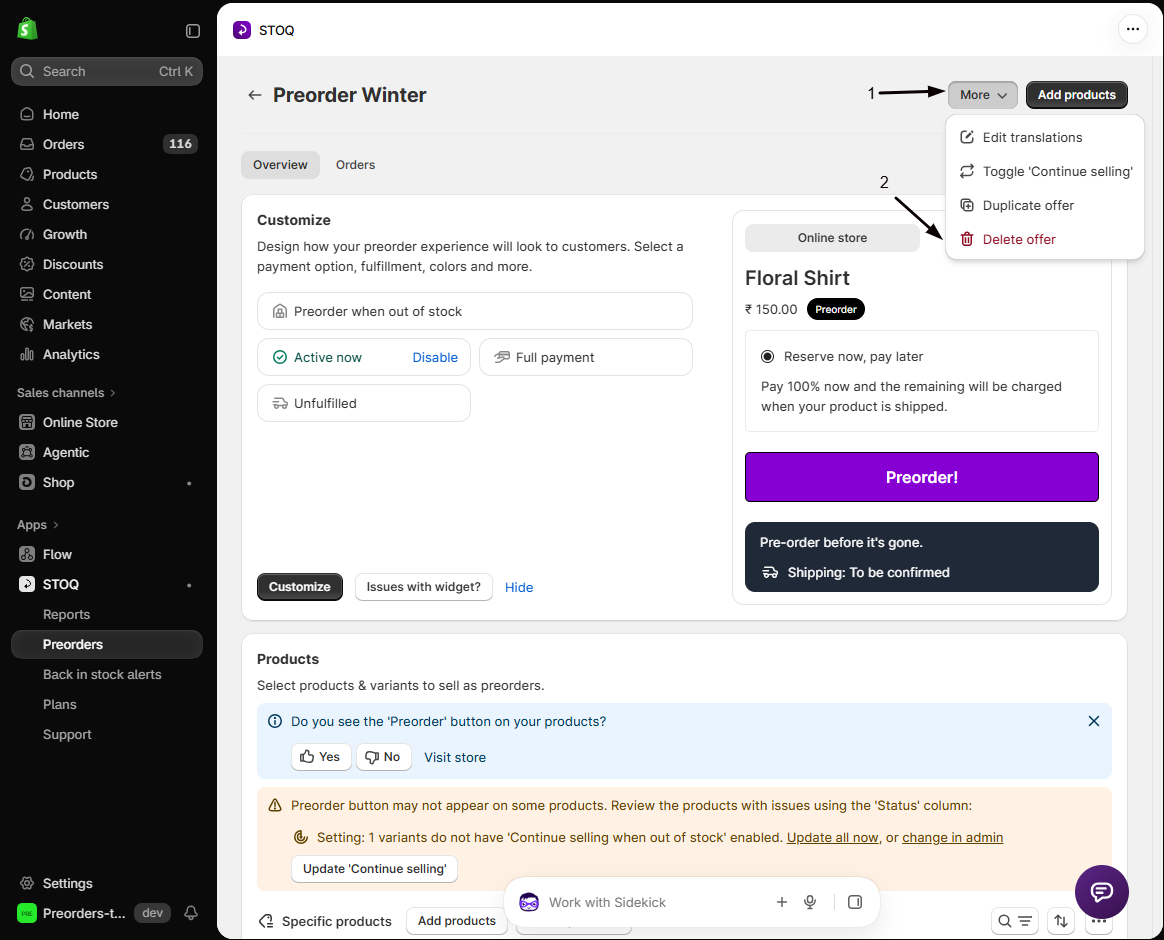
In the top right of the page, click More, then Delete offer.
-
Choose what happens to Continue selling
The dialog asks whether to also turn off Continue selling when out of stock for this offer’s products:
Choice What it does Yes Turns off Continue selling for every variant in the offer, then deletes it. Out-of-stock variants stop selling No Deletes the offer and leaves Continue selling as it is. Out-of-stock variants stay purchasable until you change it in Shopify admin 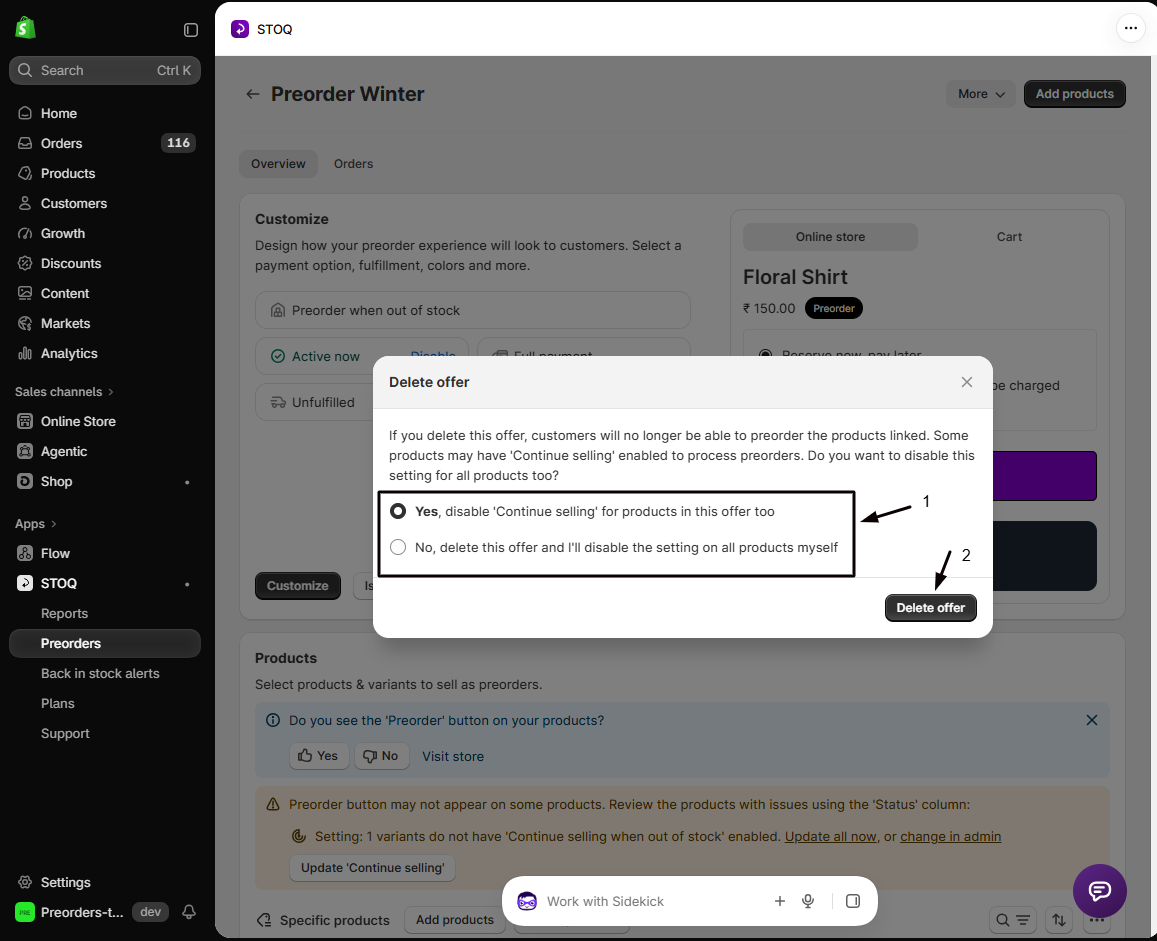
-
Confirm
Click Delete offer. You’re returned to the Offers list.
Check your setup
Section titled “Check your setup”The offer should be gone from the Offers tab. Open one of its products on your live storefront and confirm the Preorder button no longer appears.
Can I recover a deleted offer?
No. Deleting is permanent. Recreate it with Set up preorders, or duplicate a similar offer first if one exists.
What happens to preorders customers already placed?
They’re unaffected. Existing orders stay in your Shopify admin with their payment and fulfillment settings, and STOQ continues to process them normally.
Should I delete or just turn the offer off?
Turn it off in almost every case. It has the same storefront effect, keeps all your settings, and is reversible. Delete only when you’re certain you won’t need the offer again.
My products are still selling while out of stock after deleting
You chose No when asked about Continue selling, so it’s still on for those variants. Turn it off on the product in Shopify admin.
Related guides
Section titled “Related guides”Thanks for letting us know.
Still stuck? Ask Quinn or chat with support