Duplicate a preorder offer
Copy an existing preorder offer's settings into a new offer as a starting point.
Last updated
Use this guide to reuse an offer’s setup instead of building a new one from scratch. The copy keeps your payment, fulfillment, and design settings, starts Off, and has no products attached, so nothing goes live until you’re ready.
What gets copied
Section titled “What gets copied”| Copied | Not copied |
|---|---|
| Payment type and billing options | Products and variants (the copy starts empty) |
| Fulfillment setup | Markets |
| Widget text and colors | Schedule start and end dates |
| Discounts | Auto-release-holds date |
| Countdown timer settings | Past “exact date” payment or fulfillment dates |
| Line item properties |
Date-dependent settings are deliberately left out so you can’t accidentally launch a copy on a schedule that has already elapsed. If the original used a fixed date that’s now in the past, the copy falls back to a safe default: full payment at checkout, or Unfulfilled fulfillment status.
Duplicate the offer
Section titled “Duplicate the offer”On a phone, this menu is collapsed. In the Shopify mobile app, tap the STOQ logo at the top of the screen to open it, then choose the section named below. There is no hamburger icon. See Finding the STOQ menu.
-
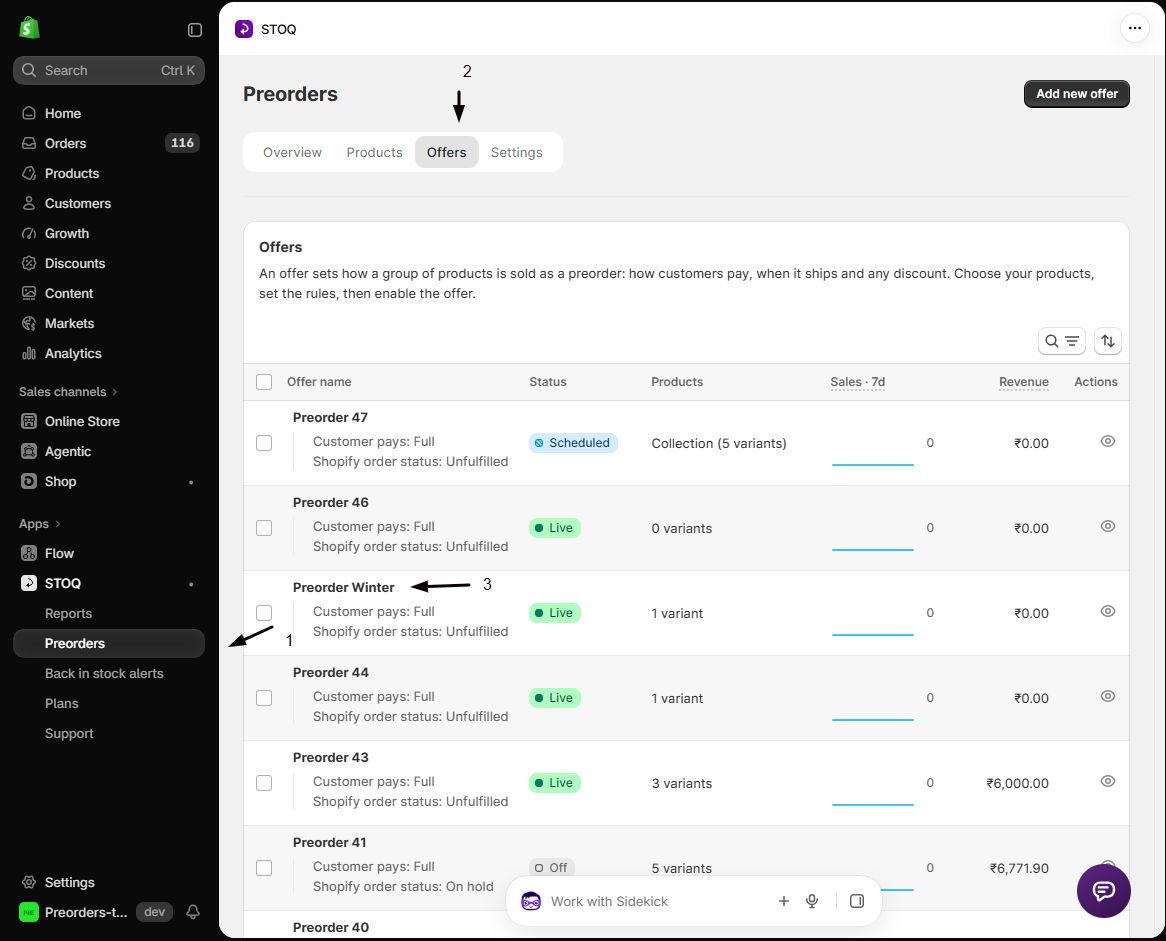
Open the offer you want to copy
- In the left menu bar of the STOQ app, click Preorders, then the Offers tab.
- Click the offer’s name to open its Overview tab.
-
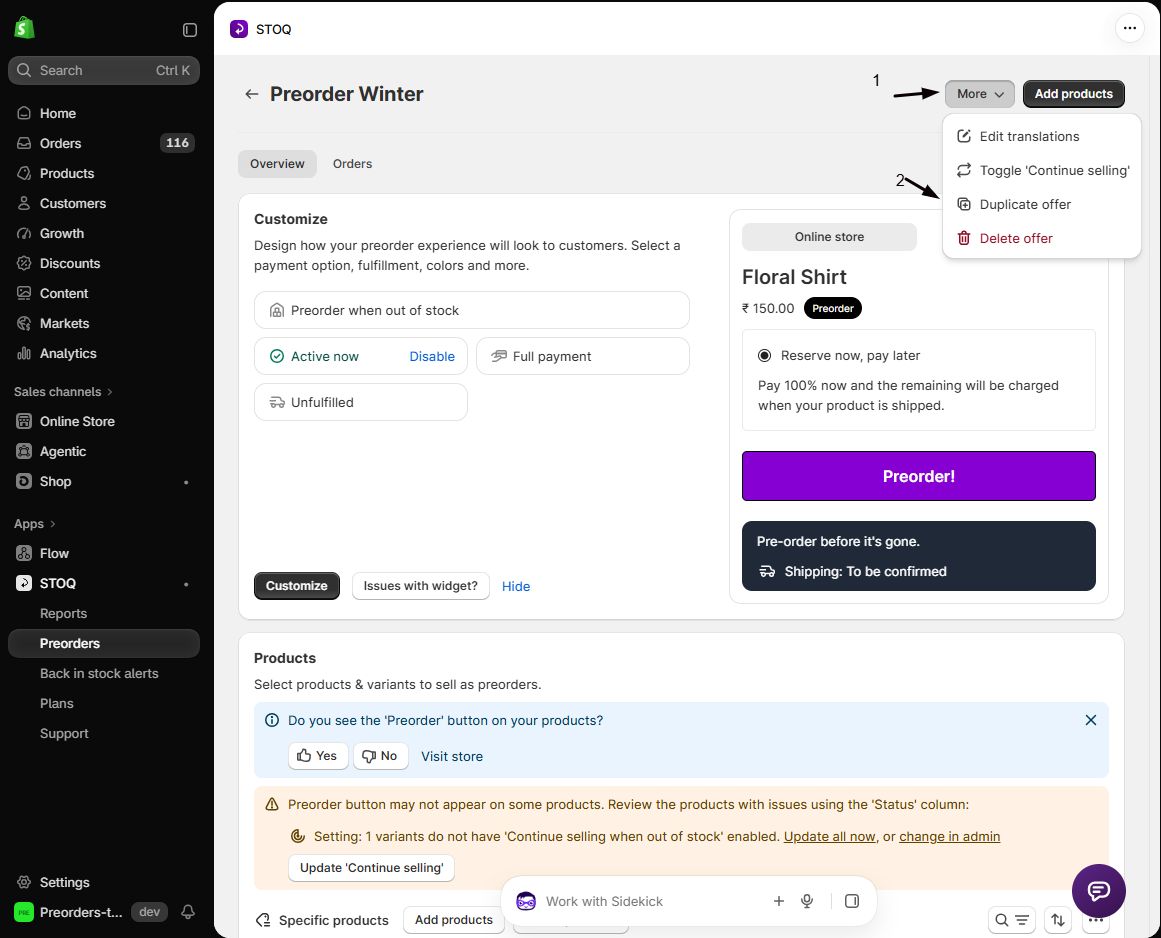
Duplicate it
In the top right of the page, click More, then Duplicate offer.
-
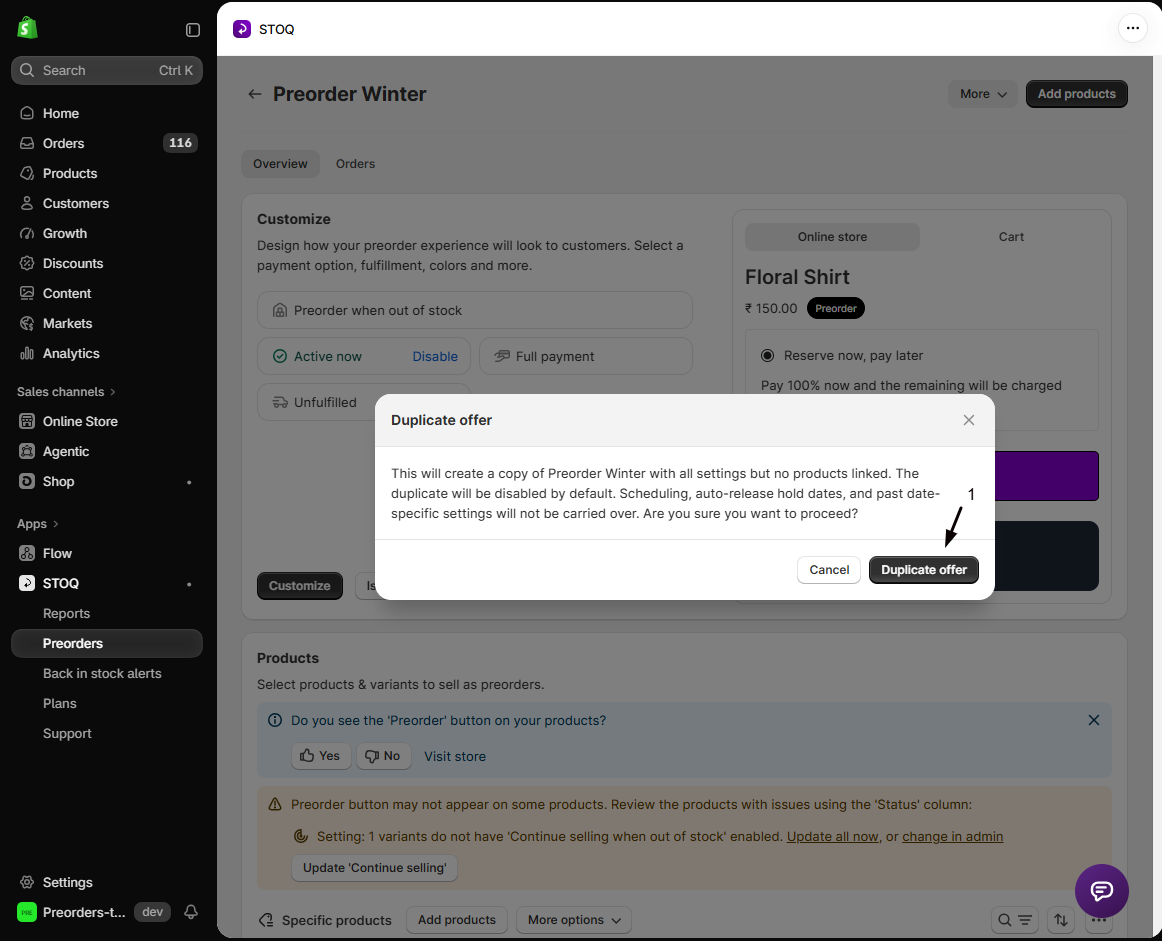
Confirm
A dialog explains the copy will have no products and will be disabled. Click Duplicate offer.
-
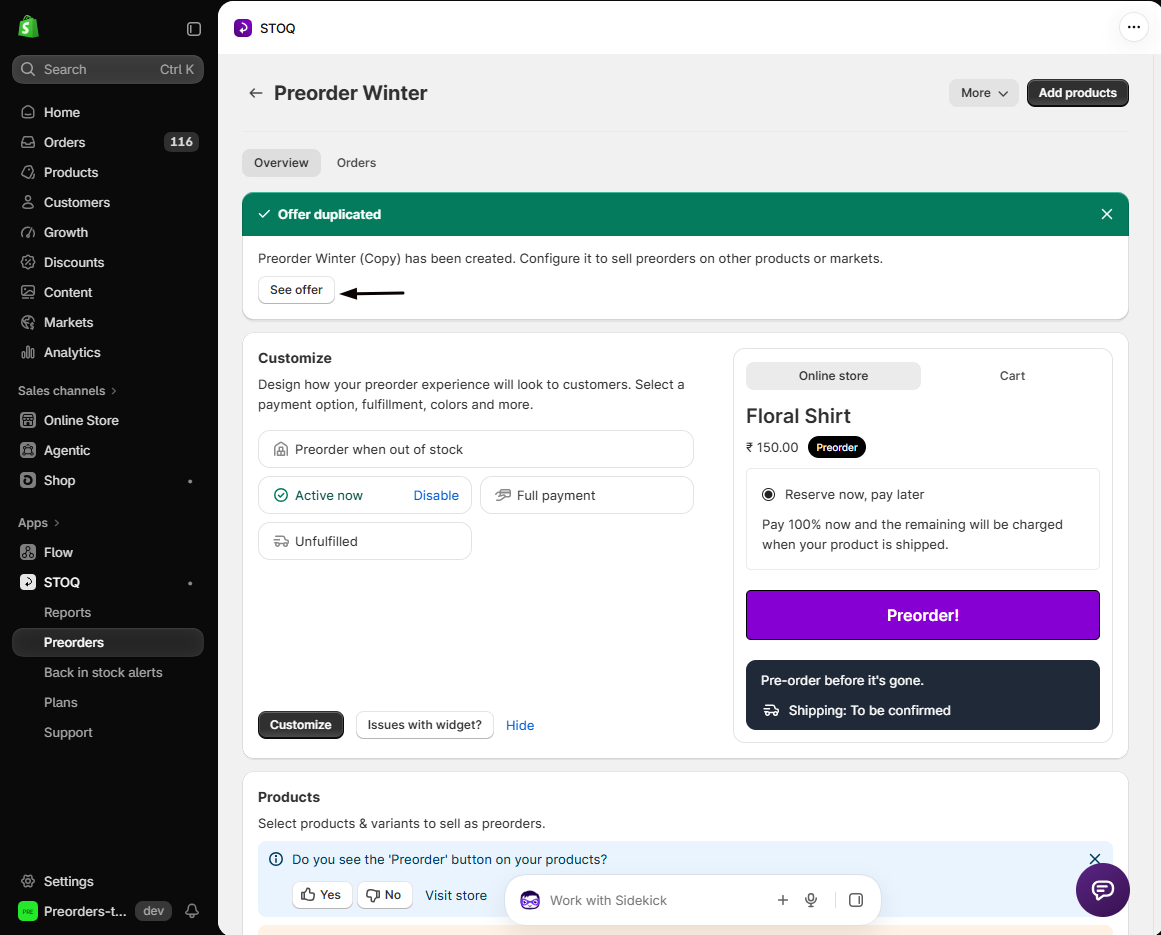
Finish the copy
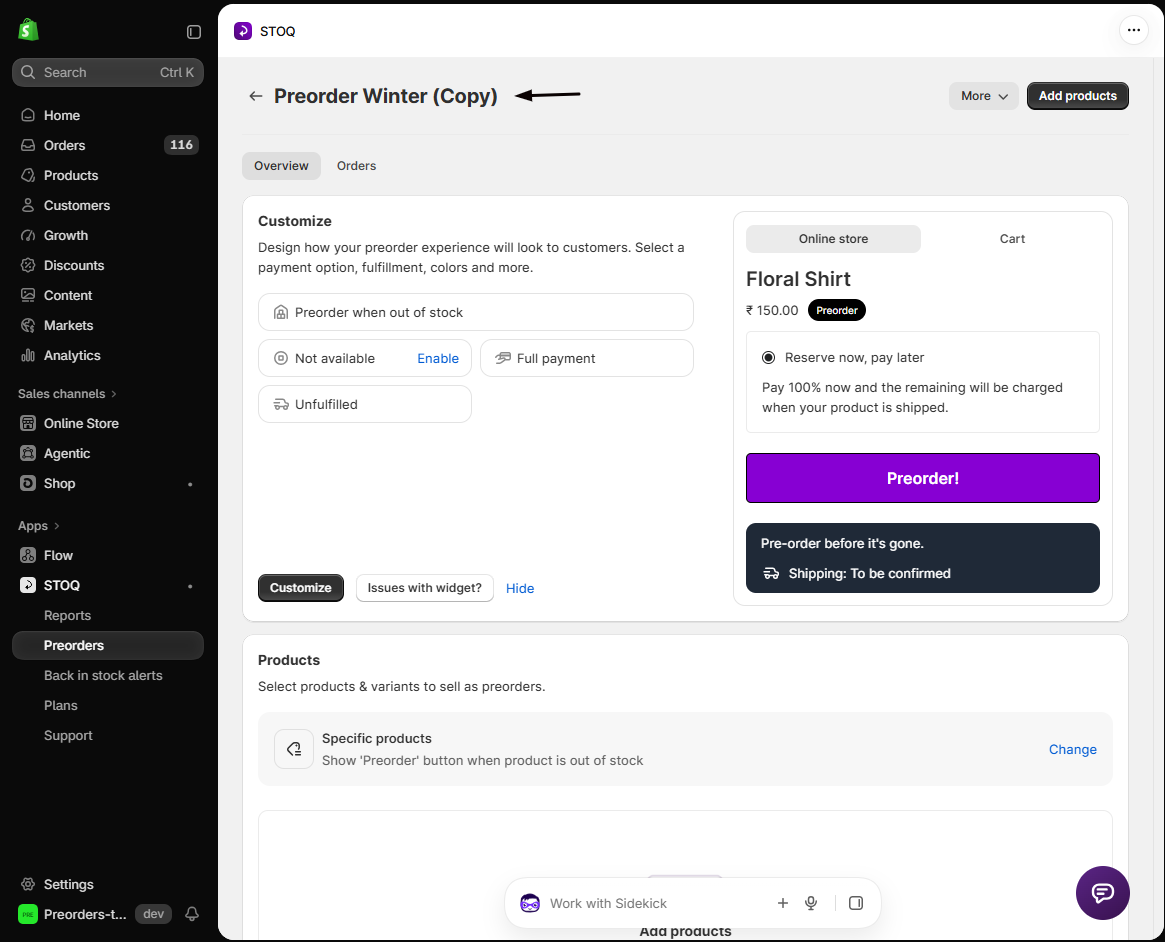
STOQ creates it as [Original name] (Copy). Open it, then:
- Add products.
- Set a schedule, if you want one.
- Turn it on when it’s ready.
Can I duplicate an offer that's currently live?
Yes. The original is untouched and keeps running. The copy is always created with the status Off, whatever the original’s status.
Why did my duplicate lose its start and end dates?
That’s intentional. Duplicating always clears the schedule dates and turns off Schedule offer, so a copy can’t go live on an old schedule. Set new dates in the editor’s Status section. See Schedule when an offer runs.
Why does the copy have no products?
So it can’t start selling before you’ve checked it. Add the products you want, which are often different from the original’s anyway.
Does duplicating affect customers or existing orders?
No. The copy is disabled with no products, so it has no storefront effect at all until you add products and turn it on.
Related guides
Section titled “Related guides”Thanks for letting us know.
Still stuck? Ask Quinn or chat with support