Change the due date text for partial preorder payments
Reword the checkout message that tells customers when their remaining balance will be charged.
Last updated
When you collect a deposit or partial payment on a preorder, Shopify shows a due date message in the checkout order summary, by default something like “Remaining balance will be charged in {{date}}”. This message is part of Shopify’s checkout, controlled by your theme’s language content, so you reword it there rather than in STOQ.
Reword the message
Section titled “Reword the message”-
Open your theme’s language editor
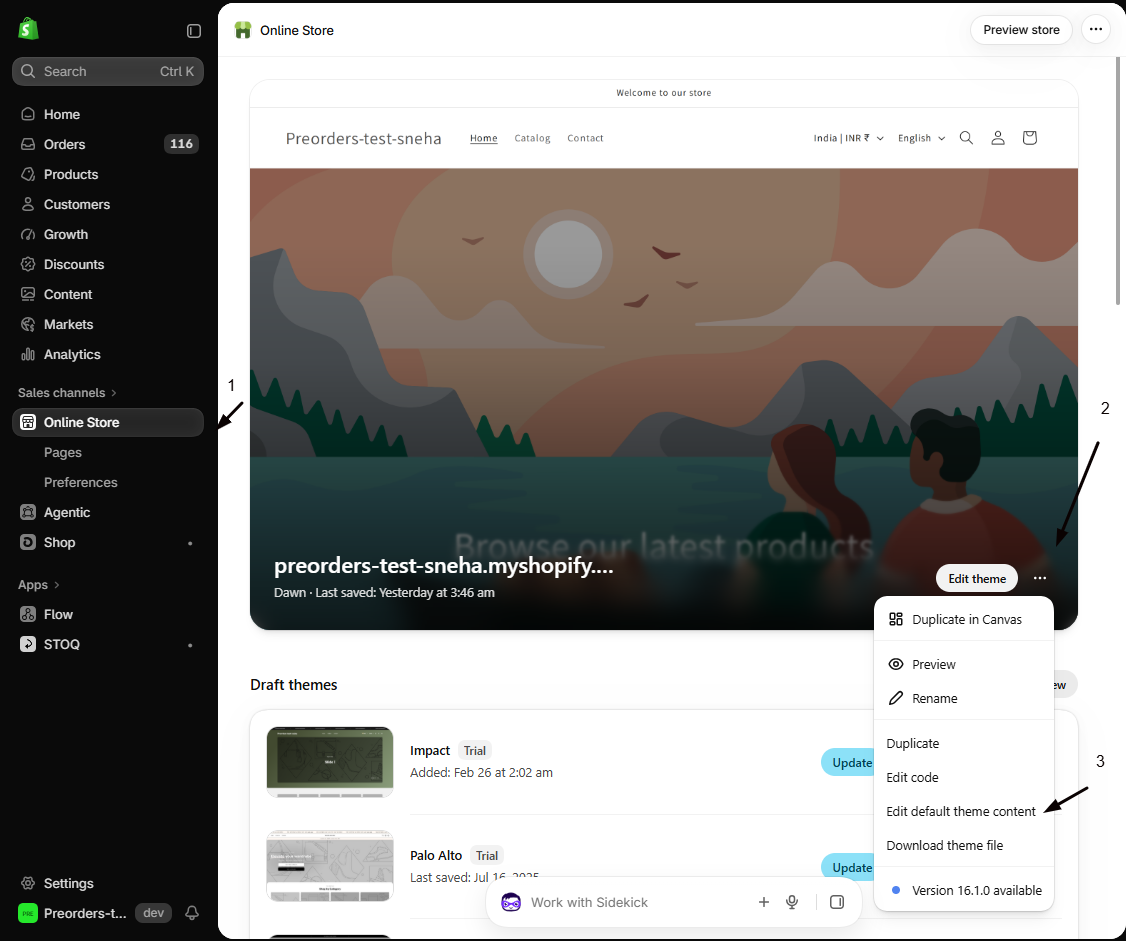
In Shopify admin, go to Online Store > Themes, click the ⋯ menu on your live theme, and choose Edit default theme content.
-
Find the due date label
Search for
deferredordueand locate the field Deferred total due date label next.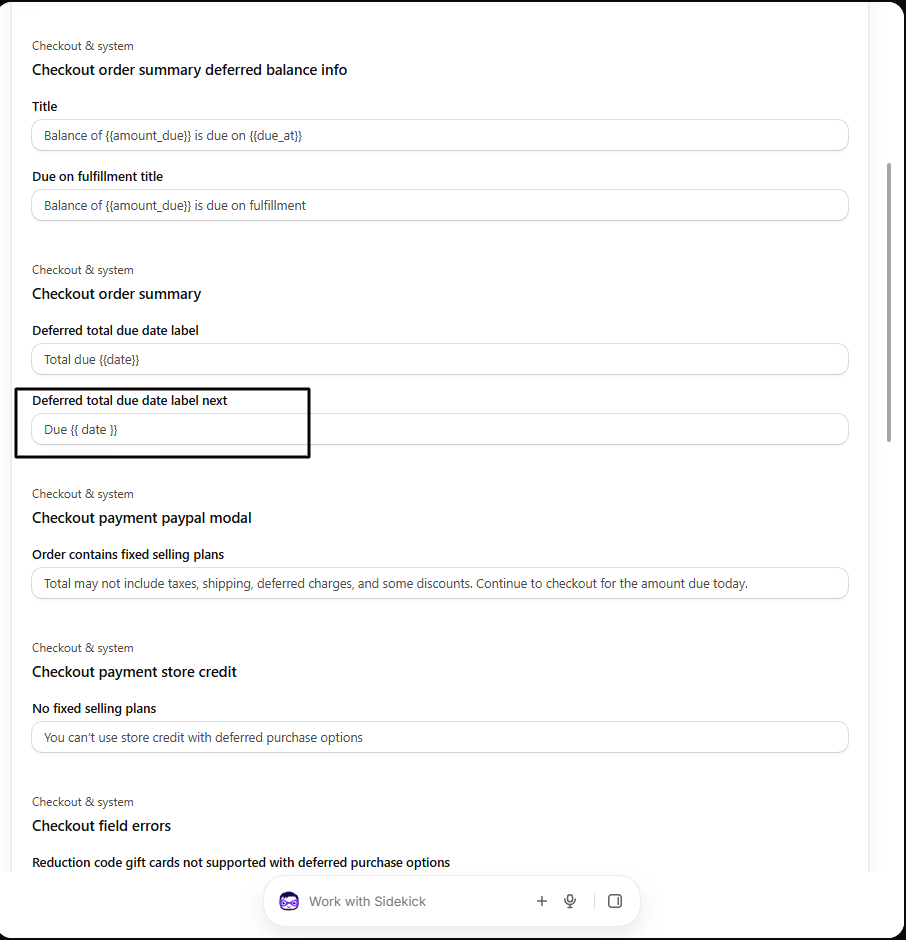
-
Edit the text, keeping {{date}}
Reword it, for example “Balance due on {{date}}” or “No additional payment until {{date}}”. Keep the
{{date}}placeholder, which Shopify replaces with the real date. -
Save and test
Save, then run a test checkout on a deposit preorder to confirm the wording and that the date fills in.
Troubleshooting
Section titled “Troubleshooting”The text didn't update
Make sure you edited the Deferred total due date label next field on your published theme, then refresh checkout.
The date isn't showing
You likely removed {{date}}. Add it back so Shopify can insert the real due date.
Related guides
Section titled “Related guides”Thanks for letting us know.
Still stuck? Ask Quinn or chat with support