Exclude products from a preorder offer
Run a preorder offer on tagged products or all products while leaving specific products out.
Last updated
When a preorder offer targets products by tag or all products, you can still leave individual products or variants out of it. This lets you run one broad offer and carve out the few products that shouldn’t take preorders.
How offer targeting works
Section titled “How offer targeting works”An offer applies to products in one of four ways, set in the offer’s Products section:
| Targeting | What it covers |
|---|---|
| Specific products | Only the products you pick. Nothing to exclude, since you choose each one. |
| Collection | Every product in the chosen collection. |
| Product tags | Every product carrying one of the offer’s tags, when it goes out of stock. |
| All products | Every product in your store when it goes out of stock. |
Exclude specific products applies to the Product tags and All products modes, where the offer would otherwise sweep in products you don’t want. A Collection offer has no exclusion list, so take the product out of the collection in Shopify instead.
Exclude specific products
Section titled “Exclude specific products”On a phone, this menu is collapsed. In the Shopify mobile app, tap the STOQ logo at the top of the screen to open it, then choose the section named below. There is no hamburger icon. See Finding the STOQ menu.
-
Open the offer’s Products section
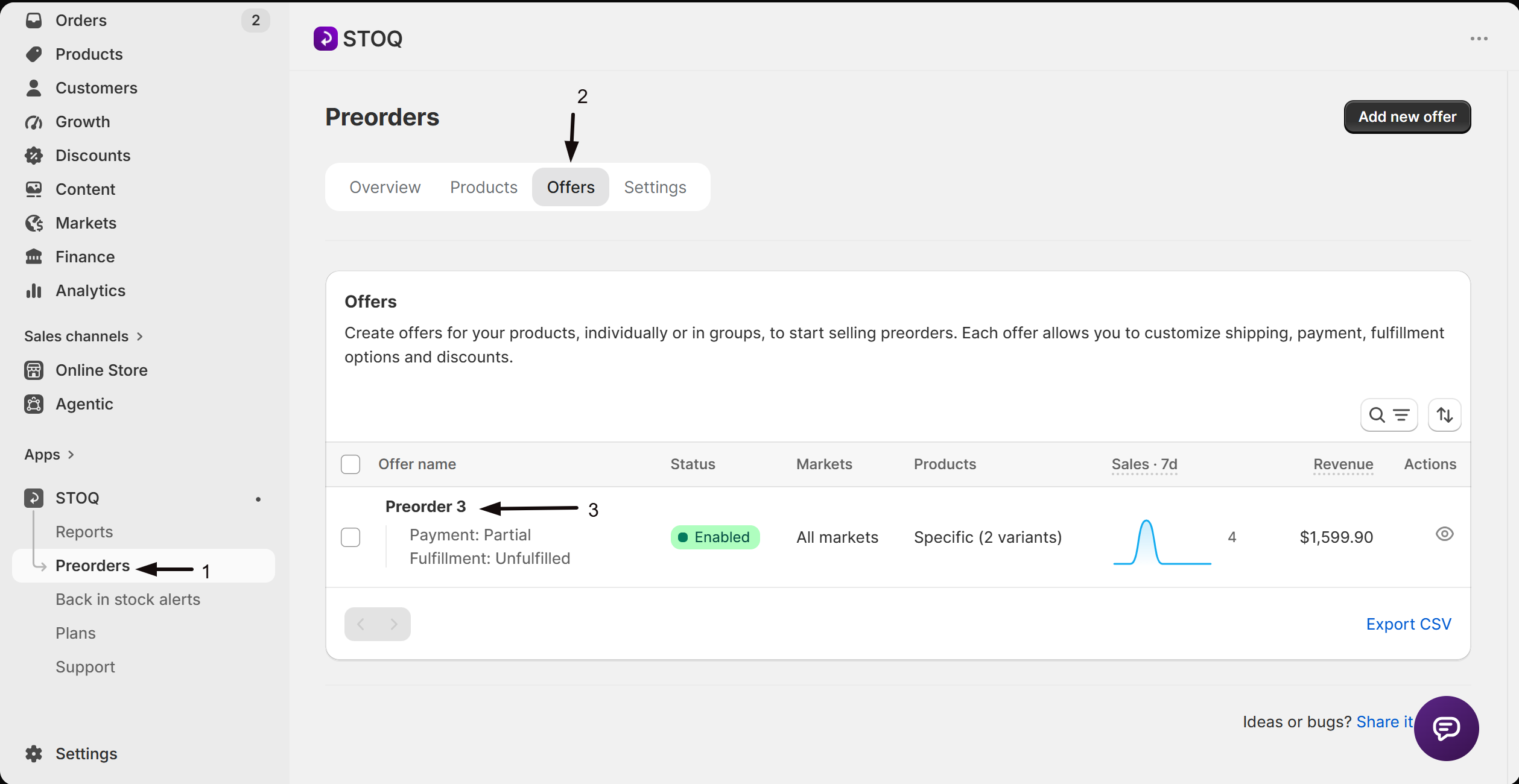
- In the left menu bar of the STOQ app, click Preorders.
- Click the Offers tab, then click the offer you want to edit.
- Open the offer’s Products section.
-
Open the product type settings
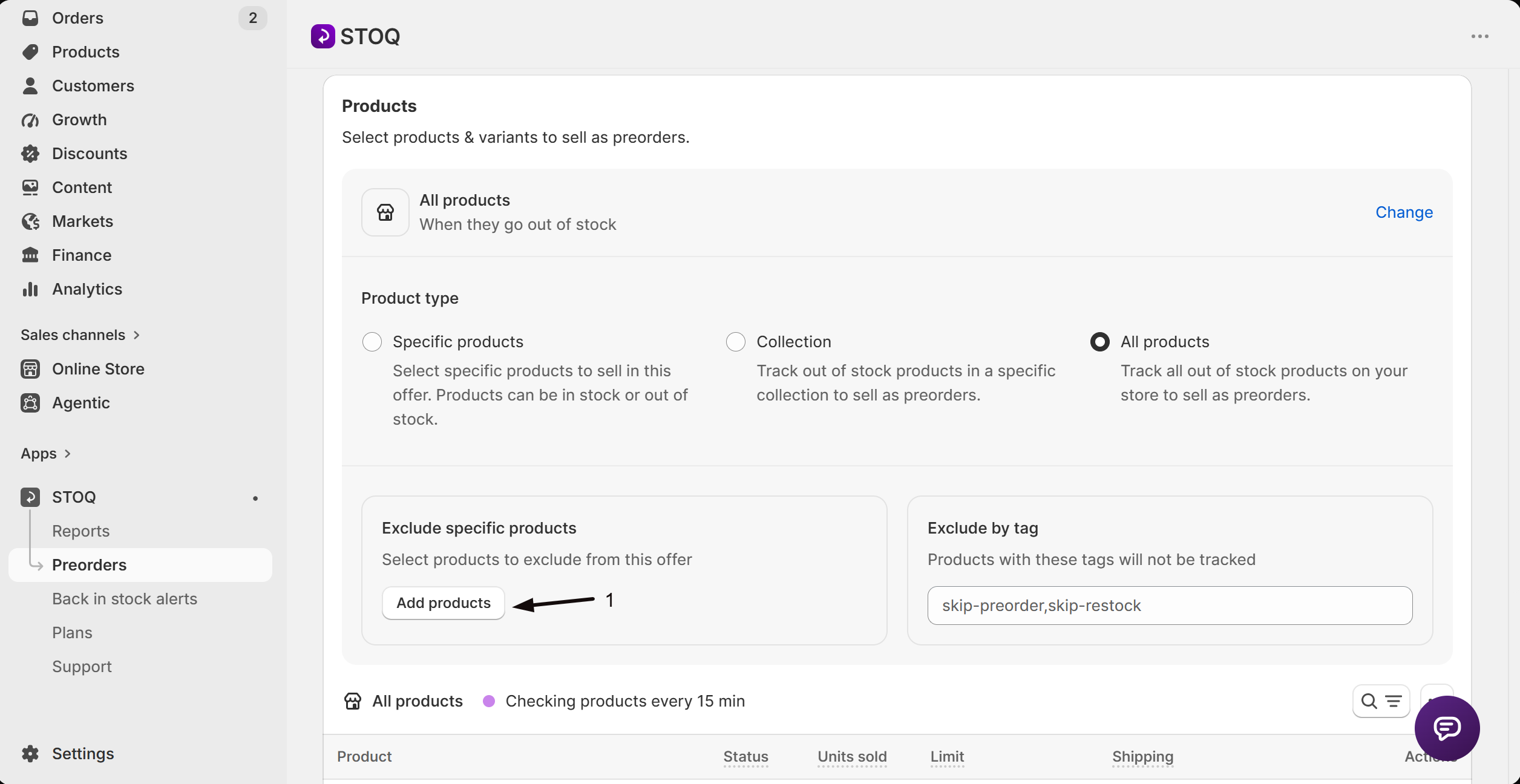
In the Products section, click Change next to the current product type. Excluding only applies when the product type is Product tags or All products. If it’s set to Specific products, remove the product from the list instead.
-
Add products to Exclude specific products
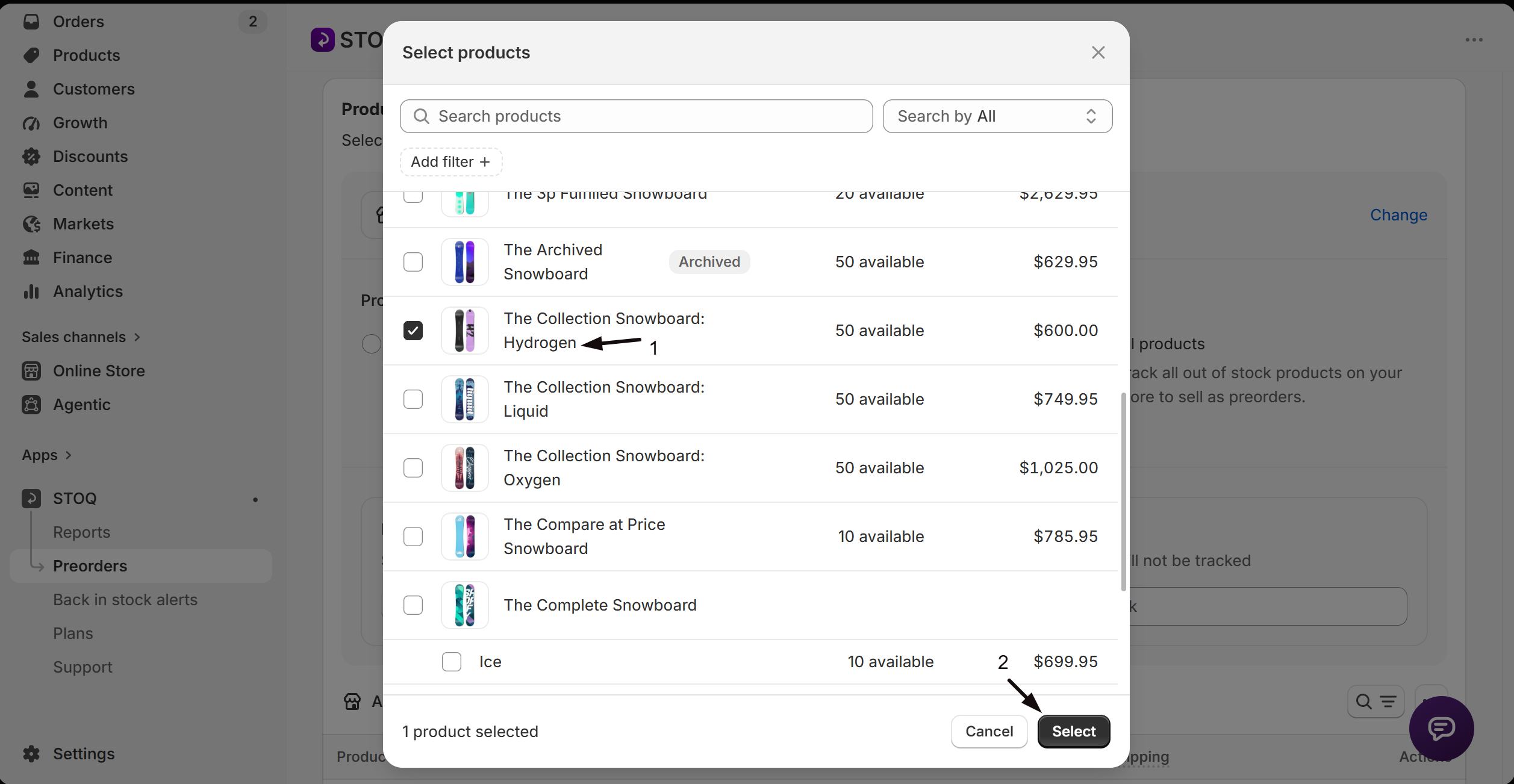
Under Exclude specific products, click Add products and pick the products or variants that should not take preorders. To see the list, click View. In the Excluded products window, click Remove to take one product off the list, or Clear all to reset it.
-
Save
Save the offer. Excluded products keep their normal Shopify behavior and won’t show the preorder button.
Check your setup
Section titled “Check your setup”Open an excluded product on your live storefront and confirm it does not show the preorder button, while a non-excluded product in the same offer still does.
Can I exclude a single variant instead of a whole product?
Yes. When you click Add products under Exclude specific products, you can pick individual variants, so the rest of the product can still take preorders.
I'm on Specific products and there's no Exclude specific products option
That’s expected. With Specific products you already control the exact list, so remove the product from it rather than excluding it. Excluding is for the broader Product tags and All products modes.
Does excluding a product delete its existing preorders?
No. It stops new preorders on that product going forward. Orders already placed are unaffected.
A product is in two offers, which wins?
A product can only be active in one preorder offer at a time. If a product shouldn’t take preorders at all, exclude it from every offer that would otherwise cover it.
Related guides
Section titled “Related guides”Thanks for letting us know.
Still stuck? Ask Quinn or chat with support