Preorders with the SplitOrder app
Stop preorder units being counted twice when the SplitOrder app splits a mixed order.
Last updated
Use this guide if you use the third-party SplitOrder app to split mixed orders and your preorder Units sold numbers look too high. By the end, STOQ will recognize the orders SplitOrder creates and count each preorder unit once.
Before you begin
Section titled “Before you begin”| Requirement | Detail |
|---|---|
| The SplitOrder app | This setting only matters if you use the third-party SplitOrder app. If you don’t, leave it off |
| New orders only | Turning this on changes how future orders are counted. Reports for orders already recorded aren’t recalculated |
Why units get counted twice
Section titled “Why units get counted twice”When a customer buys a preorder item and an in-stock item together, SplitOrder moves items into a second order. That new order still carries the preorder offer on its line items, so without this setting STOQ records the preorder twice: once on the original order and again on the order SplitOrder created. Your Units sold is inflated as a result.
With the setting on, STOQ identifies the order SplitOrder created and skips it, so only the original order counts.
Set it up
Section titled “Set it up”On a phone, this menu is collapsed. In the Shopify mobile app, tap the STOQ logo at the top of the screen to open it, then choose the section named below. There is no hamburger icon. See Finding the STOQ menu.
-
Open the Integrations page
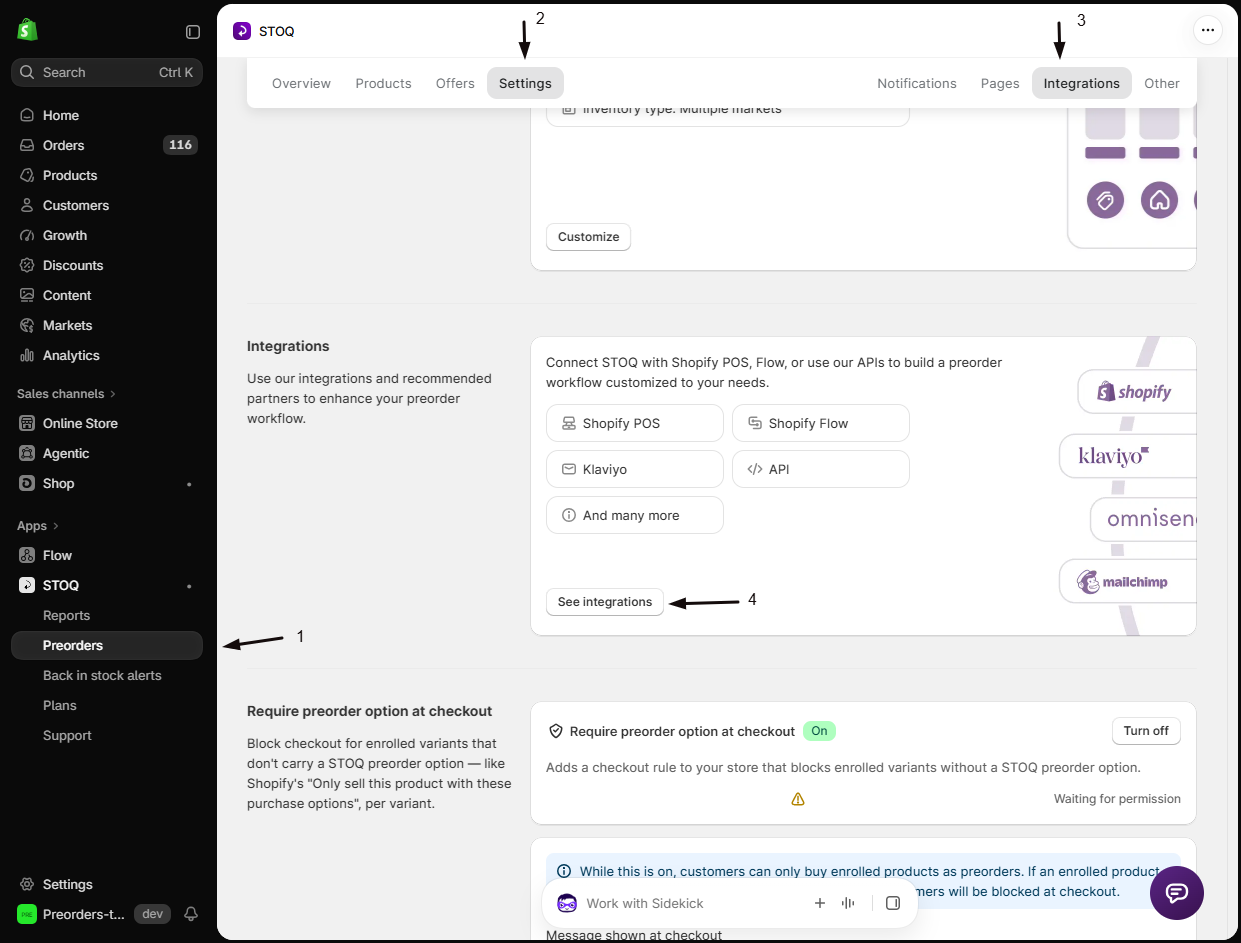
- In the left menu bar of the STOQ app, click Preorders.
- Click the Settings tab.
- Open the Integrations sub-tab.
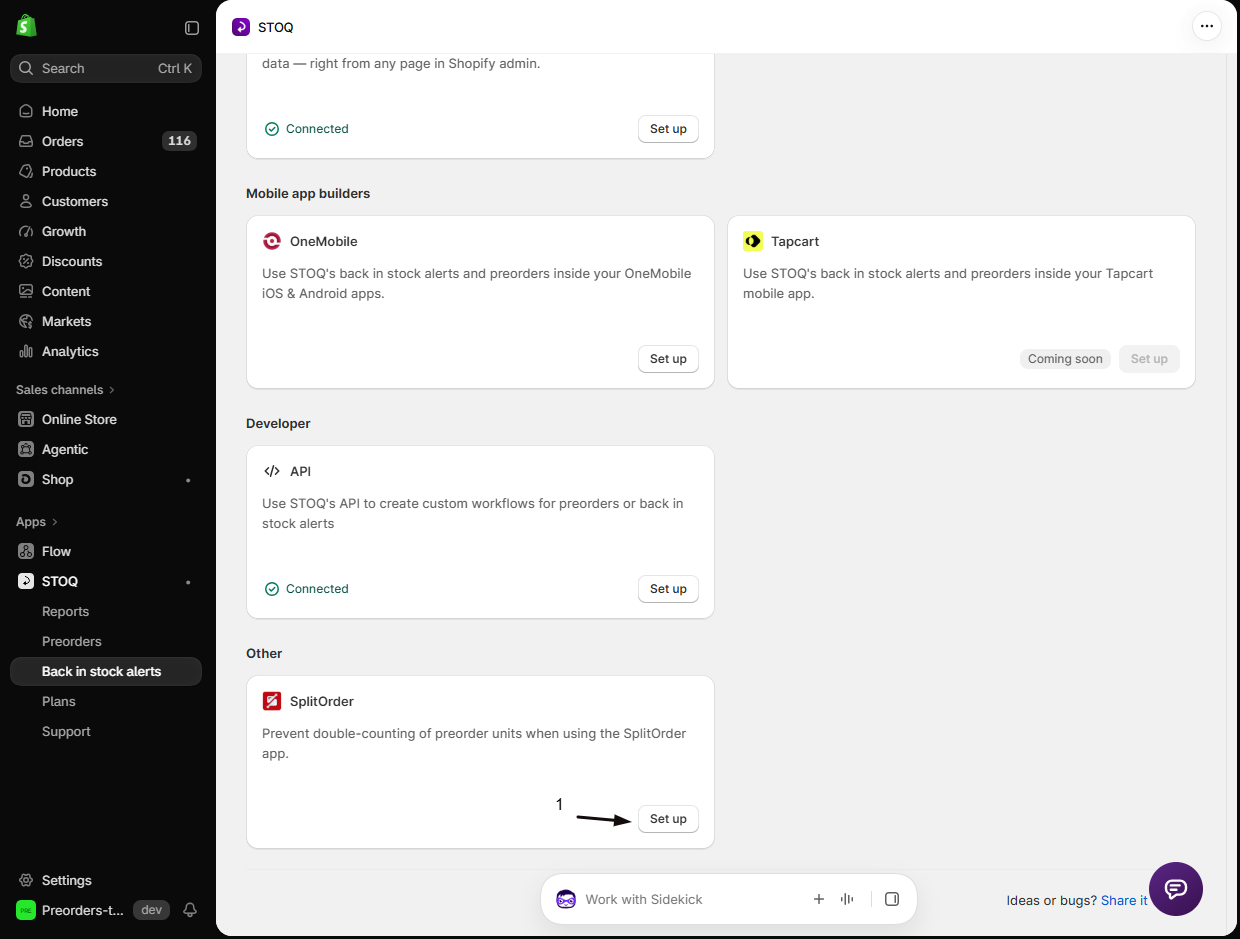
- Click See integrations, then under Other click Set up on the SplitOrder card to expand it.
-
Turn on the integration
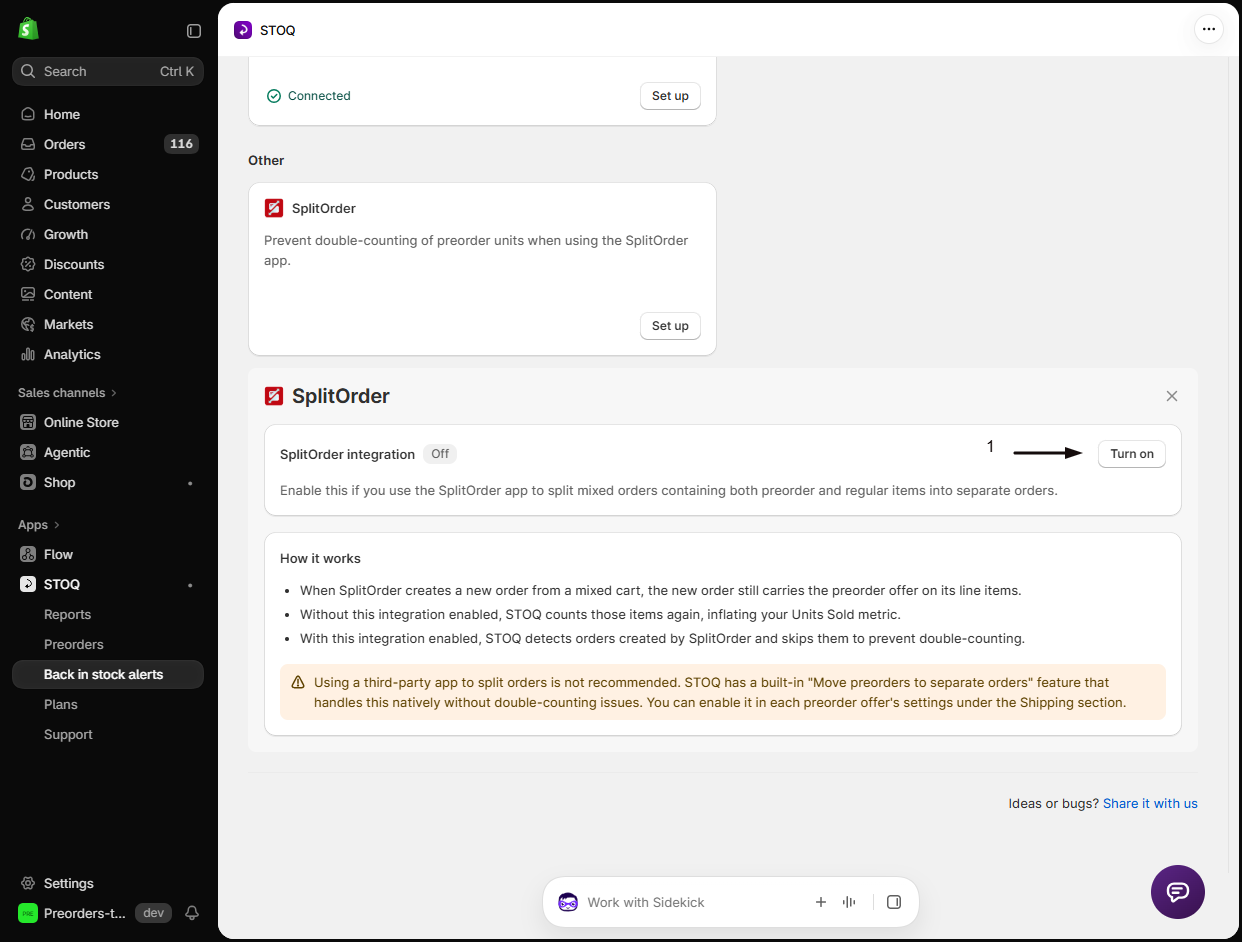
Turn on SplitOrder integration. It’s off by default.
Check your setup
Section titled “Check your setup”Place a test order containing one preorder item and one in-stock item, and let SplitOrder split it. Then go to Reports → Preorders and confirm the preorder item is counted once, not twice.
Troubleshooting
Section titled “Troubleshooting”- If units are still counted twice: confirm the setting is on, then check whether the double-counted orders were created before you turned it on. Existing reporting isn’t recalculated.
- If preorders stop appearing in reports entirely: check that you actually use SplitOrder. If the app isn’t splitting your orders, leave this setting off.
Does this fix reports for orders already placed?
No. It changes how orders are counted from the moment you turn it on. Orders already recorded keep their existing numbers.
Does this change anything for customers?
No. It only affects how STOQ counts preorder units in your reports. Customers see no difference at checkout, and no emails or payments change.
Should I use SplitOrder or STOQ's own split feature?
STOQ’s built-in Move preorder items to a separate order is the better option, because it splits orders natively without double-counting. See Separate orders for mixed carts.
Can I turn it on if I don't use SplitOrder?
There’s no reason to. It only affects orders the SplitOrder app creates, so it does nothing on its own. Leave it off.
Related guides
Section titled “Related guides”Thanks for letting us know.
Still stuck? Ask Quinn or chat with support