Edit the deferred or recurring purchase message
Reword Shopify's checkout consent message that appears on preorder and deposit orders.
Last updated
When a cart contains a preorder or deposit item, Shopify shows a consent message at checkout, by default something like “One or more items in your cart is a deferred or recurring purchase.” This is Shopify’s message, controlled by your theme’s language content, not by STOQ, but you can reword it.

Edit the wording
Section titled “Edit the wording”-
Open your theme’s language editor
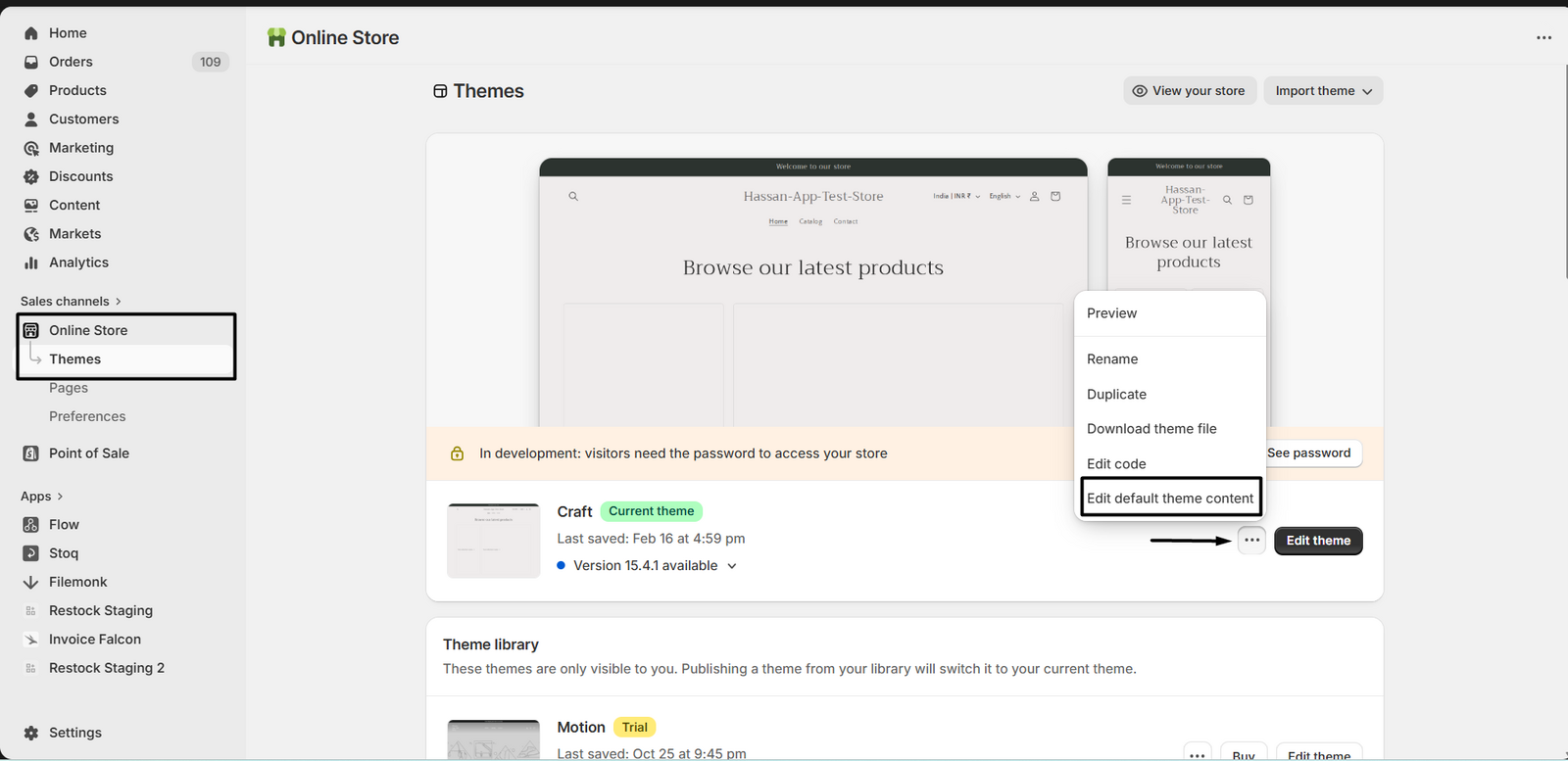
In Shopify admin, go to Online Store > Themes, click the ⋯ menu on your live theme, and choose Edit default theme content (or Edit languages).
-
Find the message
Search for a keyword like
deferred,recurring,purchase, orconsentto locate the string that begins “One or more items in your cart is a deferred or recurring purchase…”.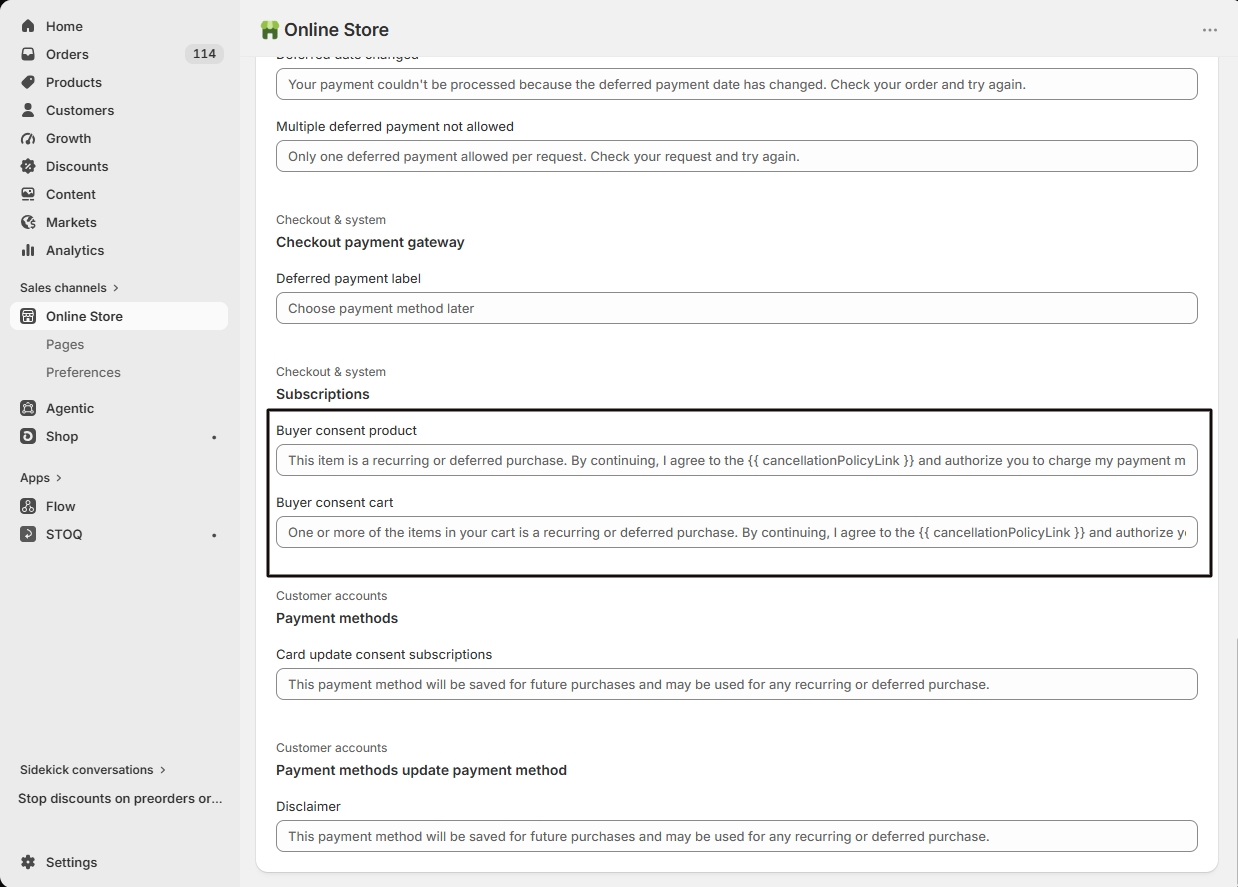
-
Reword and save
Edit the text to suit your store, keeping the billing disclosure clear, then save.
-
Verify
Add a preorder product to your cart and confirm the updated message appears at checkout.
Troubleshooting
Section titled “Troubleshooting”The text didn't change
Confirm you edited the published theme, clear your cache or test in incognito, and check whether more than one language needs updating.
I can't find the message in the language editor
A subscription or preorder app may be supplying the text instead. Try broader search terms, or check that app’s settings.
Related guides
Section titled “Related guides”Thanks for letting us know.
Still stuck? Ask Quinn or chat with support