Use Easy Bundles with preorders
How Easy Bundles bundle types behave with STOQ preorders, and which setups and limitations to keep in mind.
Last updated
This article helps you understand how Easy Bundles behaves with STOQ preorders. Easy Bundles is compatible with STOQ in the setups described below, but this is a compatibility setup, not a direct integration between the two apps. That means STOQ does not manage bundles inside Easy Bundles, and Easy Bundles does not automatically inherit every STOQ preorder setting in every bundle type or add-to-cart flow.
The best setup depends on the bundle type you are creating. Use this guide to understand which Easy Bundles setups work with STOQ and which limitations to keep in mind.
Bundle types
Section titled “Bundle types”| Easy Bundles type | STOQ result | Recommendation |
|---|---|---|
| Fixed Bundle | Works with STOQ preorders. STOQ preorder discounts, Easy Bundles discounts, partial payments, preorder details, and fulfillment hold work. Partial-payment deposits are calculated before the Easy Bundles discount is applied. | Recommended. |
| Mix & Match | Works with STOQ when customers use the main theme Add to Cart / Preorder button. STOQ preorder discounts, partial payments, fulfillment hold, and Easy Bundles discounts work. Partial-payment deposits are calculated before the Easy Bundles discount. | Recommended. |
| Quantity Breaks: Percentage discount | Works with STOQ preorders. Easy Bundles quantity discounts, STOQ preorder discounts, partial payments, fulfillment hold, and free gifts work. Partial-payment deposits are calculated before the Easy Bundles discount. | Recommended. |
| Quantity Breaks: Buy X Get Y | Works with STOQ preorders. Free units are discounted correctly, partial payments calculate correctly on the paid preorder units, and fulfillment hold works. | Recommended. |
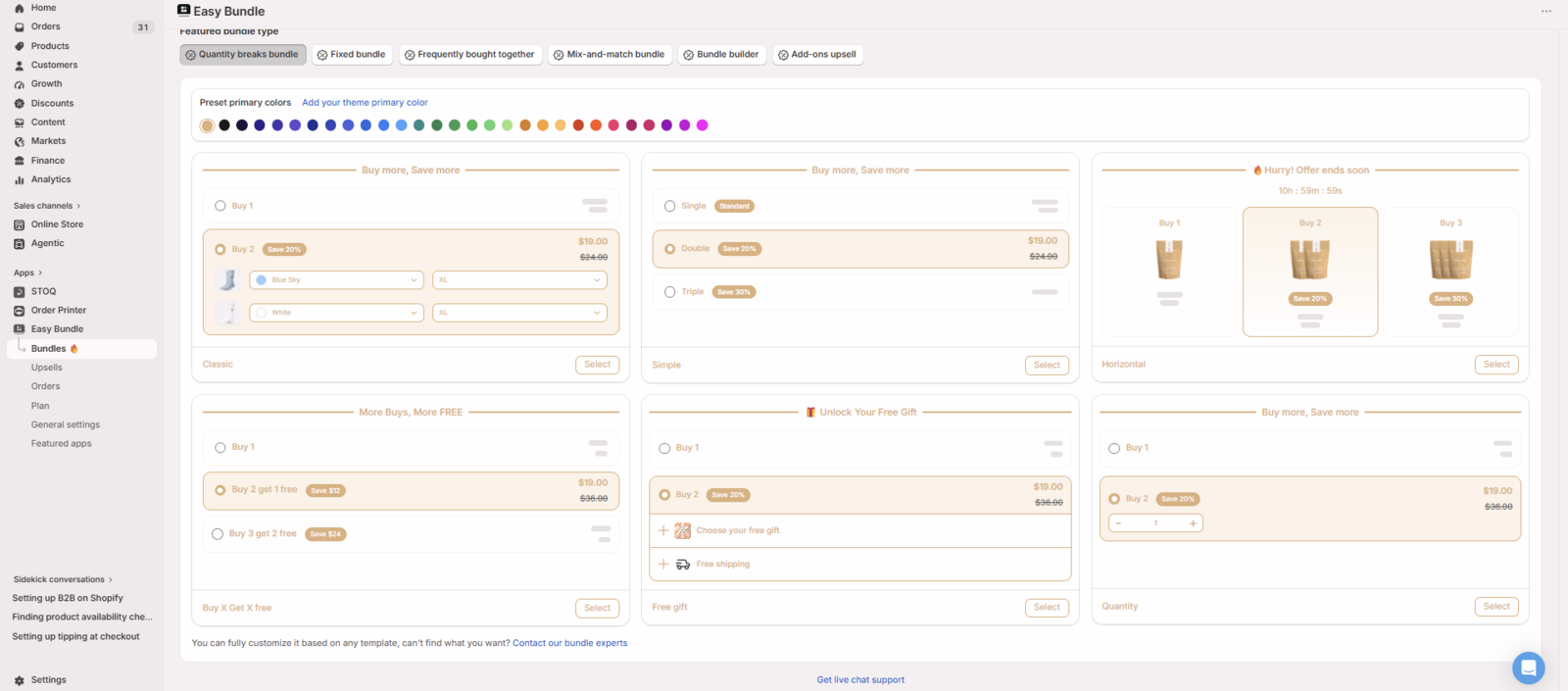
Fixed Bundle
Section titled “Fixed Bundle”Easy Bundles Fixed Bundles work with STOQ preorders.
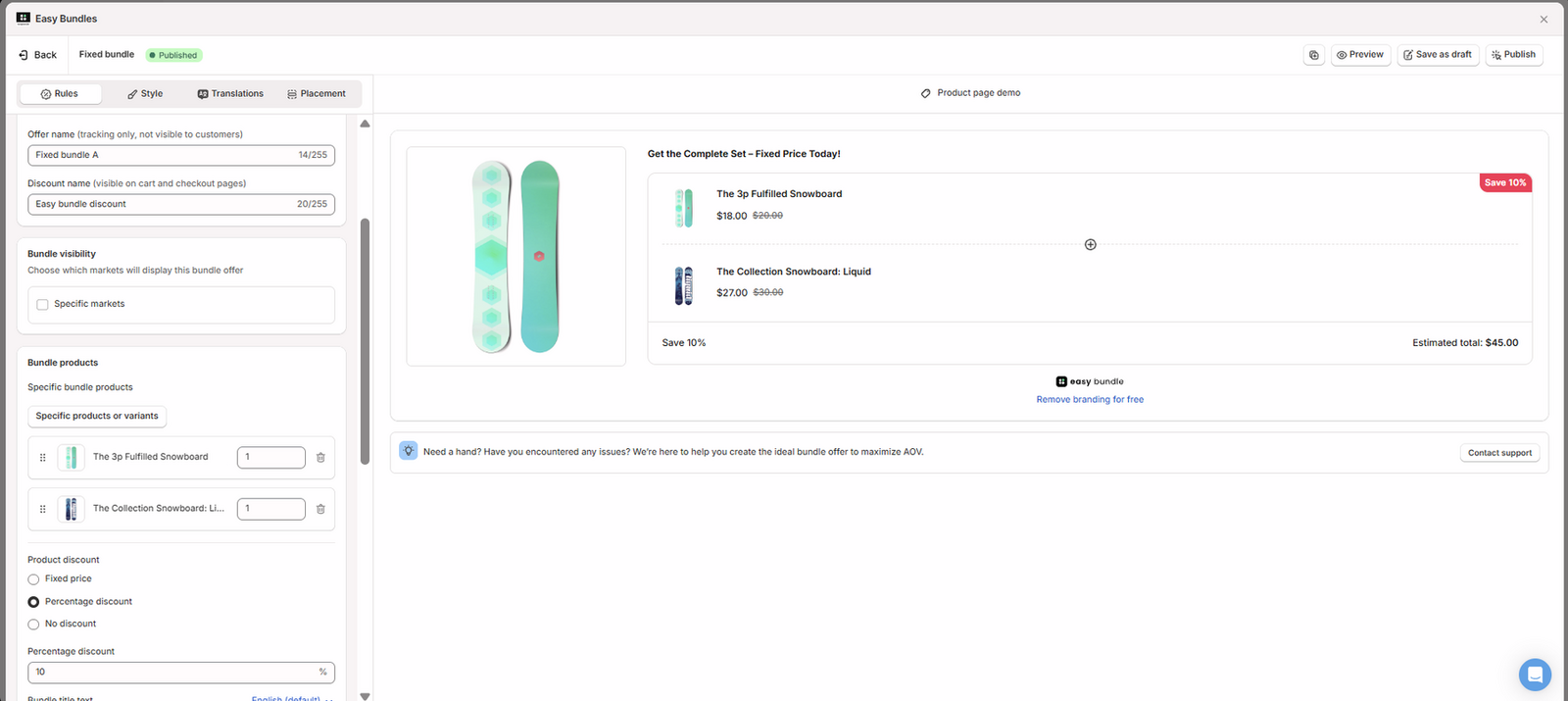
Both the STOQ preorder discount and the Easy Bundles discount apply correctly.
For example, when the preorder product is $20:
- STOQ applies a 10% preorder discount, reducing it to $18.
- Easy Bundles then applies its bundle discount.
- The final discounted price appears correctly at checkout.
The in-stock product also receives the Easy Bundles discount correctly. The preorder product keeps its STOQ preorder details at checkout and in the Shopify order, including:
- Shipping information
- Payment terms
- Preorder discount details
- Preorder line item properties
- Fulfillment hold
The in-stock product remains available for normal fulfillment while the preorder product is placed on hold.
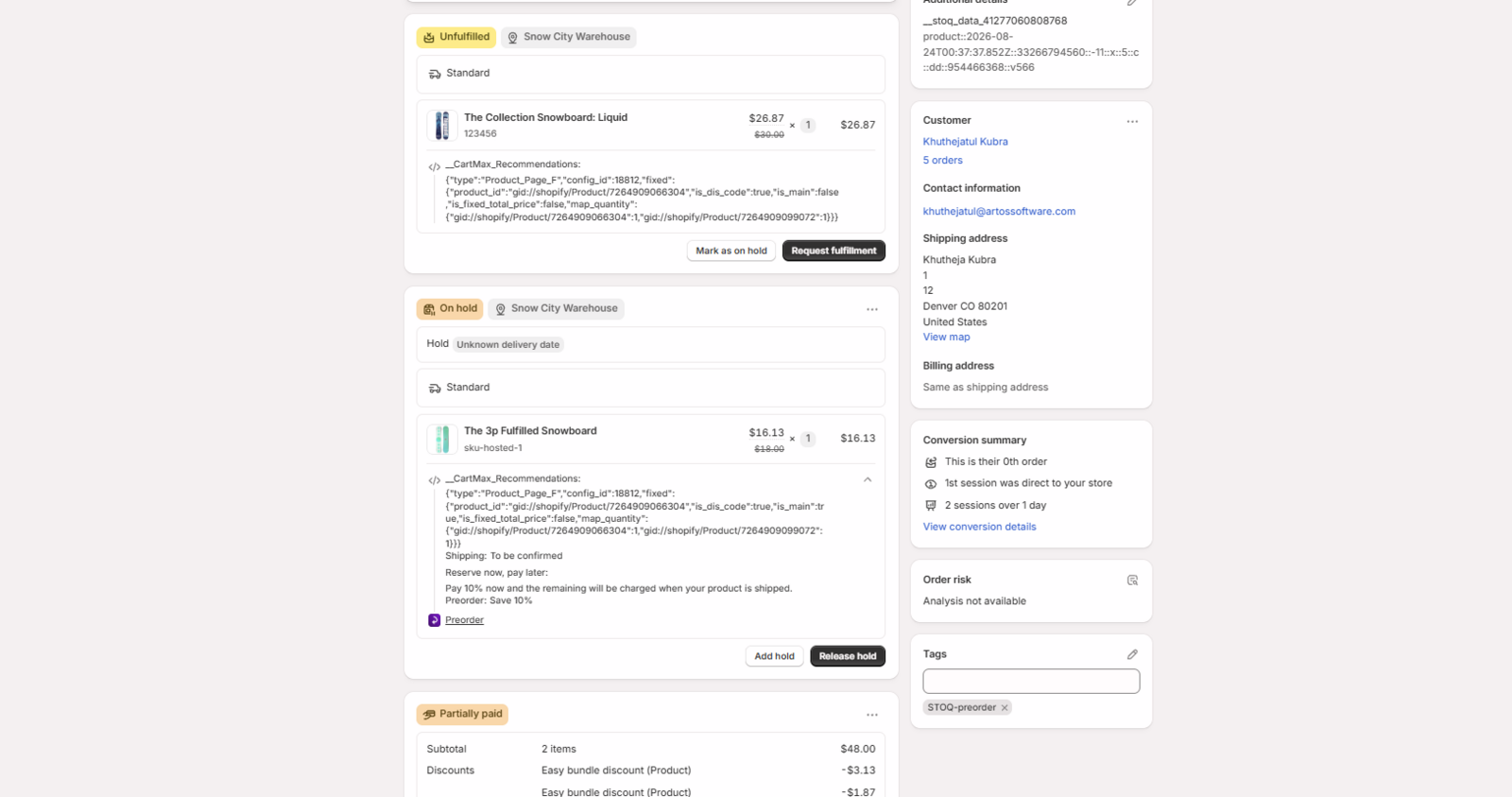
Fixed Bundle with partial payments
Section titled “Fixed Bundle with partial payments”Partial payments work, but STOQ calculates the deposit before the Easy Bundles discount is applied. For example, if a $20 preorder product is reduced to $18 by a STOQ preorder discount and Easy Bundles then reduces the price further, STOQ still calculates the deposit from $18 rather than the final Easy Bundles-discounted price. The final checkout total is correct, but the split between due today and due later may therefore be higher than expected. The same limitation applies when both products in the Fixed Bundle are preorder products.
Mix & Match
Section titled “Mix & Match”Easy Bundles Mix & Match works with STOQ preorders, but the result depends on how the customer adds the products to the cart.
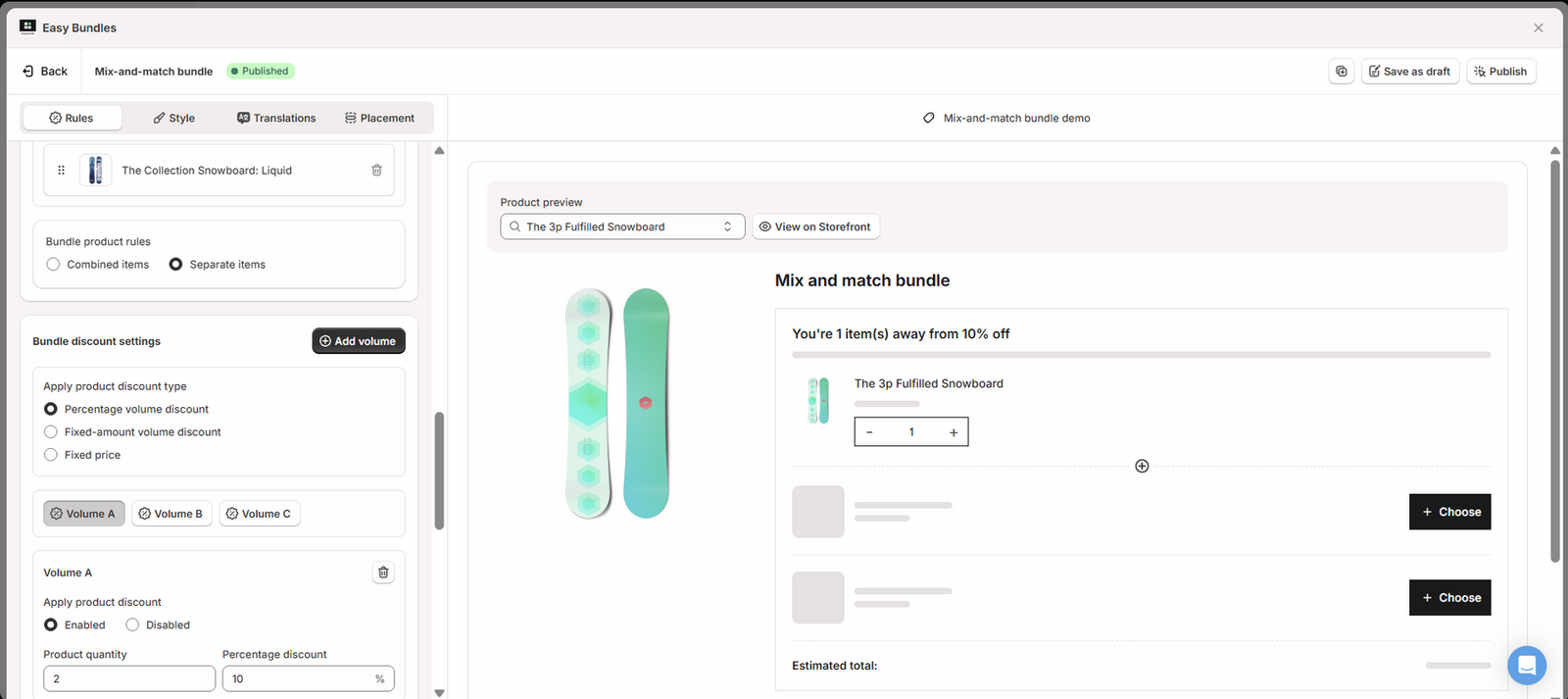
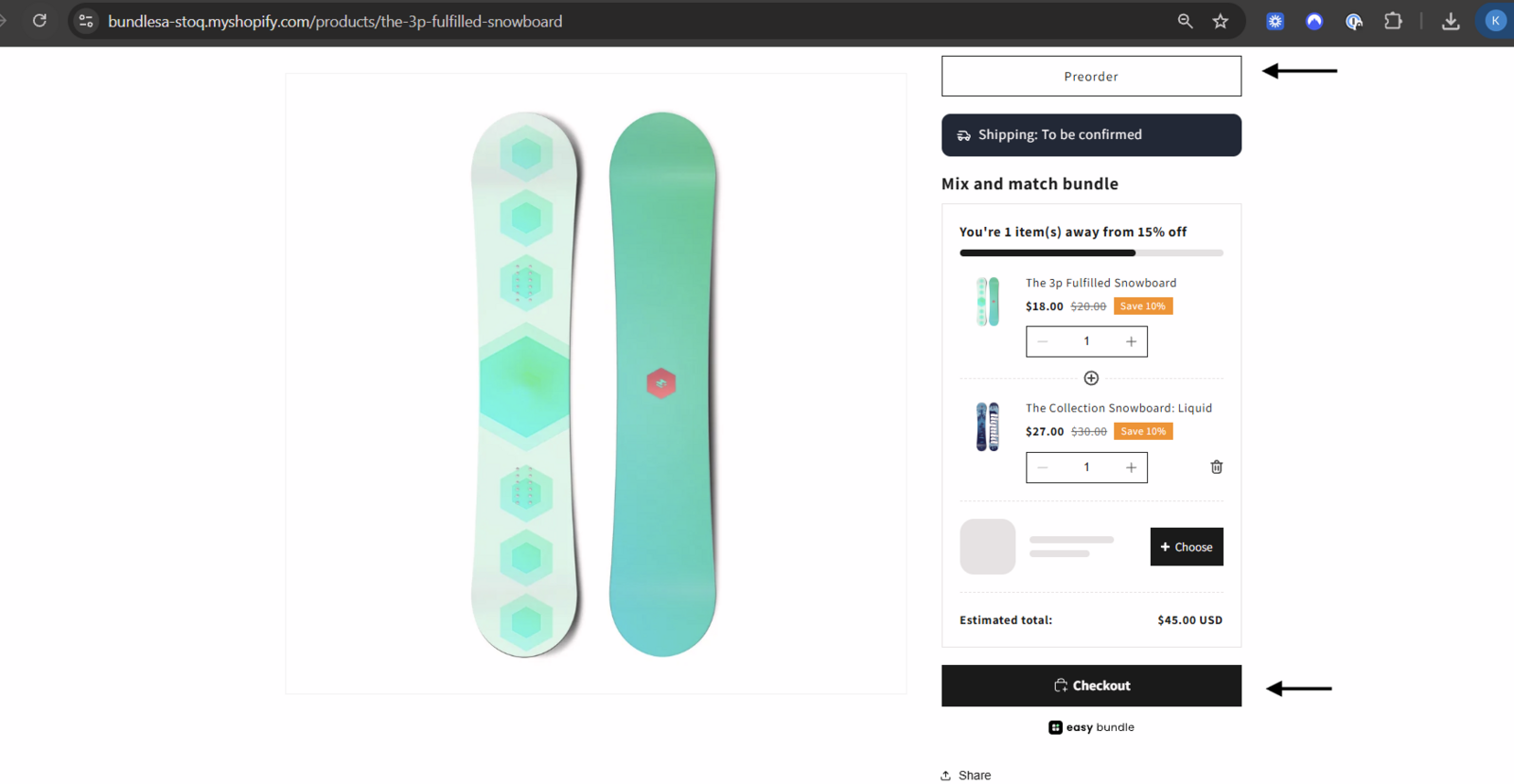
Using the main Add to Cart / Preorder button
Section titled “Using the main Add to Cart / Preorder button”This is the recommended setup. When customers use the main theme Add to Cart or STOQ Preorder button, STOQ preorder discounts, Easy Bundles discounts, partial payments, fulfillment hold, preorder details, and order tagging all work correctly. The only limitation is that partial-payment deposits are calculated before the Easy Bundles discount is applied.
Using the Easy Bundles Add to Cart button
Section titled “Using the Easy Bundles Add to Cart button”This flow is not recommended for STOQ preorders. The Easy Bundles discount applies, but STOQ partial payments, preorder discounts, and fulfillment hold do not carry through correctly. The order is created as fully paid and the preorder product remains unfulfilled.
Recommended use
Section titled “Recommended use”Use the main theme Add to Cart / STOQ Preorder button when using Mix & Match with STOQ.
Quantity Breaks
Section titled “Quantity Breaks”Easy Bundles Quantity Breaks work with STOQ preorders across percentage discounts, free gifts, Buy X Get Y offers, and multiple quantities of the same preorder product. STOQ preorder details remain visible at checkout and in the Shopify order.
Quantity Breaks with percentage discounts
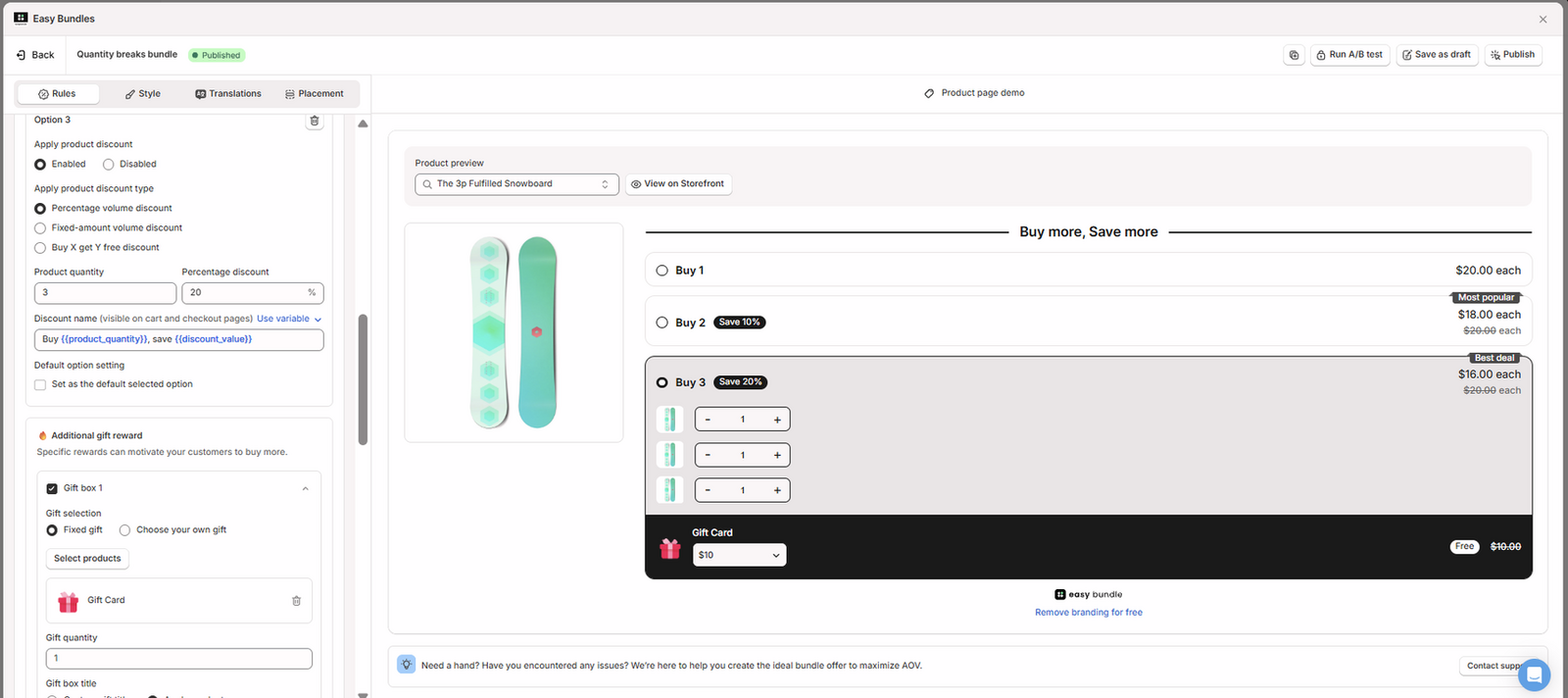
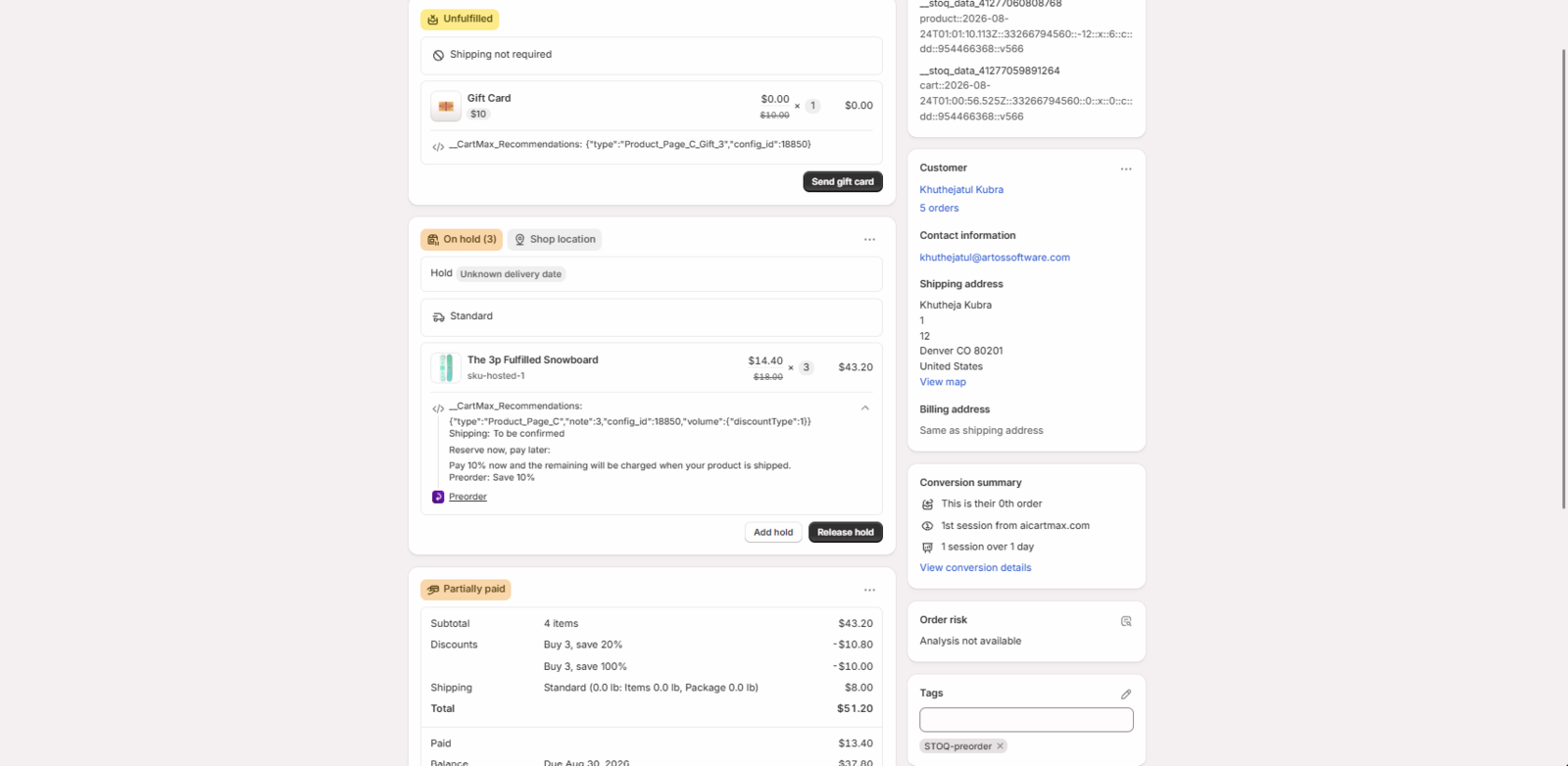
Section titled “Quantity Breaks with percentage discounts”When Easy Bundles applies a percentage discount to the preorder product, both discounts work correctly. For example, a $20 preorder product becomes $18 after a 10% STOQ preorder discount, and three units total $54. A 20% Easy Bundles quantity discount then reduces the final preorder total to $43.20.
Partial payments also work, but the deposit is calculated before the Easy Bundles discount is applied.
Quantity Breaks with a free gift
Section titled “Quantity Breaks with a free gift”Free gifts work correctly alongside STOQ preorders. The gift is discounted to $0, while the preorder product keeps its STOQ preorder details, partial payment setup, preorder discount, and fulfillment hold.
Quantity Breaks: Buy X Get Y
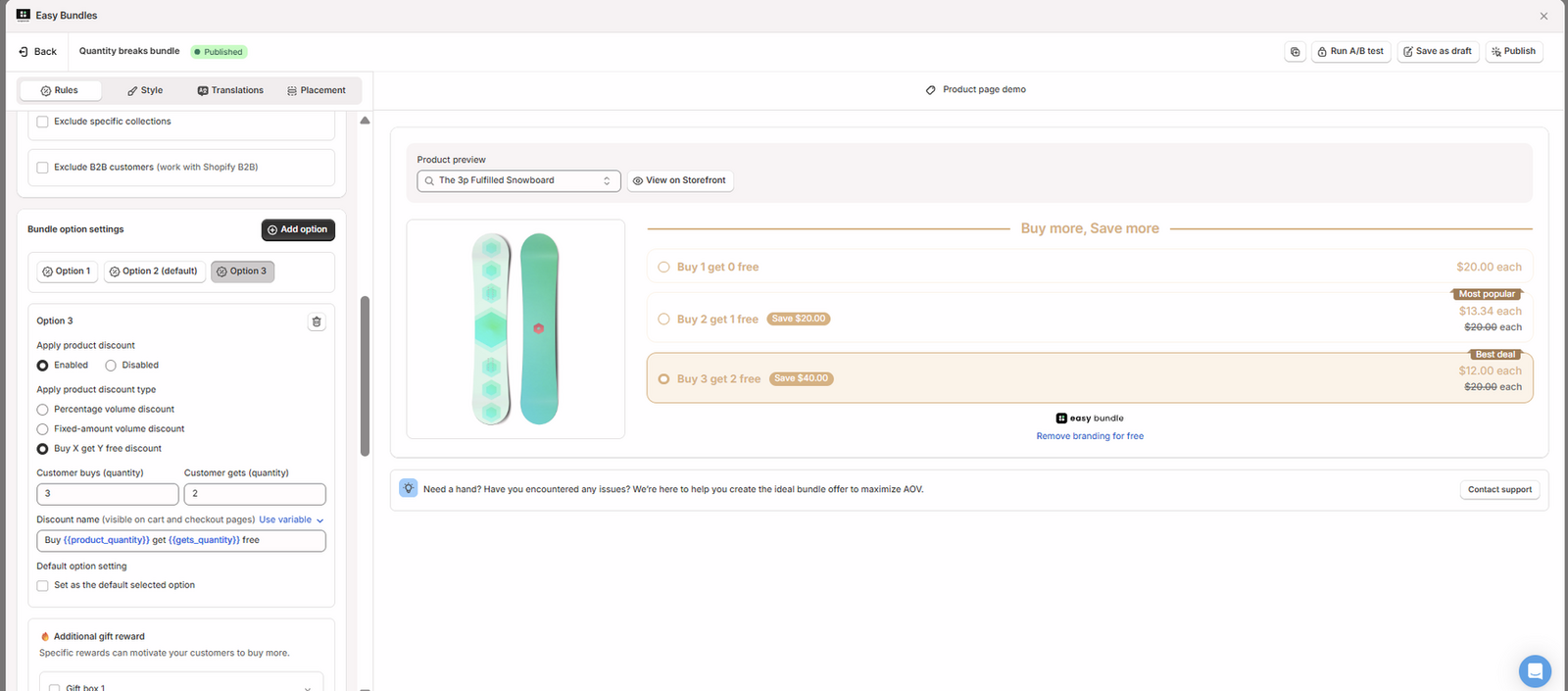
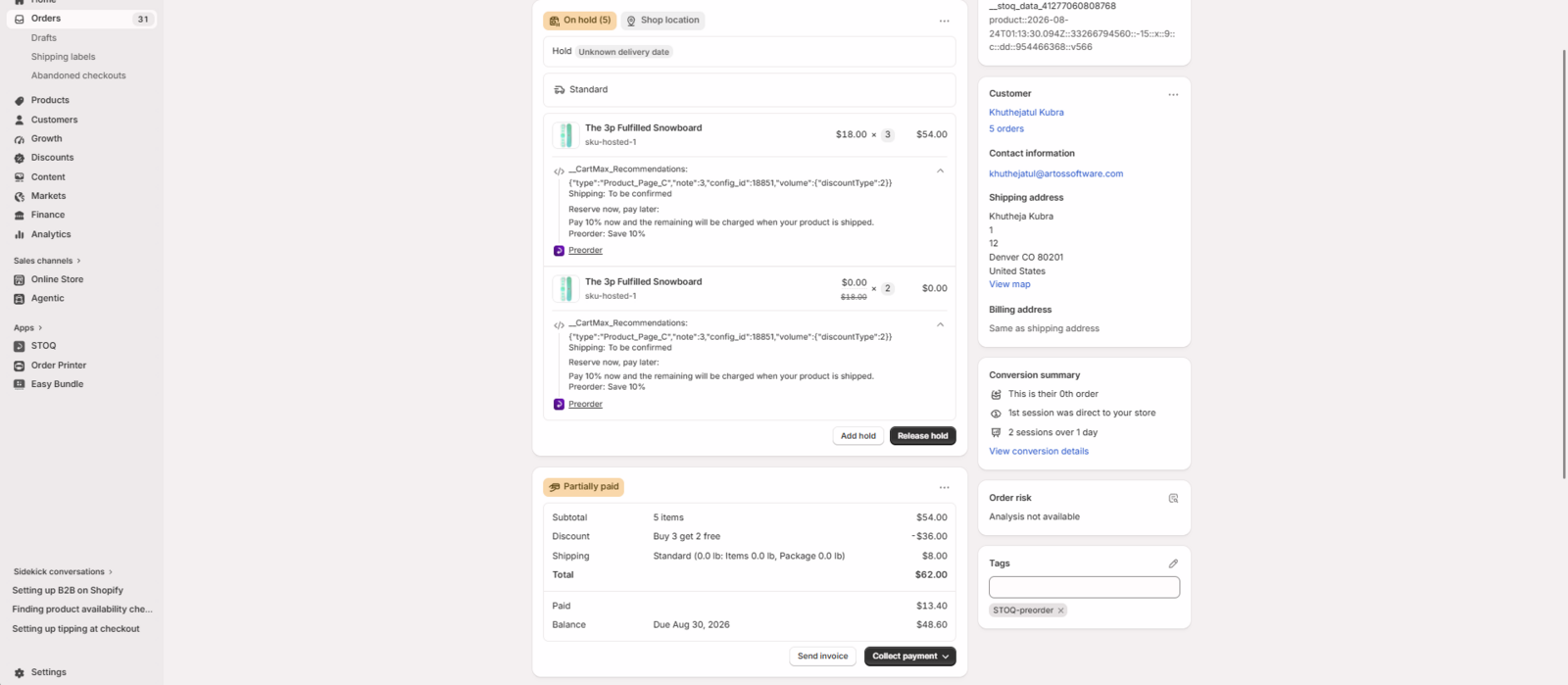
Section titled “Quantity Breaks: Buy X Get Y”Buy X Get Y also works correctly with STOQ preorders. In the tested setup below, the customer buys three preorder products and receives two additional units free. STOQ first applies the preorder discount, reducing each $20 product to $18. The three paid units total $54, while Easy Bundles discounts the two additional units to free.
Partial payments calculate correctly in this setup because the Easy Bundles discount applies only to the free units. STOQ collects a 10% deposit from the $54 paid preorder amount, and all five preorder units are placed on fulfillment hold correctly.
Troubleshooting
Section titled “Troubleshooting”| Issue | What to check |
|---|---|
| Partial payment amount looks higher than expected | Check whether an Easy Bundles discount is applied to the paid preorder product. STOQ calculates the deposit before that discount. |
| Preorder item is not placed on hold | Check whether the customer used the Easy Bundles Add to Cart button instead of the main theme / STOQ button. |
| STOQ preorder discount does not apply | Verify that the preorder product is included in the STOQ offer and check which add-to-cart flow is being used |
Can I use STOQ partial payments with Easy Bundles?
Yes. Partial payments work in the tested Fixed Bundle, Mix & Match, and Quantity Breaks setups. However, when an Easy Bundles discount applies directly to the paid preorder product, STOQ calculates the deposit before the Easy Bundles discount is applied.
Do STOQ preorder discounts work with Easy Bundles?
Yes. STOQ preorder discounts and Easy Bundles discounts stack correctly in the tested compatible setups.
Does STOQ fulfillment hold work with Easy Bundles?
Yes. Fulfillment hold works in the tested Fixed Bundle and Quantity Breaks setups, and in Mix & Match when products are added using the main theme / STOQ Add to Cart flow.
Can I use Easy Bundles' own Add to Cart button with Mix & Match?
It is not recommended for STOQ preorders. In the tested setup, the Easy Bundles discount applies, but STOQ partial payments, preorder discounts, and fulfillment hold do not carry through correctly. Use the main theme Add to Cart / STOQ Preorder button instead.
Do Buy X Get Y offers work with STOQ?
Yes. When the Easy Bundles discount applies only to the free units, STOQ partial payments calculate correctly from the paid preorder products.
Why is the deposit calculated from a higher price than the final preorder price?
STOQ calculates the deposit before the Easy Bundles discount is applied. The final checkout total still reflects the Easy Bundles discount correctly.
Related guides
Section titled “Related guides”Thanks for letting us know.
Still stuck? Ask Quinn or chat with support