Show Judge.me reviews in your emails
Pull each product's star rating and top reviews from Judge.me into your back in stock and preorder emails.
Last updated
Connect your Judge.me account and STOQ can show each product’s star rating and best reviews inside your back in stock and preorder emails, social proof right where customers decide to buy. It uses the reviews already on your store.
Before you begin
Section titled “Before you begin”| Requirement | Detail |
|---|---|
| A paid plan | Showing reviews in emails is a paid feature. |
| A Judge.me account with reviews | STOQ pulls the reviews already published on your store. Products without published reviews skip the section automatically. |
Connect Judge.me
Section titled “Connect Judge.me”On a phone, this menu is collapsed. In the Shopify mobile app, tap the STOQ logo at the top of the screen to open it, then choose the section named below. There is no hamburger icon. See Finding the STOQ menu.
-
Open the Judge.me card
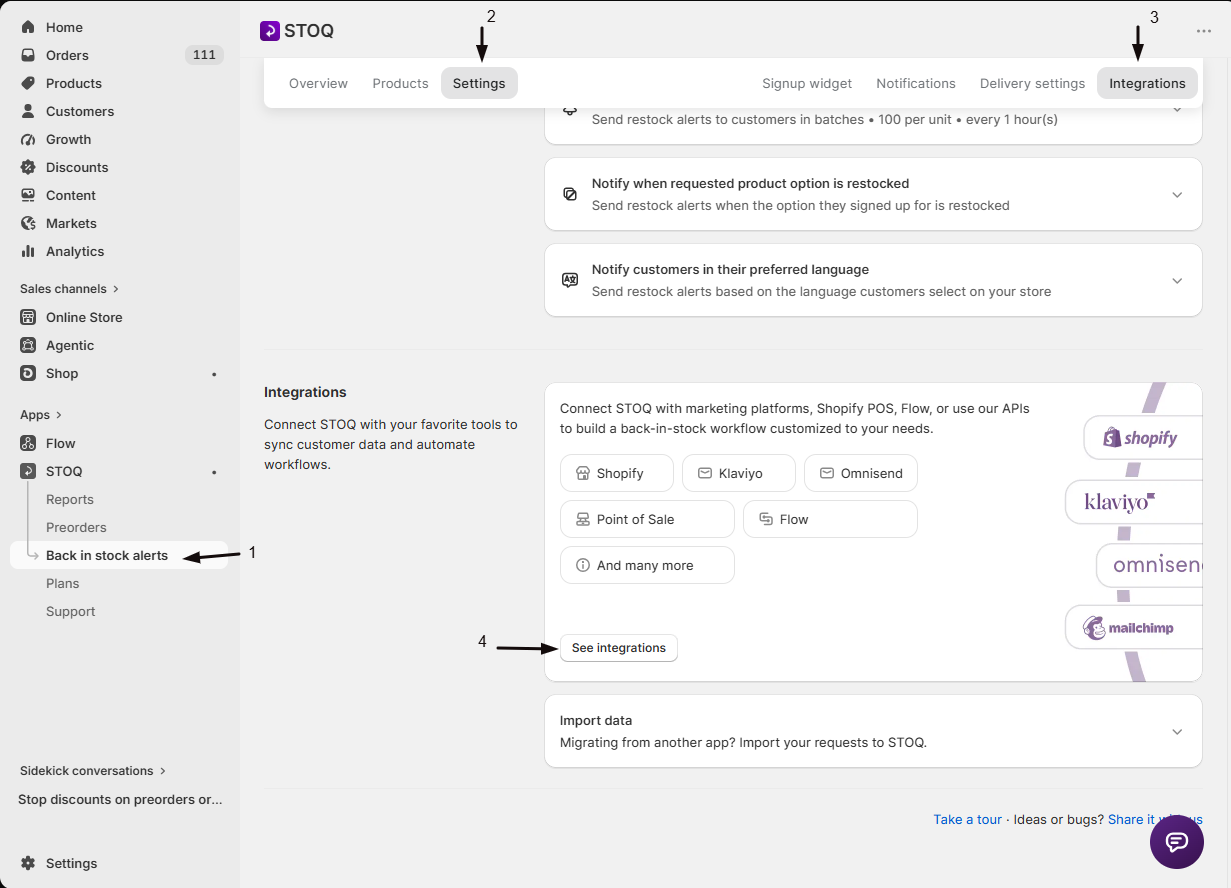
- In the left menu bar of the STOQ app, click Back in stock alerts.
- Click the Settings tab, then open the Integrations sub-tab.
- Click See integrations to open the full Integrations page.
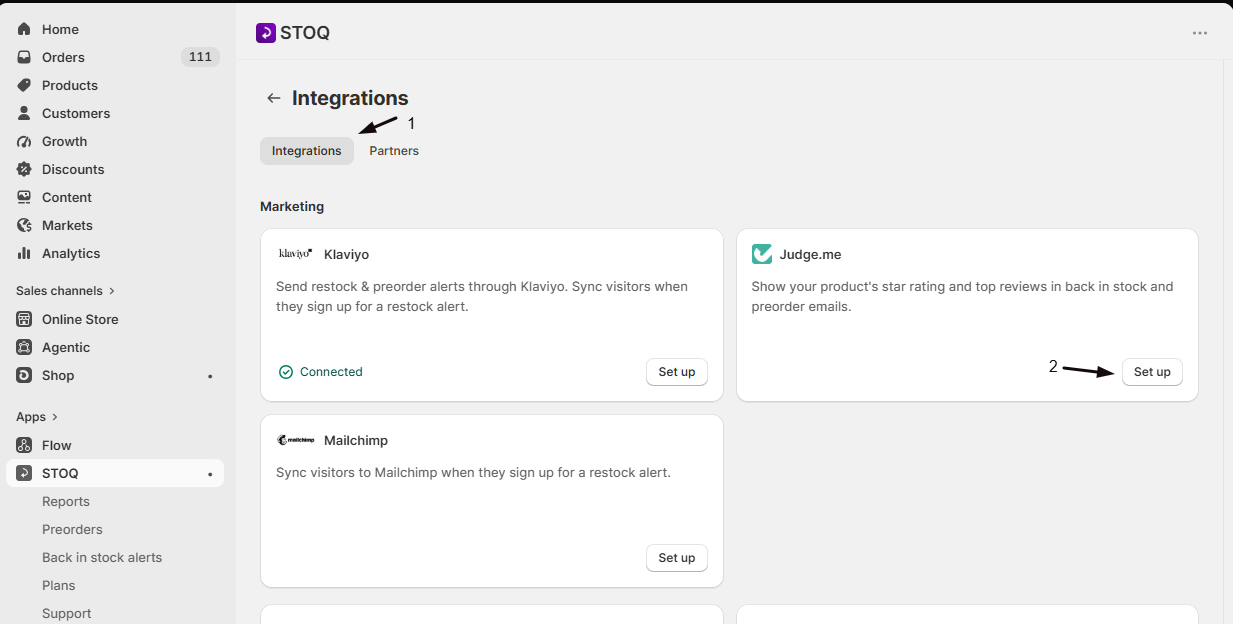
In the Marketing section, find the Judge.me card and click Set up.
-
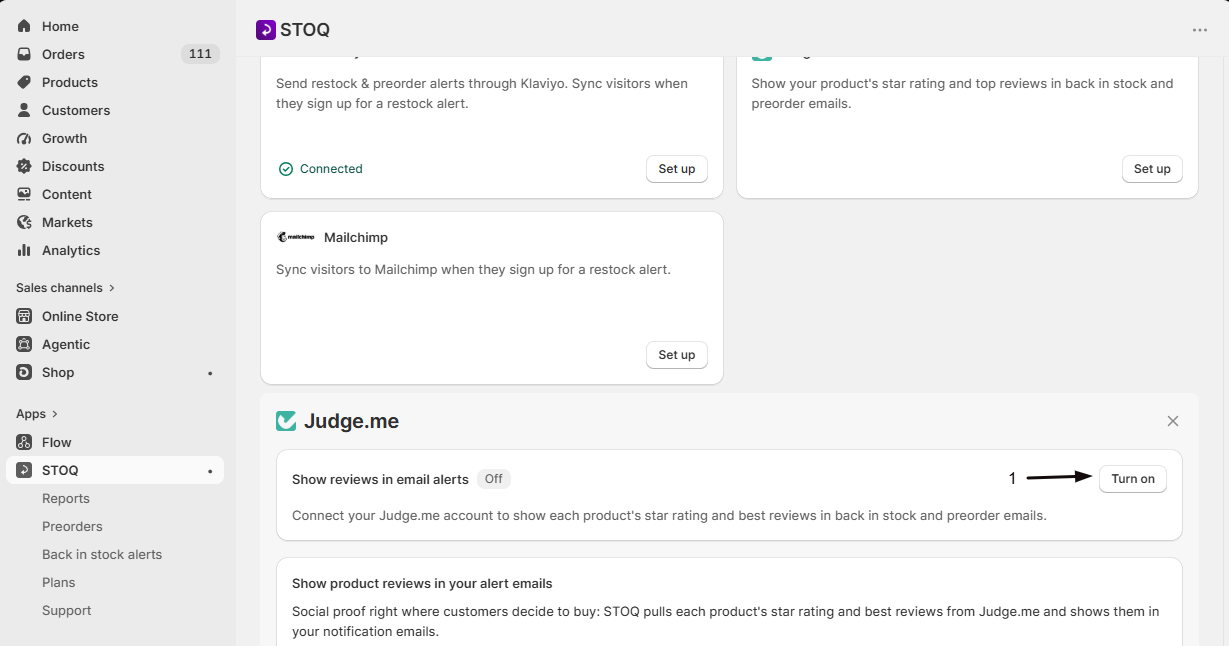
Turn on Show reviews in email alerts
Switch on Show reviews in email alerts. This requires a paid plan. Turning it on opens Judge.me in a new browser tab so you can connect your account.
-
Sign in to Judge.me
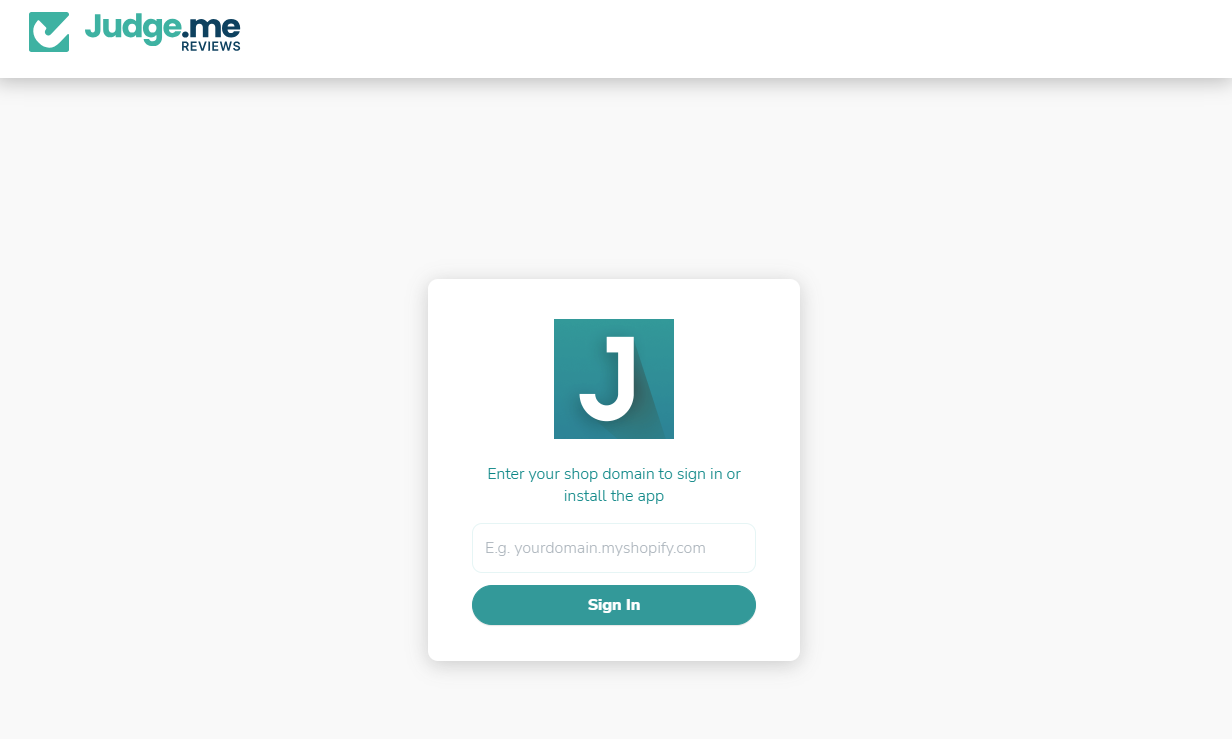
In the Judge.me tab, enter your store domain and sign in to authorize STOQ. When you’re done, the tab closes and you’re returned to STOQ, where the card shows Judge.me account connected. with the toggle on. It uses the reviews already on your store, so there’s nothing else to import.
Show reviews in back in stock emails
Section titled “Show reviews in back in stock emails”-
Open the email editor
In Back in stock alerts, go to Notifications, select the alert, and click Customize.
-
Turn on product reviews
Turn on Show product reviews (the Judge.me product reviews setting). It adds the product’s star rating and top reviews below the product image. One setting covers the first alert and all reminders.
-
Choose how many reviews
Set Number of reviews to control how many show, then save.
Show reviews in preorder emails
Section titled “Show reviews in preorder emails”Do the same in Preorders > Notifications > Customize. Reviews show on the preorder confirmation and shipping update emails, never on payment emails.
Good to know
Section titled “Good to know”- Products without published reviews skip the review section automatically.
- Review data refreshes about every 2 days.
Check your setup
Section titled “Check your setup”Send yourself a test email for a product that has published Judge.me reviews and confirm the star rating and reviews appear below the product image. See Customize the back in stock email notification.
Troubleshooting
Section titled “Troubleshooting”The Show product reviews toggle is disabled
Either you haven’t connected Judge.me yet, or you’re on a free plan. Connect your Judge.me account from Settings > Integrations > Judge.me, and upgrade if needed, then come back and turn it on.
No reviews show in the email
The product may have no published reviews, in which case the section is skipped. Confirm the product has reviews in Judge.me, and remember review data refreshes every 2 days.
Related guides
Section titled “Related guides”Thanks for letting us know.
Still stuck? Ask Quinn or chat with support