Fix Klaviyo emails not sending after flow verification
Your STOQ flow verifies with a green check but customers don't get the email. Here's why, and how to fix it.
Last updated
When STOQ verifies a Klaviyo flow, it checks that a flow with the right name exists. It doesn’t check what’s inside the flow, so a flow can verify successfully and still fail to deliver. These are the three usual causes.
Find why a message was skipped
Section titled “Find why a message was skipped”Klaviyo records a reason for every message it doesn’t send, so start here to see which cause below applies before changing anything.
-
Open the flow’s email in Klaviyo
In your Klaviyo dashboard, open the flow triggered by the STOQ metric, for example Back in stock alert (STOQ), then click its Email action.
-
Open the message’s analytics
In the email’s panel, click View details to open its performance analytics.
-
Open Recipient activity and filter to Skipped
Open the Recipient activity tab, then set the activity filter to Skipped. Each skipped recipient shows a reason, such as Skipped: Catalog Item Unavailable.
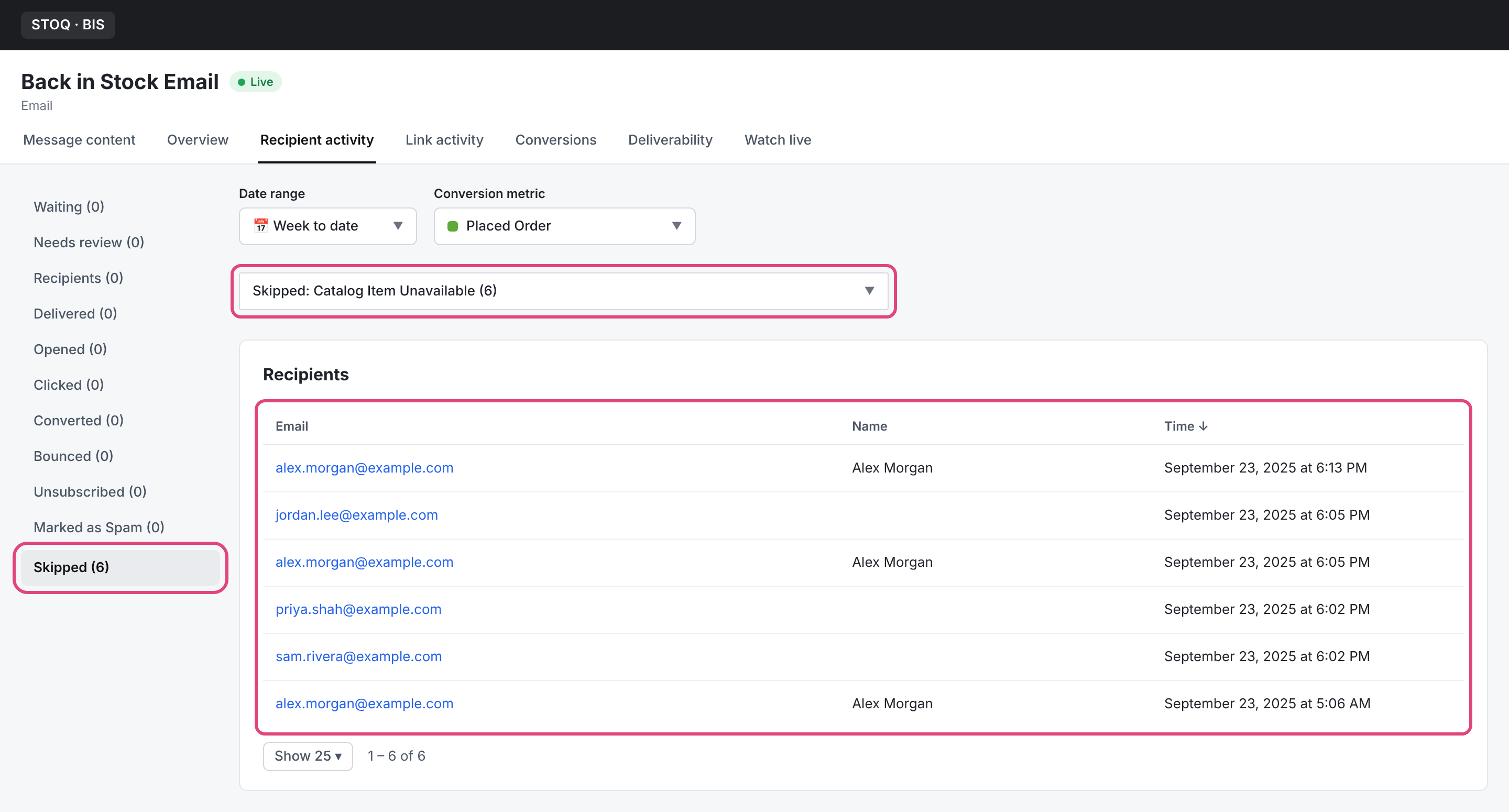
Match the reason to its fix below:
| Skip reason in Klaviyo | What it means |
|---|---|
| Catalog item not available (or similar catalog wording) | Your template uses Klaviyo catalog variables. See The template uses catalog variables. |
| Skipped by Smart Sending | See Smart Sending is skipping the email. |
| No skipped recipients at all | The message isn’t being triggered. See The flow is triggered by the wrong metric. |
Smart Sending is skipping the email
Section titled “Smart Sending is skipping the email”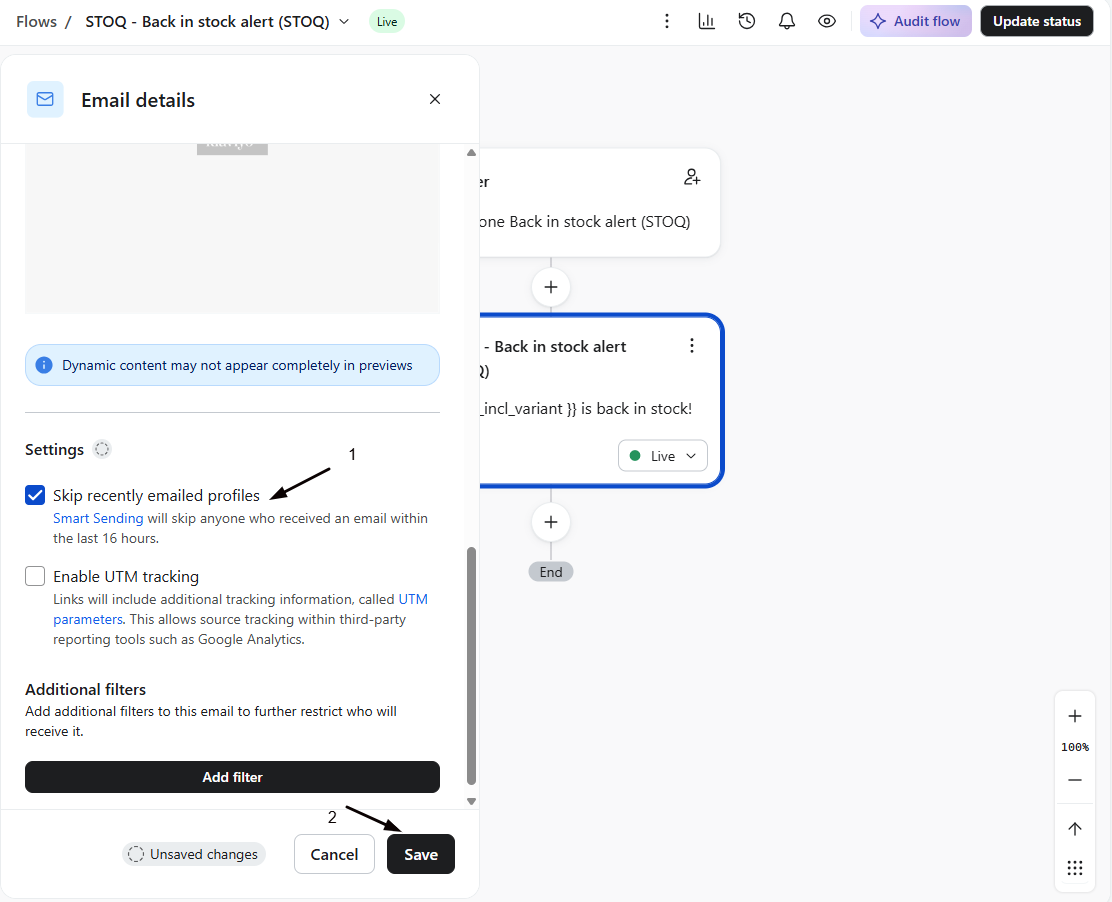
Klaviyo’s Smart Sending skips a profile that was emailed recently (within about 16 hours). Because a customer may have just gotten another email from you, the back in stock alert gets suppressed.
Fix: Open the flow’s Email action settings and turn off Skip recently emailed profiles (Smart Sending) for that action. Back in stock alerts are time-sensitive and explicitly requested, so they should always send.
The template uses catalog variables instead of STOQ variables
Section titled “The template uses catalog variables instead of STOQ variables”If your template pulls product data from Klaviyo’s catalog lookup blocks (like catalog_item.title), Klaviyo may skip the send when the product reads as out of stock in its catalog, which is exactly the moment a restock alert should fire. The same cause often shows up as a catalog error in Klaviyo, or the product name, image, and price rendering blank, because STOQ sends the details on the event rather than through Klaviyo’s catalog.
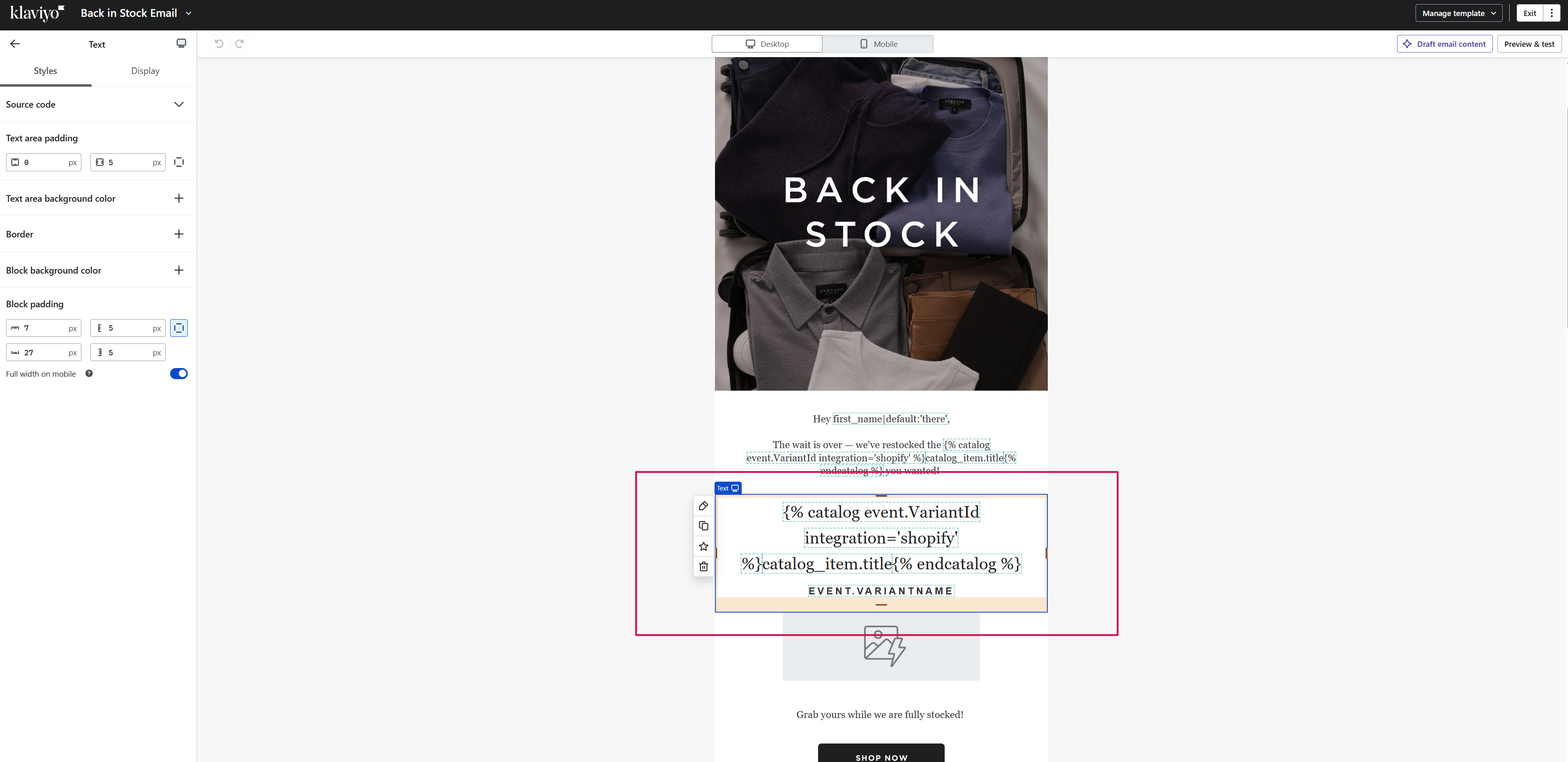
Fix: Replace catalog references with STOQ event variables, for example use {{ event.product_title }} instead of catalog_item.title. STOQ sends the product details on the event, so no catalog lookup is needed. See Reusing your own or a Klaviyo template for the full swap, and Personalize Klaviyo back in stock emails for every variable.
The flow is triggered by the wrong metric
Section titled “The flow is triggered by the wrong metric”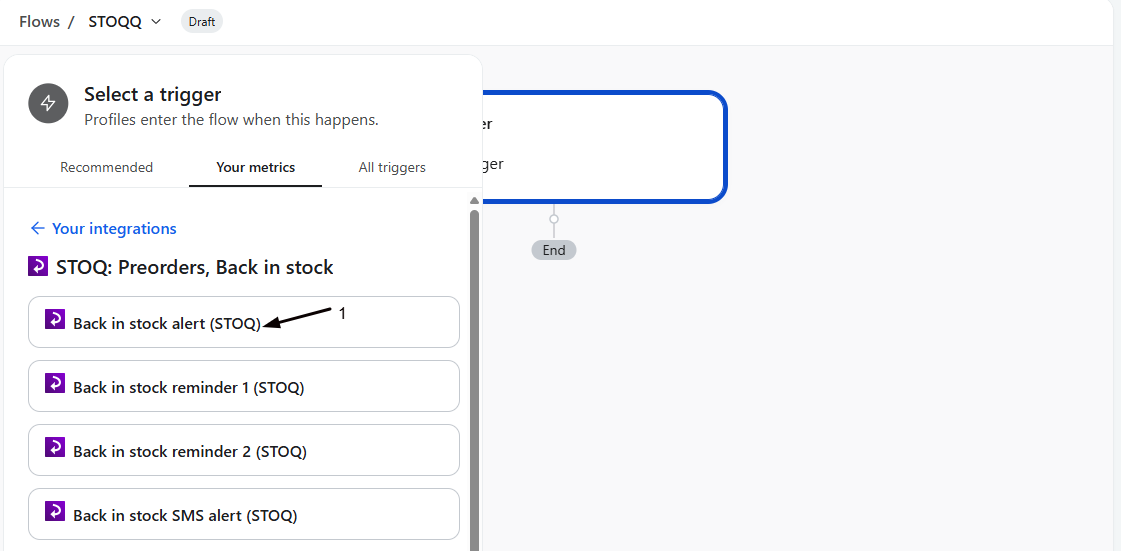
A flow built on Klaviyo’s native Back in Stock metric won’t fire, because STOQ sends its own metric.
Fix: Rebuild the flow on the STOQ metric that matches your connection: Back in stock alert (STOQ) on an OAuth connection, or the Stoq - prefixed metric on a legacy API key connection. A flow’s trigger can’t be changed after creation, so create a new flow with the correct metric.
Check your setup
Section titled “Check your setup”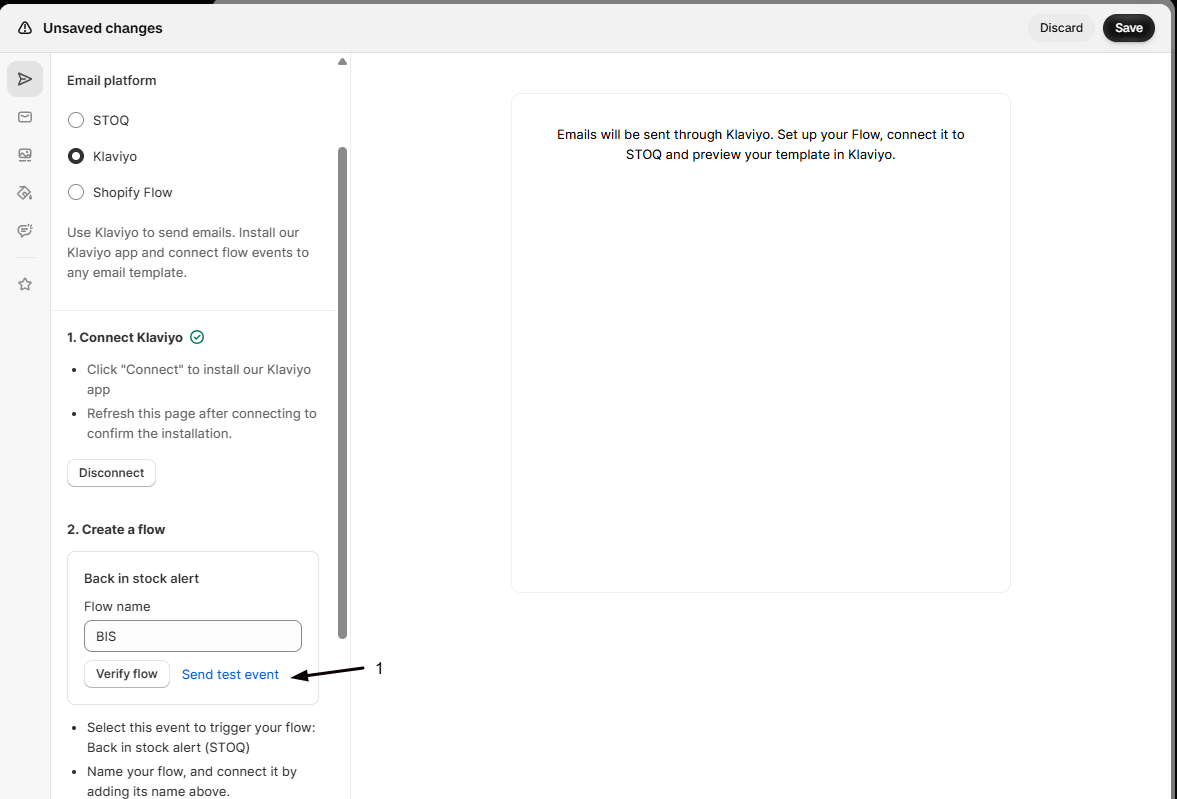
After the fix, use Send test event from STOQ, then confirm in Klaviyo that the flow sends rather than skips. Klaviyo’s flow analytics show whether a message was Skipped and why.
Verification passed, so why doesn't it send?
Verification only confirms a flow with the right name exists. It doesn’t inspect Smart Sending, the template’s variables, or the send settings inside the flow, which is where these issues live.
Where do I see why a message was skipped?
In the flow’s email, click View details, open the Recipient activity tab, and filter to Skipped: each recipient shows a reason, such as Smart Sending or Catalog item not available. See Find why a message was skipped.
Could double opt-in be the cause?
If a signup hasn’t confirmed and you use double opt-in, the profile may not be eligible yet. That’s expected. See Set up double opt-in.
Related guides
Section titled “Related guides”Thanks for letting us know.
Still stuck? Ask Quinn or chat with support