Show a product image on the signup form
Display the product's photo on the left side of the 'Notify me' popup form.
Last updated
Turn on Show product image to display the product’s photo alongside the signup form, so customers see what they’re signing up to be notified about. By the end, the “Notify me” popup will show the product’s image on the left side of the form, on desktop.
Before you begin
Section titled “Before you begin”| Requirement | Detail |
|---|---|
| Signup form set to Button + Popup | Show product image only applies to the popup form. It’s hidden, and switching to On page turns it off automatically, since the on-page layout can’t display a product image. See Design the signup form. |
What customers will see
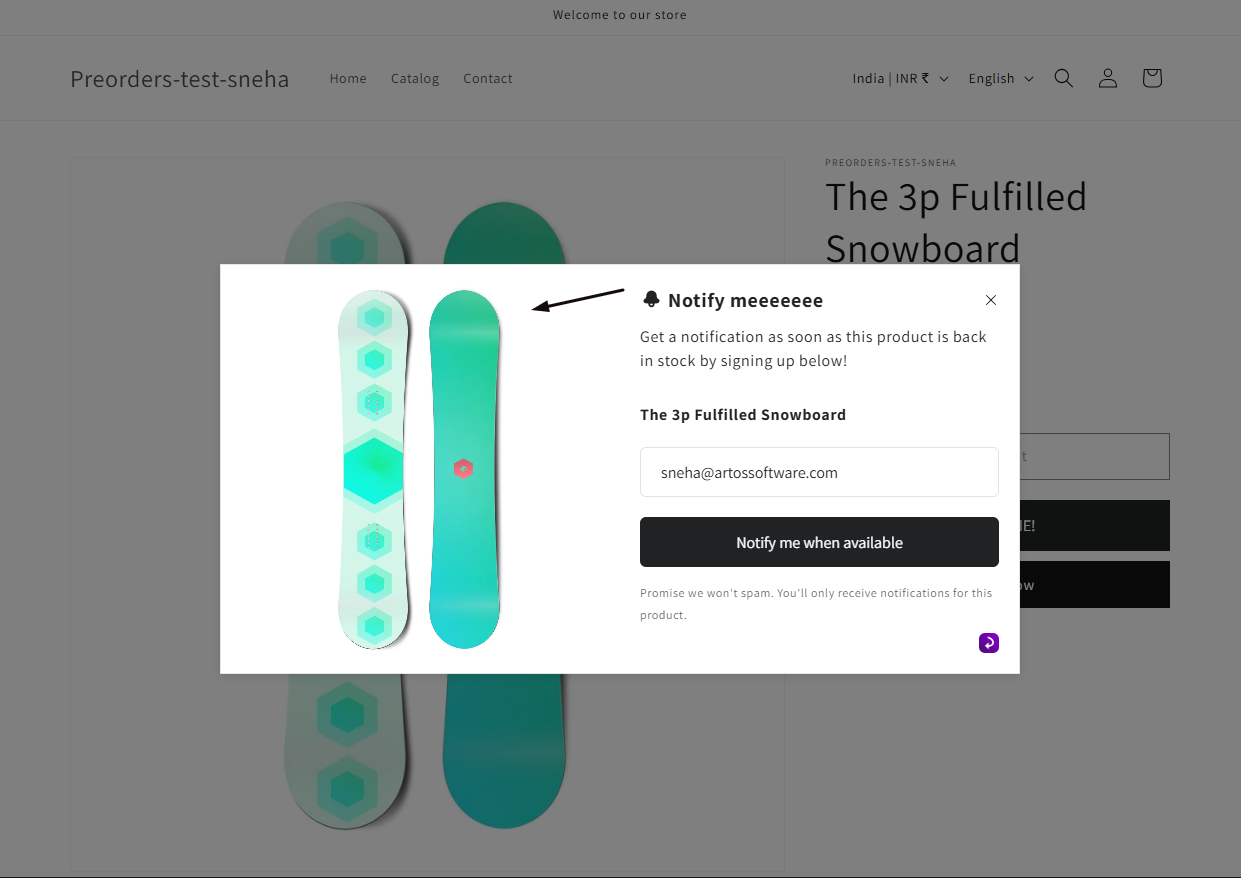
Section titled “What customers will see”On desktop, the product’s image appears on the left side of the “Notify me” popup, next to your header, description, and form fields. It doesn’t display on mobile, customers there just see the form.
Turn on the product image
Section titled “Turn on the product image”On a phone, this menu is collapsed. In the Shopify mobile app, tap the STOQ logo at the top of the screen to open it, then choose the section named below. There is no hamburger icon. See Finding the STOQ menu.
-
Open Form content
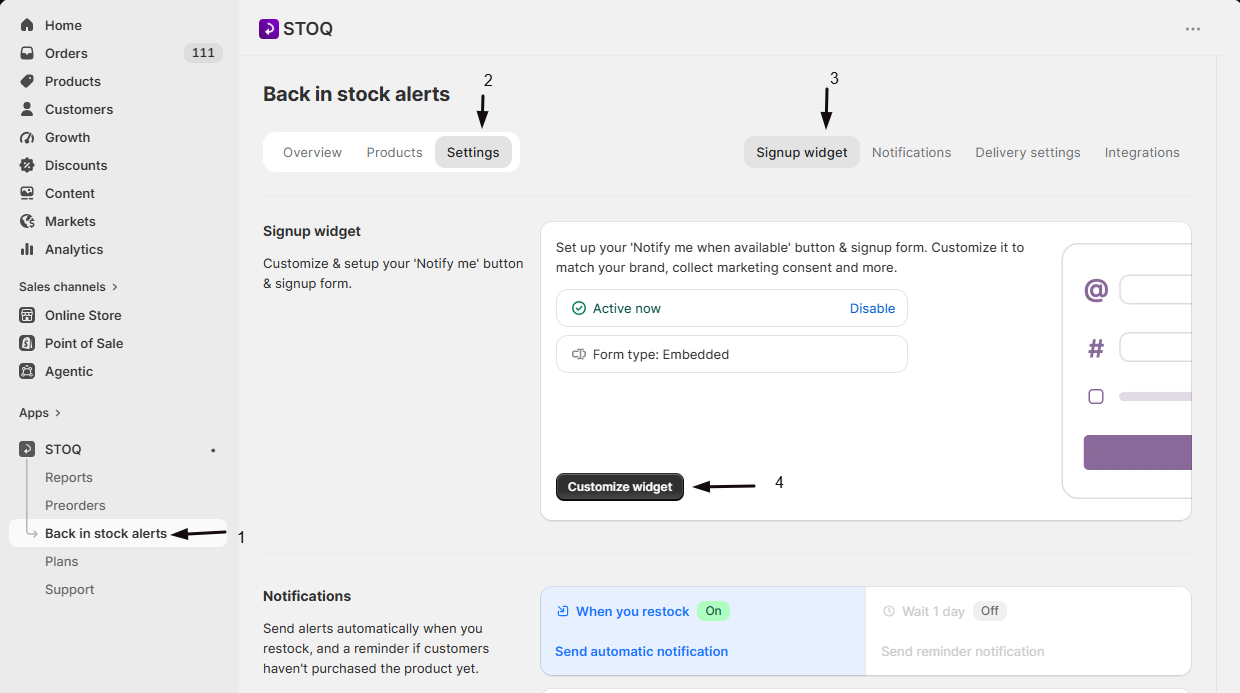
- In the left menu bar of the STOQ app, click Back in stock alerts.
- Click the Settings tab, then open the Signup widget sub-tab.
- Click Customize widget.
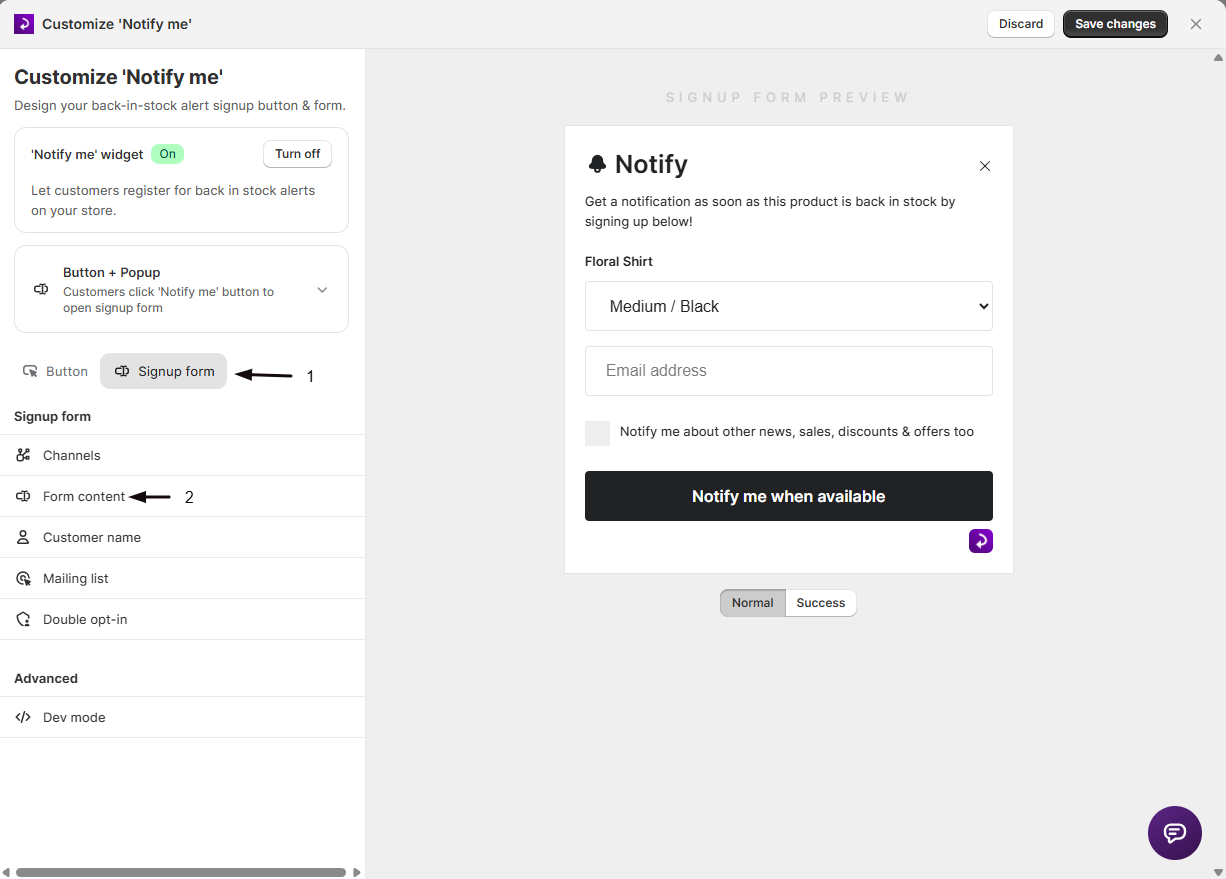
- Open the Signup form tab, then click Form content in the sidebar.
-
Check Show product image
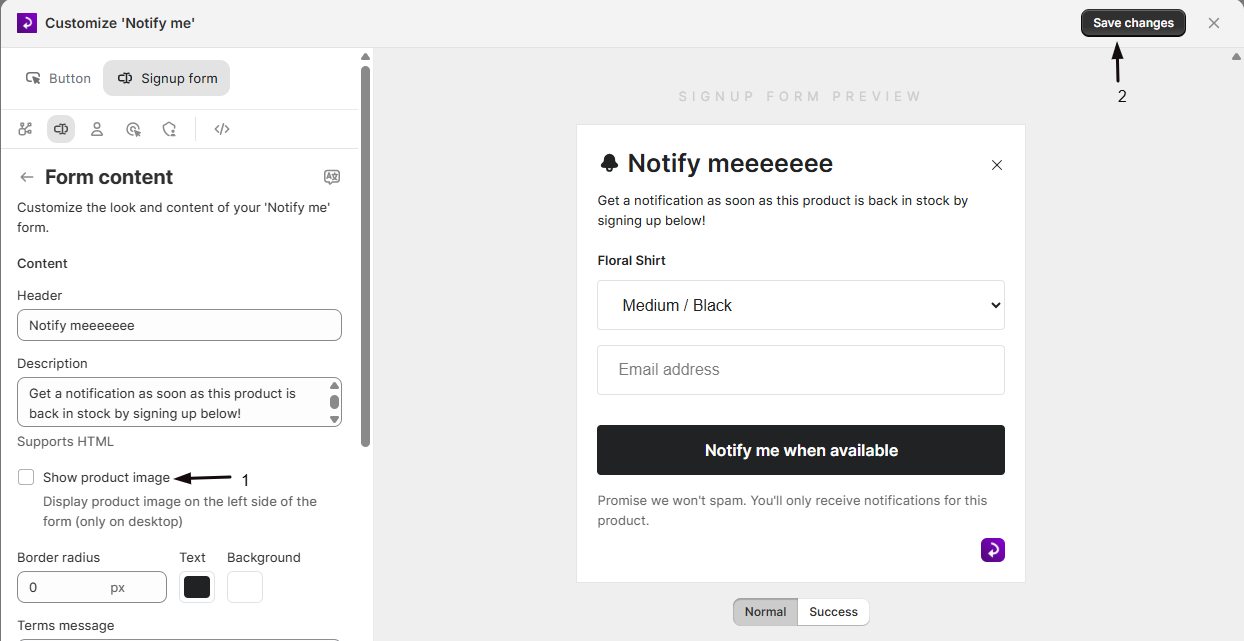
Check Show product image. Its help text confirms: “Display product image on the left side of the form (only on desktop)”.
-
Save your changes
Save, then visit your storefront or use the live preview to confirm the image appears next to the form.
Check your setup
Section titled “Check your setup”- Open a sold-out product on your storefront in a desktop browser window.
- Click Notify me to open the popup.
- Confirm the product’s image appears on the left side of the form.
Why can't I find Show product image in the editor?
It’s hidden when the signup form is set to On page instead of Button + Popup, since the on-page layout can’t display a product image. Switch back to Button + Popup at the top of the Signup form tab to use it.
Will the product image show on mobile?
No. It only displays on desktop. Mobile customers see the form without the image.
Does this affect customers who already signed up?
No. It only changes what the popup looks like for future visitors, existing signups aren’t affected.
Related guides
Section titled “Related guides”Thanks for letting us know.
Still stuck? Ask Quinn or chat with support