Turn off SMS alerts
Stop sending back in stock alerts by SMS while keeping email alerts running.
Last updated
If you no longer want to send back in stock alerts by text, turn SMS off. Customers keep getting email alerts, and you stop incurring per-message SMS charges. Turning SMS off also removes the phone number option from the signup form.
Turn off SMS
Section titled “Turn off SMS”On a phone, this menu is collapsed. In the Shopify mobile app, tap the STOQ logo at the top of the screen to open it, then choose the section named below. There is no hamburger icon. See Finding the STOQ menu.
-
Open the signup form channels
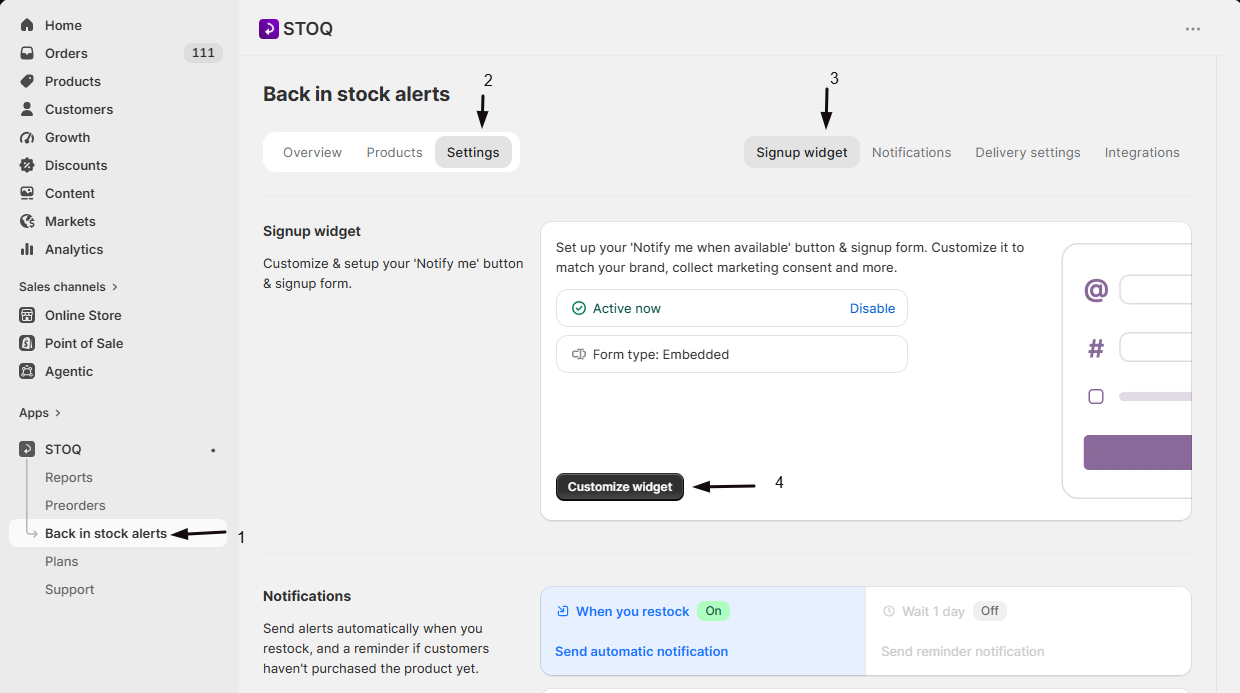
- In the left menu bar of the STOQ app, click Back in stock alerts.
- Click the Settings tab, then open the Signup widget sub-tab.
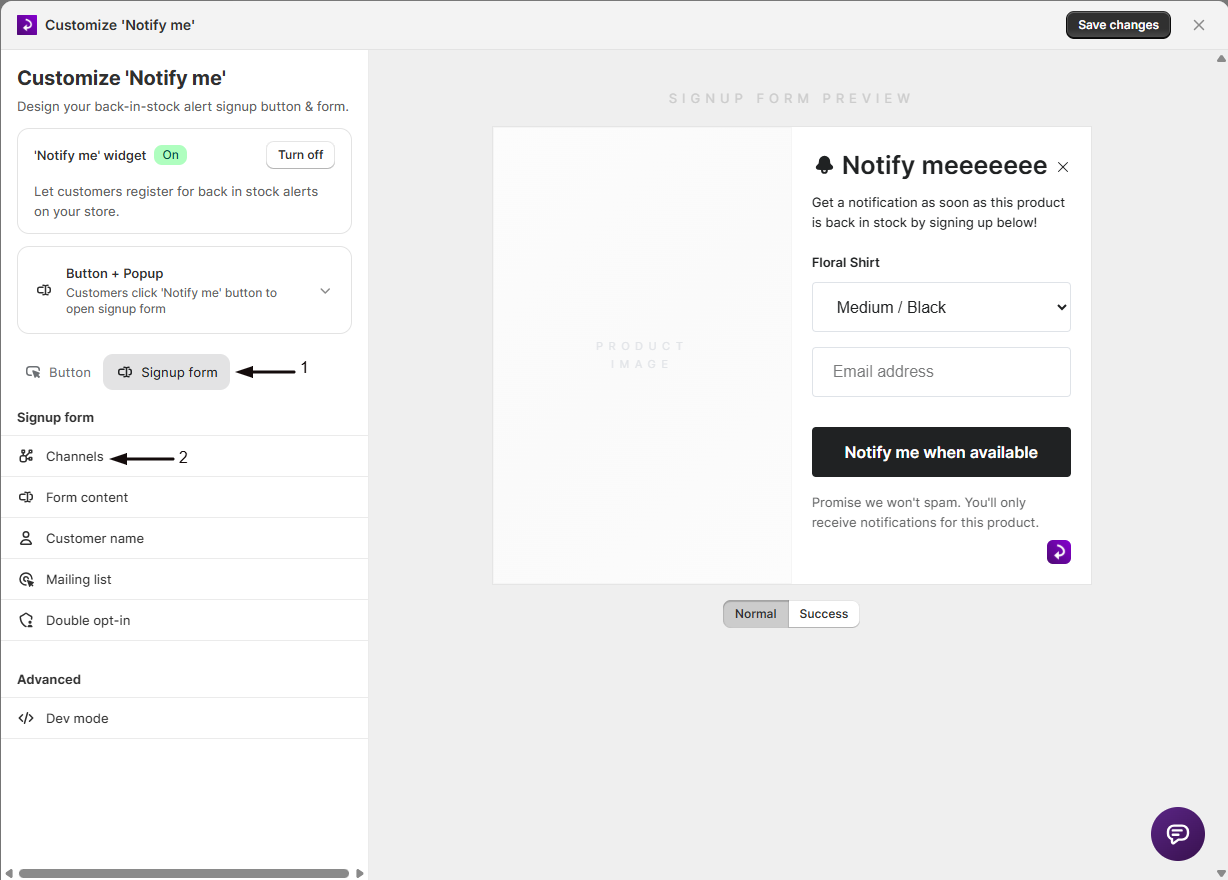
- Click Customize widget, open the Signup form tab, and click Channels in the sidebar.
-
Switch SMS alerts off
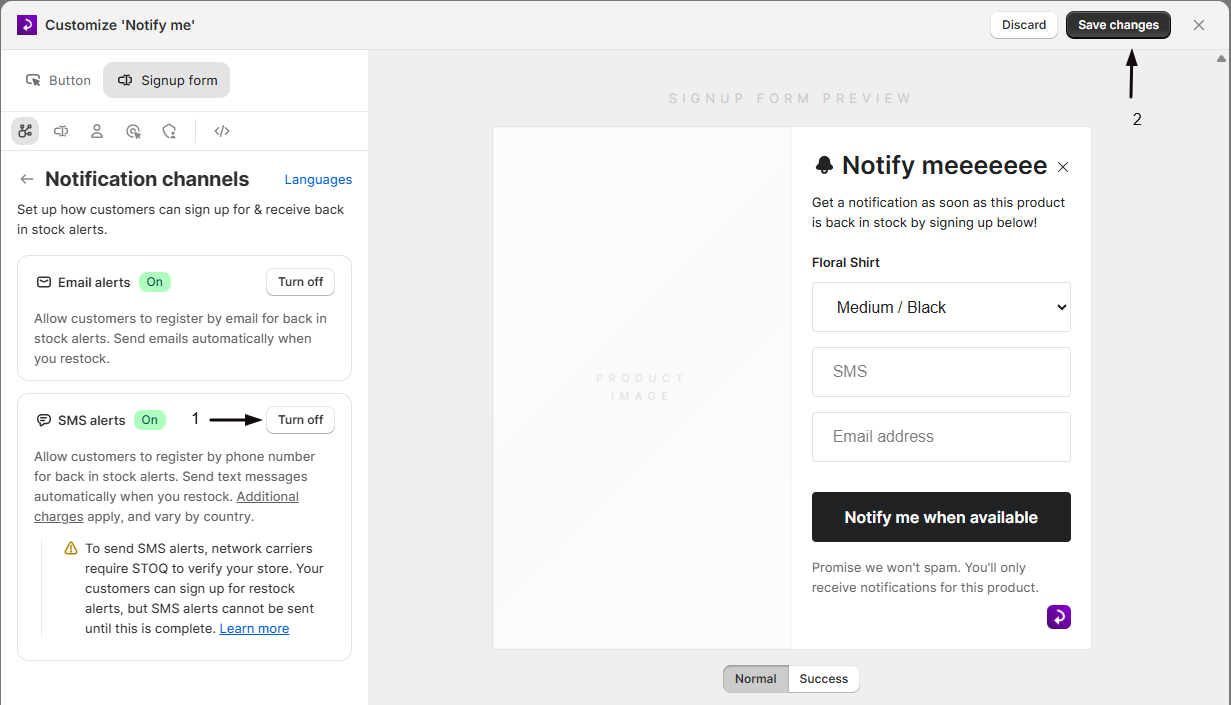
Turn off the SMS alerts toggle.
-
Save
Save your changes. New signups can no longer choose SMS, and no further SMS alerts are sent.
Good to know
Section titled “Good to know”Existing waitlist customers who signed up by SMS stay on the list, but they won’t receive further texts while SMS is off. Turn SMS back on any time from the same toggle.
Related guides
Section titled “Related guides”Thanks for letting us know.
Still stuck? Ask Quinn or chat with support