Send back in stock reminder emails through Klaviyo
Route your restock reminder, sent to customers who haven't bought yet, through a Klaviyo flow.
Last updated
STOQ can send a reminder to customers who got a back in stock alert but haven’t purchased, while stock is still available. When you send alerts through Klaviyo, the reminder fires its own metric, so it needs its own Klaviyo flow separate from the first alert.
Before you begin
Section titled “Before you begin”| Requirement | Detail |
|---|---|
| Reminders turned on | Enable the reminder step in STOQ first. See Send reminder emails. |
| Klaviyo as your email provider | The first alert must already send through Klaviyo. See Send back in stock alerts through Klaviyo. |
| A paid plan | The Klaviyo integration is a paid feature. |
Set it up
Section titled “Set it up”On a phone, this menu is collapsed. In the Shopify mobile app, tap the STOQ logo at the top of the screen to open it, then choose the section named below. There is no hamburger icon. See Finding the STOQ menu.
-
Turn on the reminder in STOQ
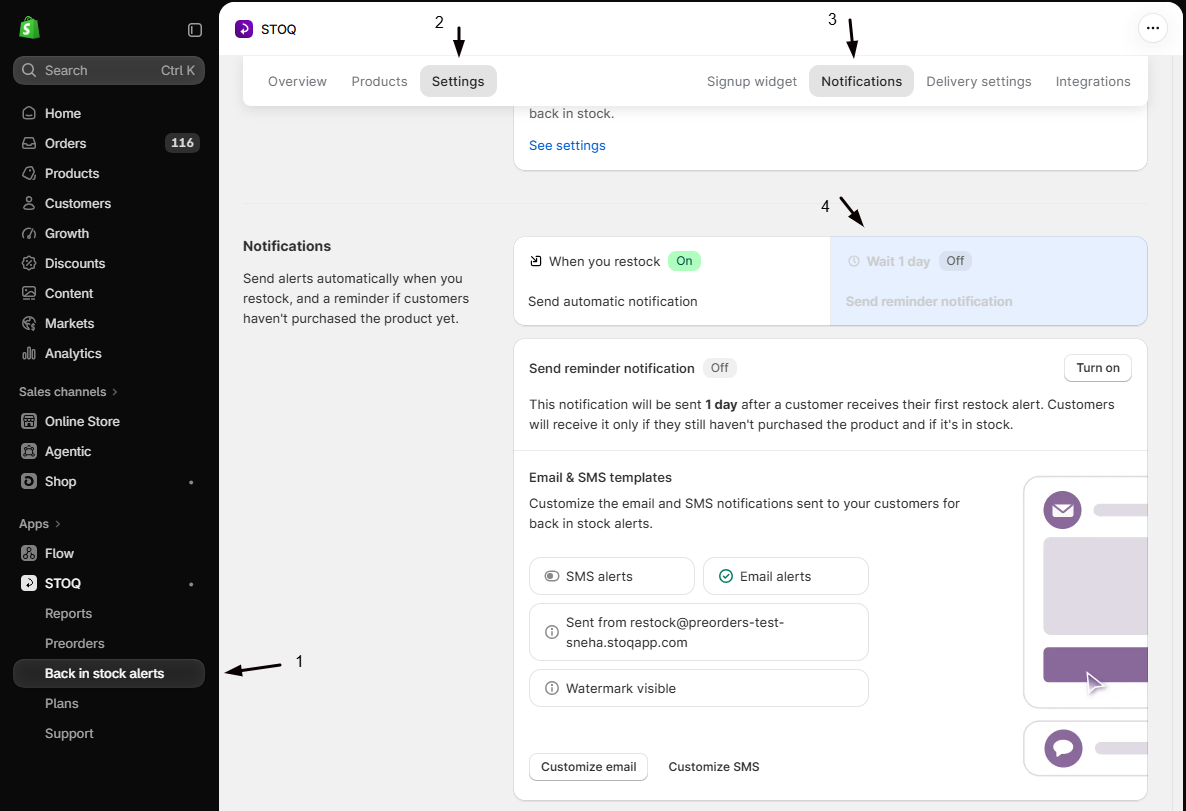
- In the left menu bar of the STOQ app, click Back in stock alerts.
- Click the Settings tab, then open the Notifications sub-tab.
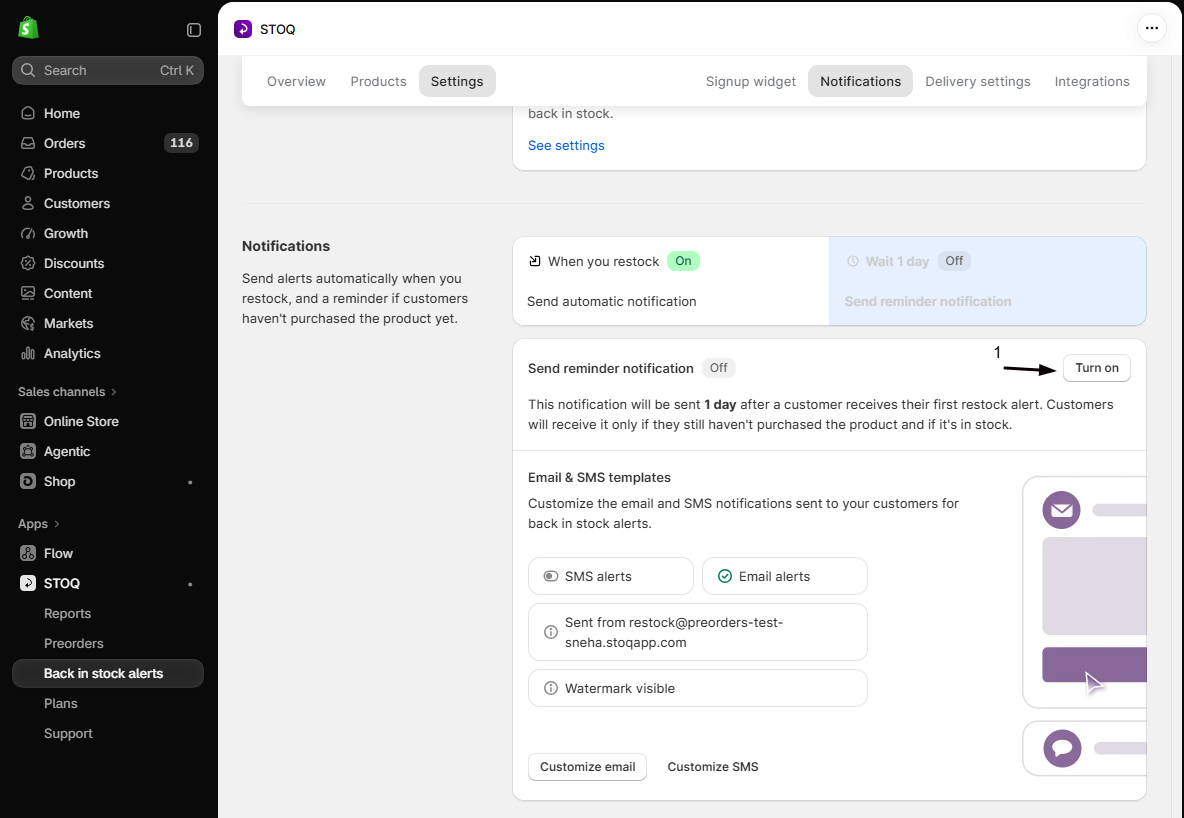
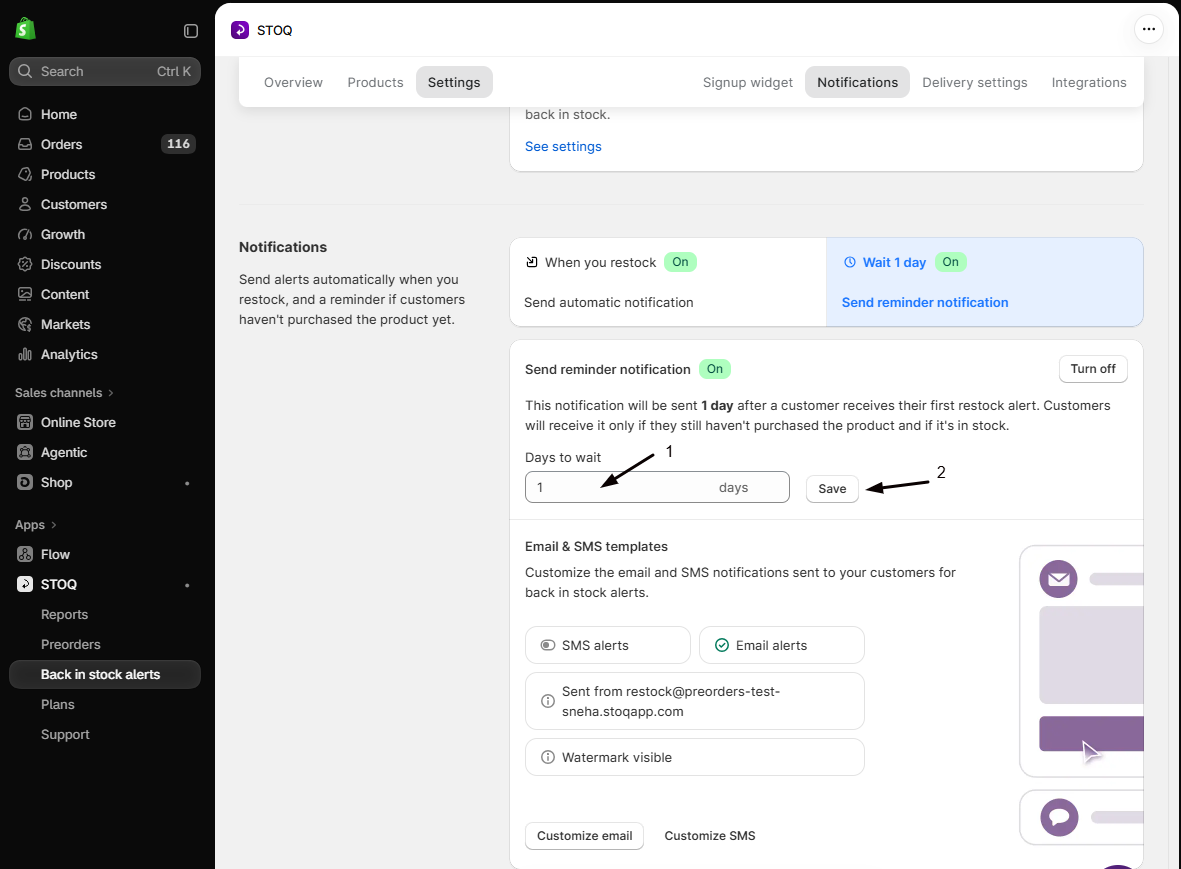
- Open the reminder in the sequence and turn it on, then set how many days after the first alert it should send (1 to 3 days works well).
-
Route the reminder through Klaviyo
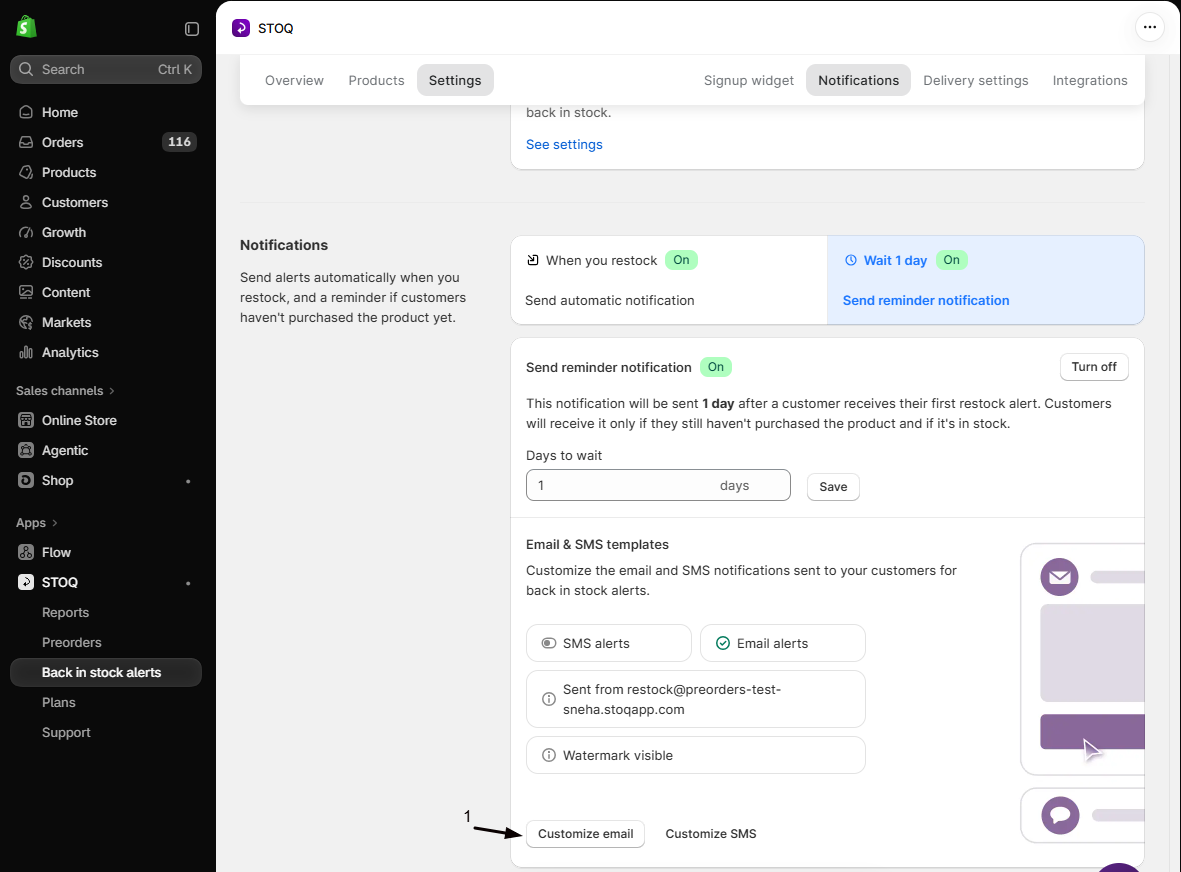
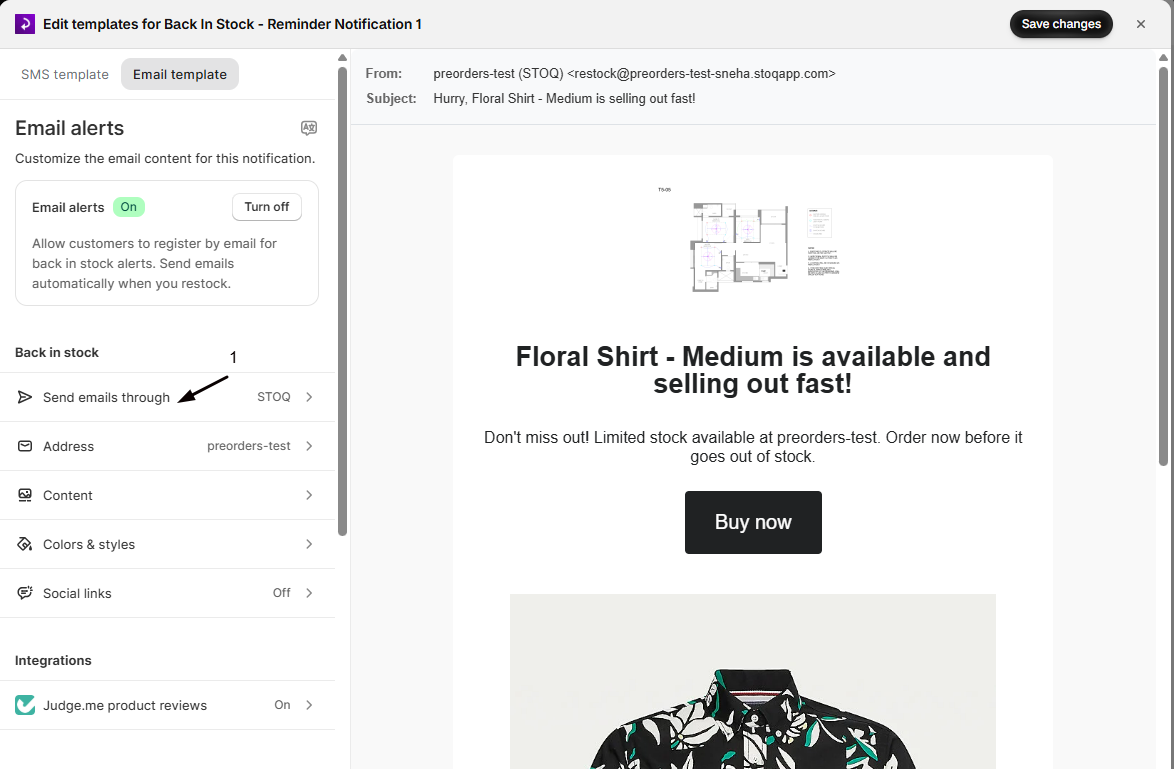
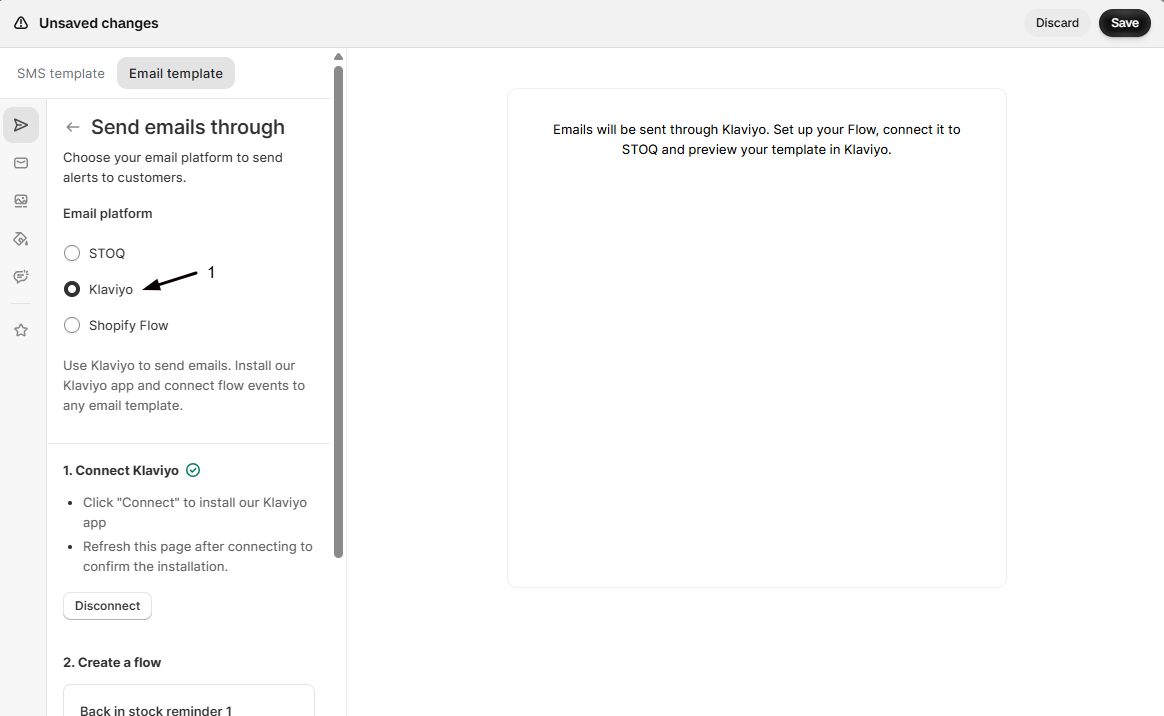
In the reminder’s editor, click Customize email, open Send emails through in the sidebar, and choose Klaviyo.
-
Create the reminder flow in Klaviyo
In your Klaviyo dashboard, create a flow triggered by the Back in stock reminder 1 (STOQ) metric, add an Email action, and design the message. If you used STOQ’s automatic setup, this flow already exists.
-
Verify the flow
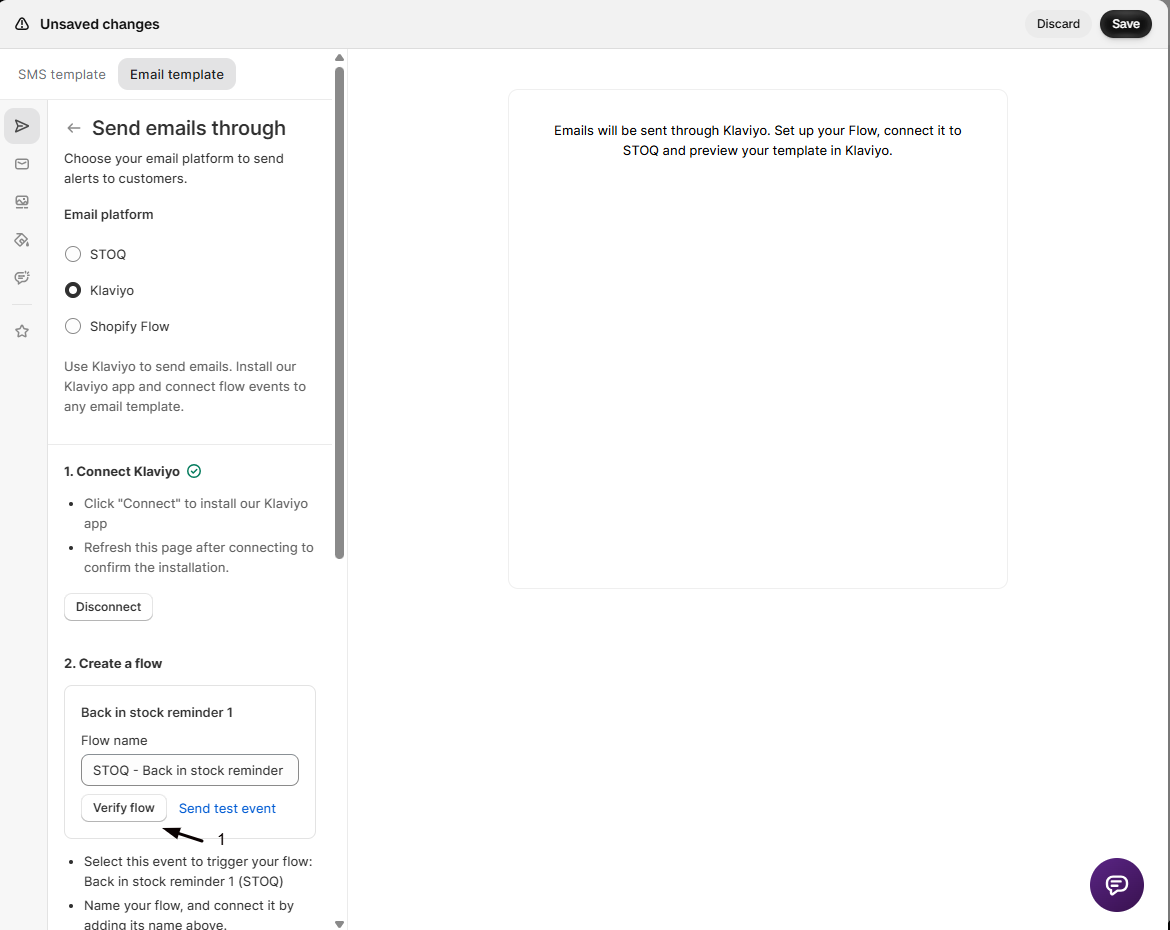
Back in STOQ, enter the exact flow name and click Verify flow. A green checkmark confirms it’s connected.
Check your setup
Section titled “Check your setup”Sign up for an alert, restock the product so the first alert sends, then wait for the reminder window (or use Klaviyo’s test event) and confirm the reminder arrives from the reminder flow, not the first-alert flow.
Can I send the first alert through STOQ and the reminder through Klaviyo?
The alert and reminder should use the same email provider so the sequence stays consistent. Set both to Klaviyo, or both to STOQ’s built-in email.
Can I send more than one reminder?
STOQ sends a single reminder in the sequence. For further follow-ups, add delays and extra emails inside the Klaviyo flow.
When does the reminder actually send?
Only when the customer received the first alert, hasn’t purchased, and the product is still in stock. If any of those isn’t true, the reminder is skipped.
Which variables can I use in the reminder?
The same event properties as the first alert, plus {{ event.is_reminder }}. See Personalize Klaviyo back in stock emails.
Related guides
Section titled “Related guides”Thanks for letting us know.
Still stuck? Ask Quinn or chat with support