Refresh stored product data in reports
Re-sync product names and images in your reports, and fix a 'Product deleted or variant unavailable' row.
Last updated
STOQ keeps a stored copy of your product names and images so your reports load quickly. If a report shows an out-of-date name or image, or a row reads “Product deleted or variant unavailable”, refresh that stored copy to pull the current details from Shopify.
When to refresh
Section titled “When to refresh”- A product name or image in a report looks outdated compared to Shopify.
- A report row shows “Product deleted or variant unavailable”, which means the product or variant was removed or changed in Shopify since STOQ last stored it.
Refresh stored data
Section titled “Refresh stored data”-
Open report settings
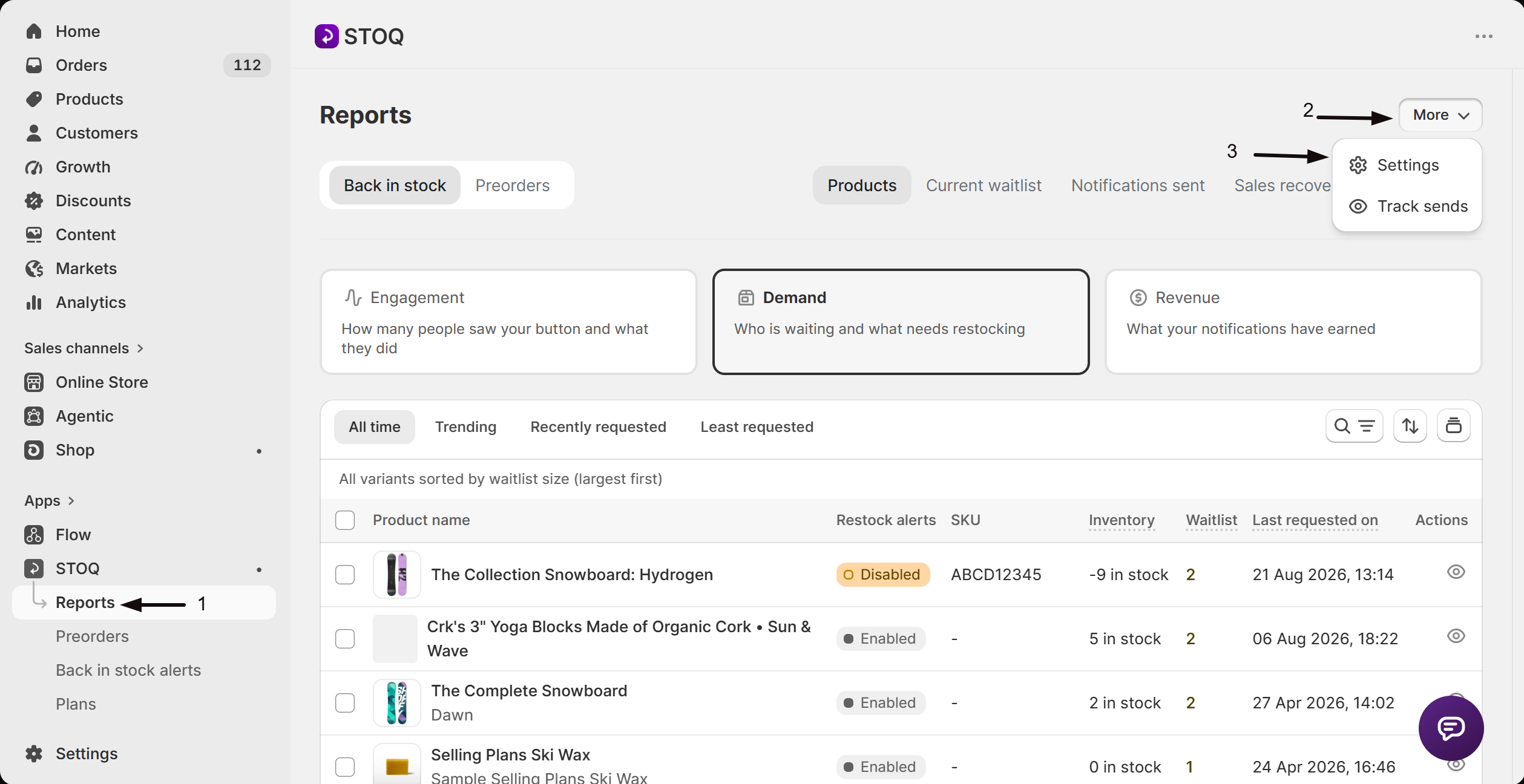
- In the left menu of the STOQ app, click Reports.
- Click More in the top right, then click Settings.
-
Show the Advanced section
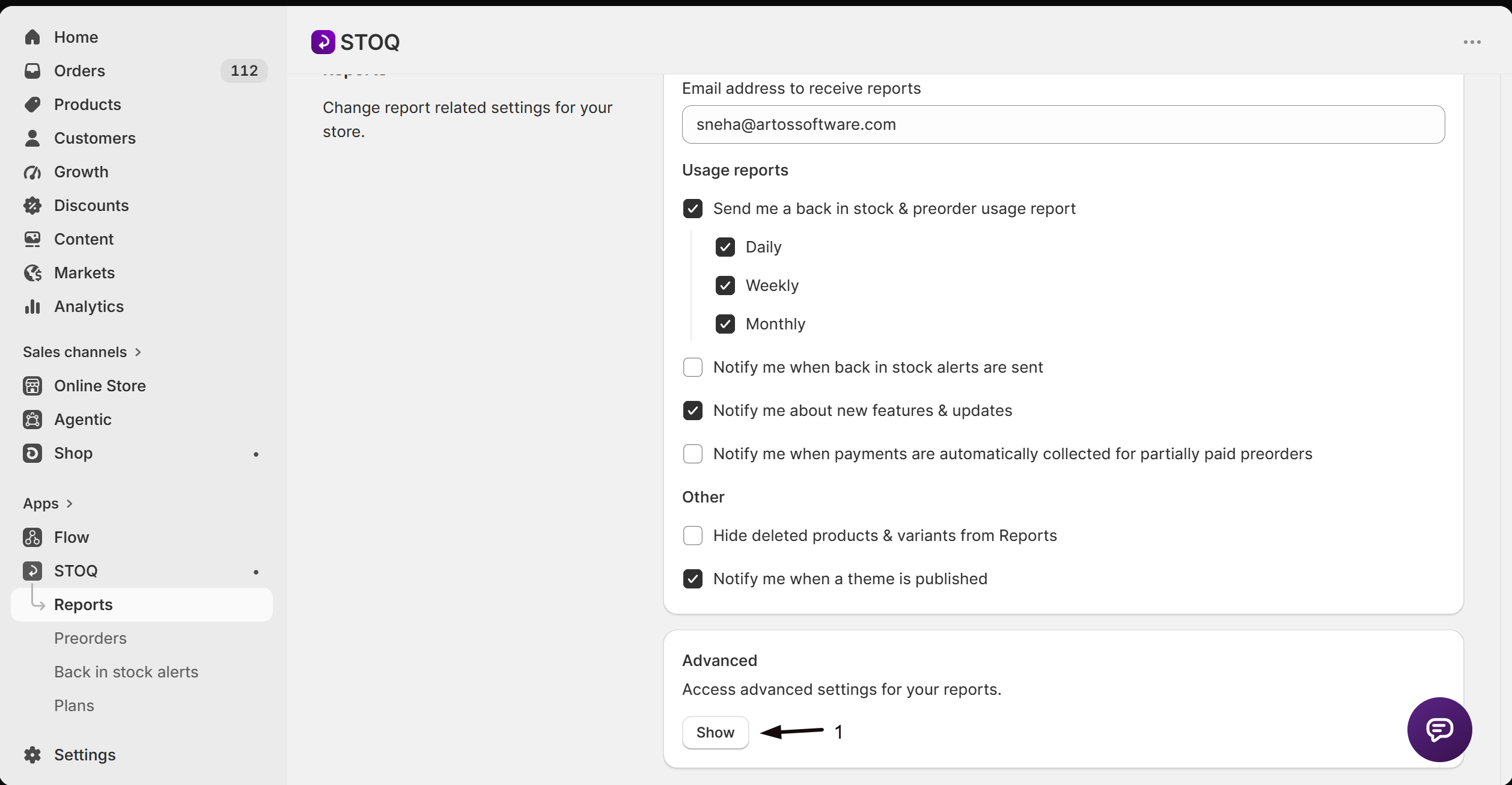
Scroll to the Advanced section and click Show to expand it.
-
Run the refresh
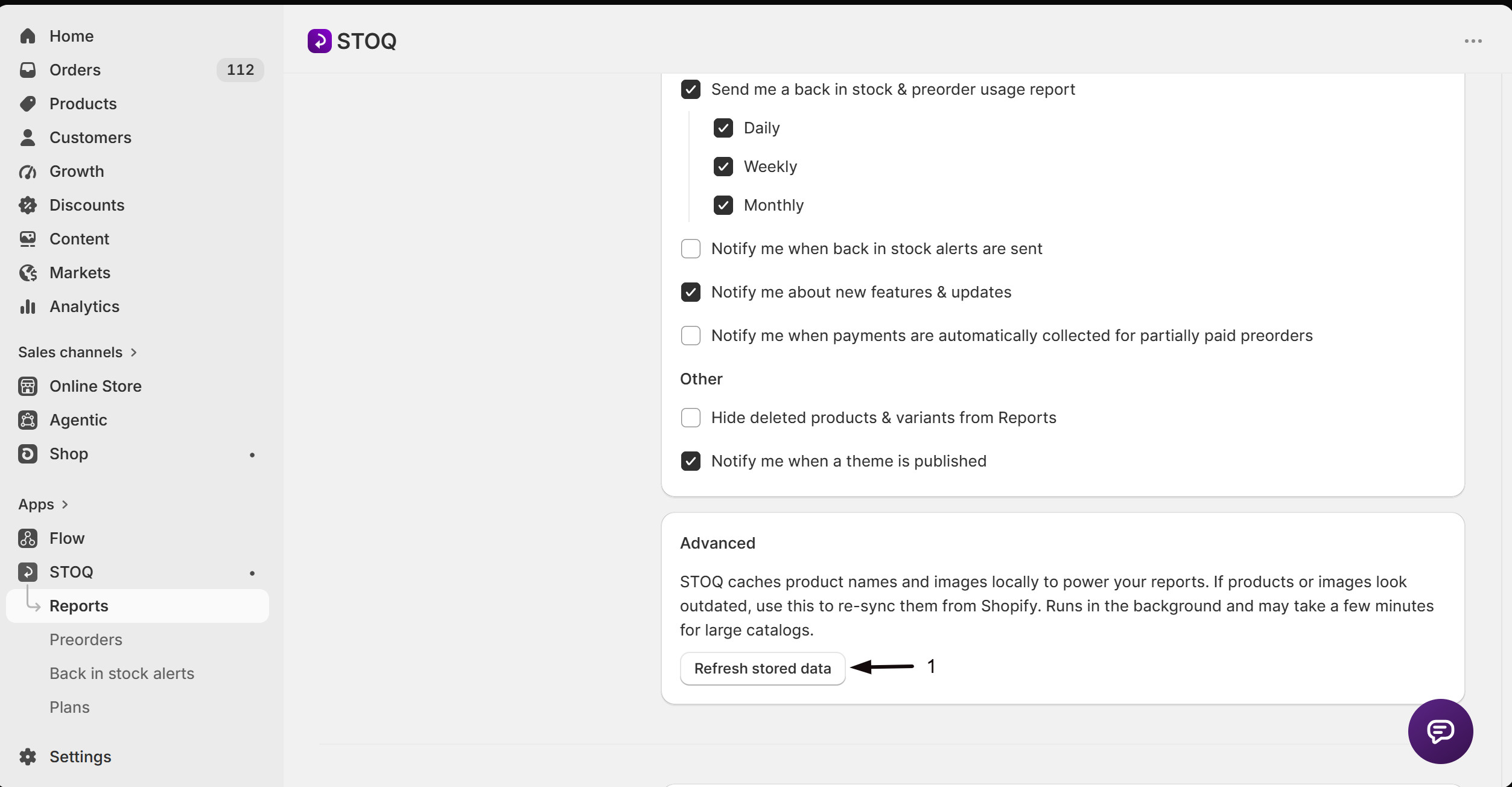
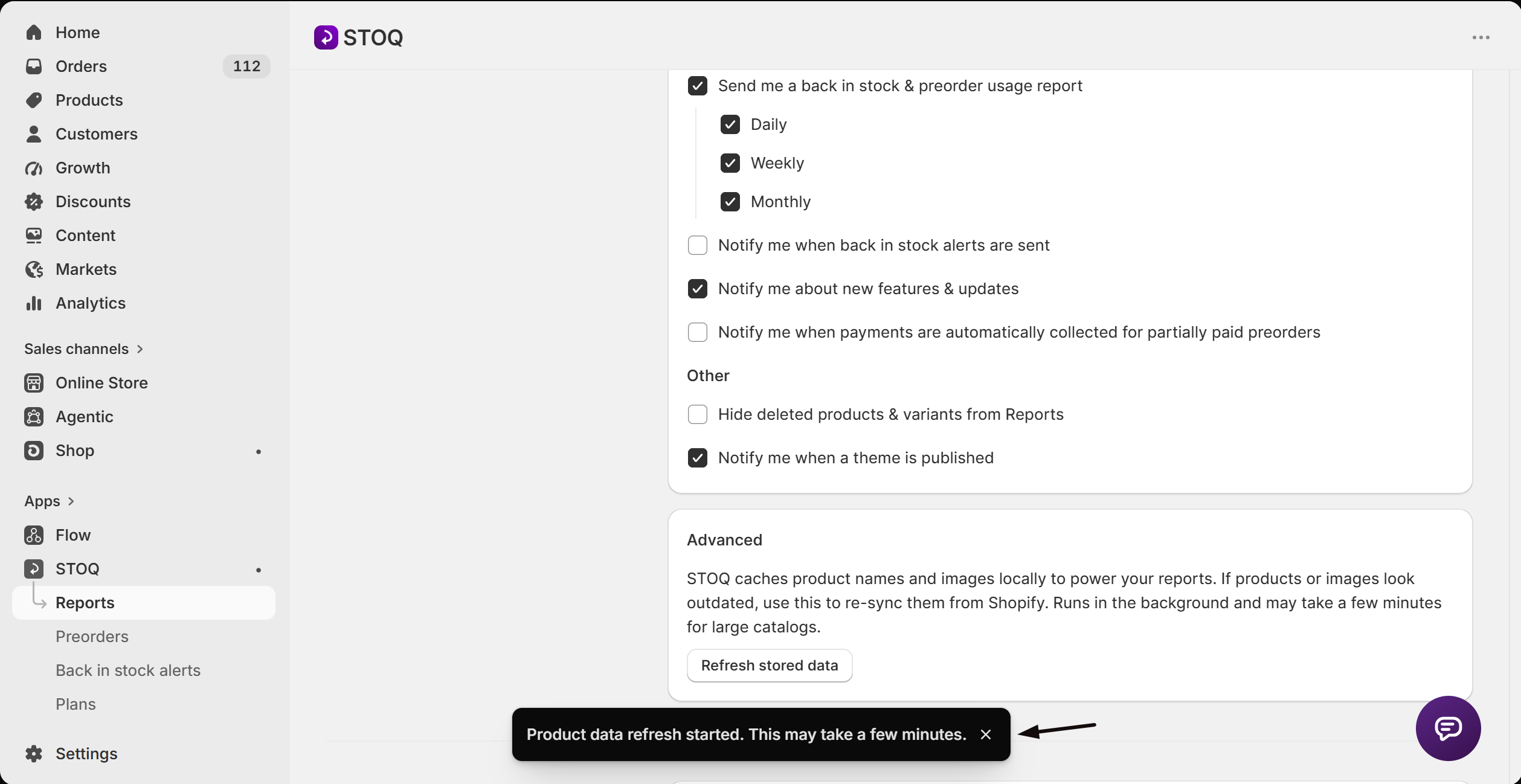
Click Refresh stored data. STOQ confirms with “Product data refresh started. This may take a few minutes.”
-
Wait for it to finish
The refresh runs in the background and can take a few minutes for large catalogs. When it’s done, your reports show the current product names and images.
Refreshing only updates STOQ’s stored copy. It doesn’t change your Shopify products or your waitlist.
Fix a “Product deleted or variant unavailable” row
Section titled “Fix a “Product deleted or variant unavailable” row”When a report row shows this, the product or variant no longer matches what’s in Shopify.
- Run Refresh stored data (above) to re-sync from Shopify.
- If the product really was deleted, turn on Hide deleted products & variants from Reports in report settings to keep deleted items out of your tables. See Set up report notifications and data.
Does refreshing change my Shopify products or my waitlist?
No. It only re-pulls STOQ’s stored copy of product names and images. Your Shopify products, and everyone on your waitlist, are unaffected.
How long does it take?
Usually a few minutes. Large catalogs take a little longer since the refresh runs in the background.
Why do report rows go out of date at all?
STOQ caches product details locally so reports render fast. If you rename a product or change an image in Shopify, the stored copy can lag until you refresh it.
Related guides
Section titled “Related guides”Thanks for letting us know.
Still stuck? Ask Quinn or chat with support