Send a signup confirmation email through Klaviyo
Welcome customers the moment they join a back in stock waitlist, using STOQ's signup metric in Klaviyo.
Last updated
Every time a customer signs up for a back in stock alert, STOQ sends a signup metric to Klaviyo. You can build a Klaviyo flow on that metric to send an instant confirmation or welcome email, separate from the restock alert itself.
Before you begin
Section titled “Before you begin”| Requirement | Detail |
|---|---|
| Klaviyo connected | Klaviyo must be connected to STOQ so the signup metric flows in. See Sync back in stock signups to Klaviyo. |
| The signup metric | The metric is Customer signed up for alert (STOQ) on an OAuth connection, or Stoq - Customer signed up for alert on a legacy API key connection. |
Build the confirmation flow
Section titled “Build the confirmation flow”-
Create a flow in Klaviyo
In your Klaviyo dashboard, create a new flow and choose to build your own.
-
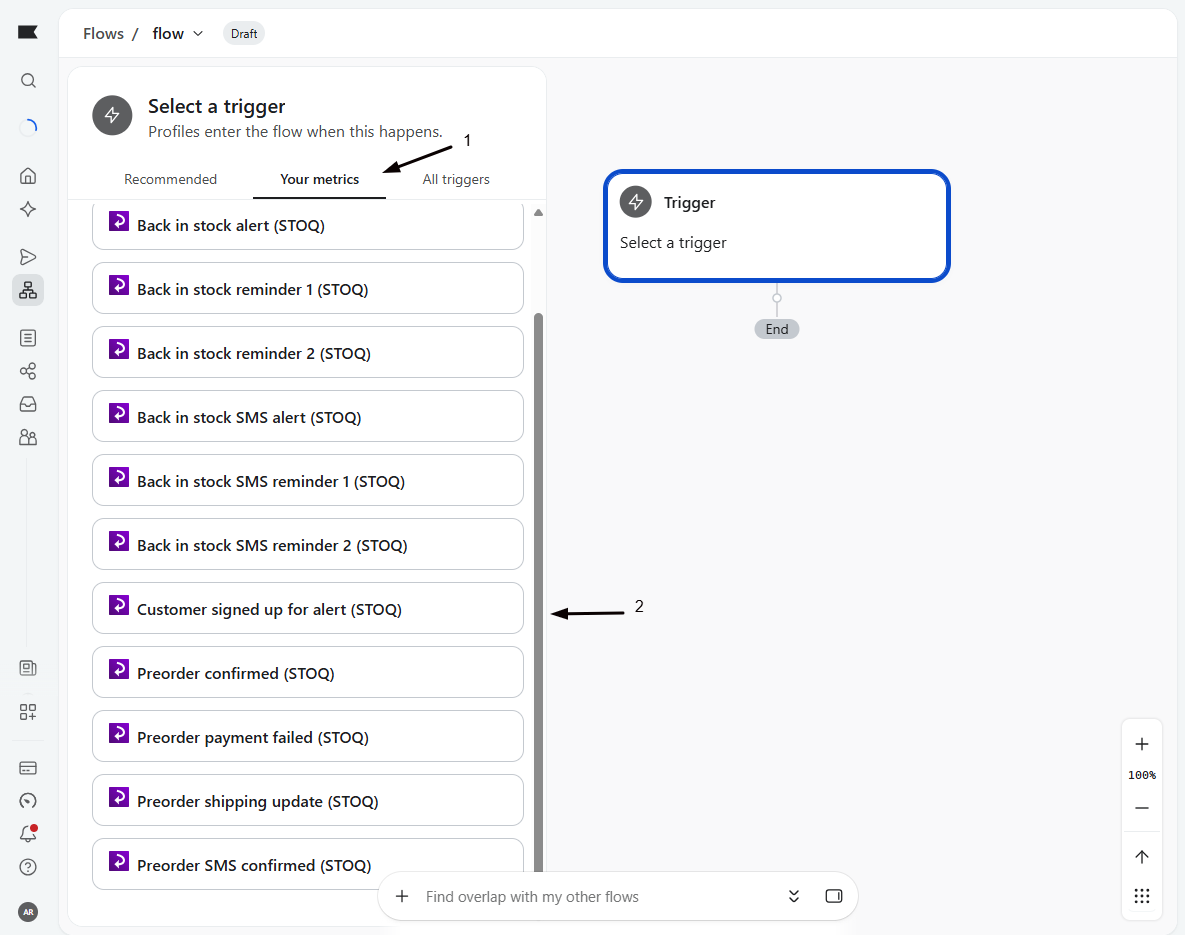
Set the trigger to the signup metric
Set the flow trigger to the Customer signed up for alert (STOQ) metric (or the API-key equivalent). This can’t be changed after the flow is created, so pick the right one.
-
Add an email action
Add an Email action and design your confirmation. Insert variables with Klaviyo syntax, for example
{{ event.product_title }}, to name the product they signed up for. To link back to the product, use{{ event.product_page_link }}as a button URL.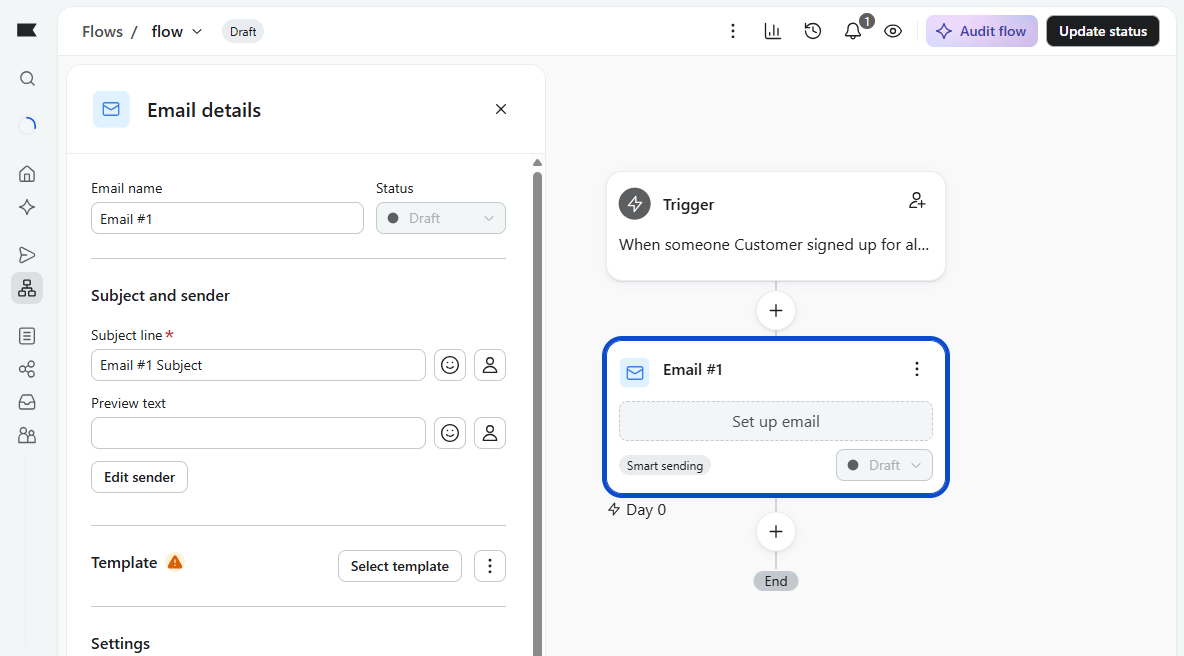
-
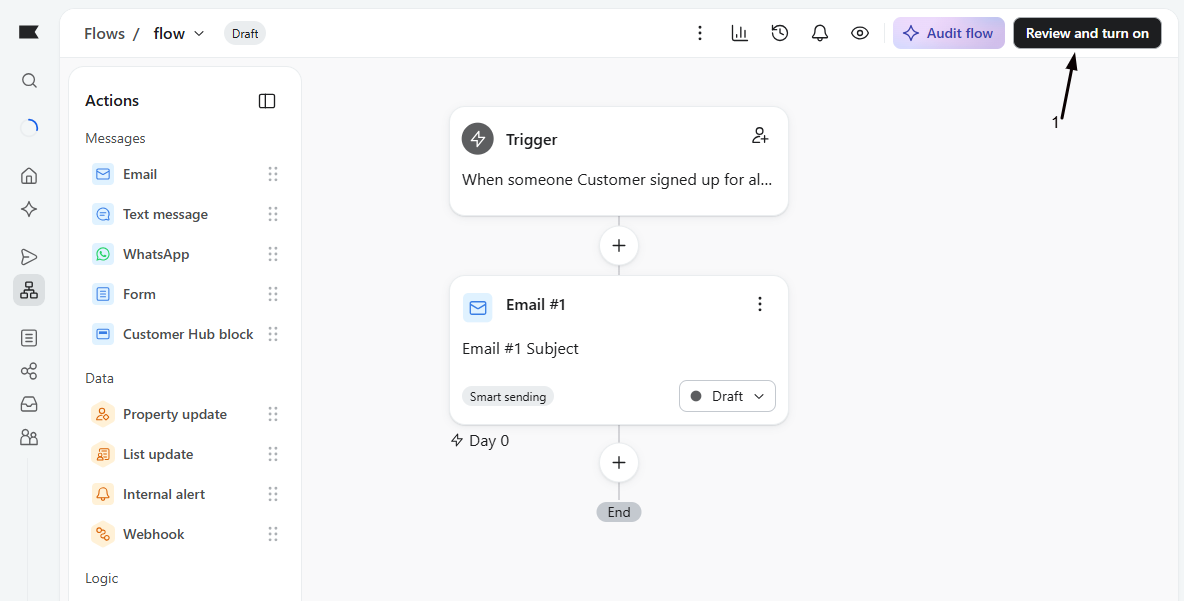
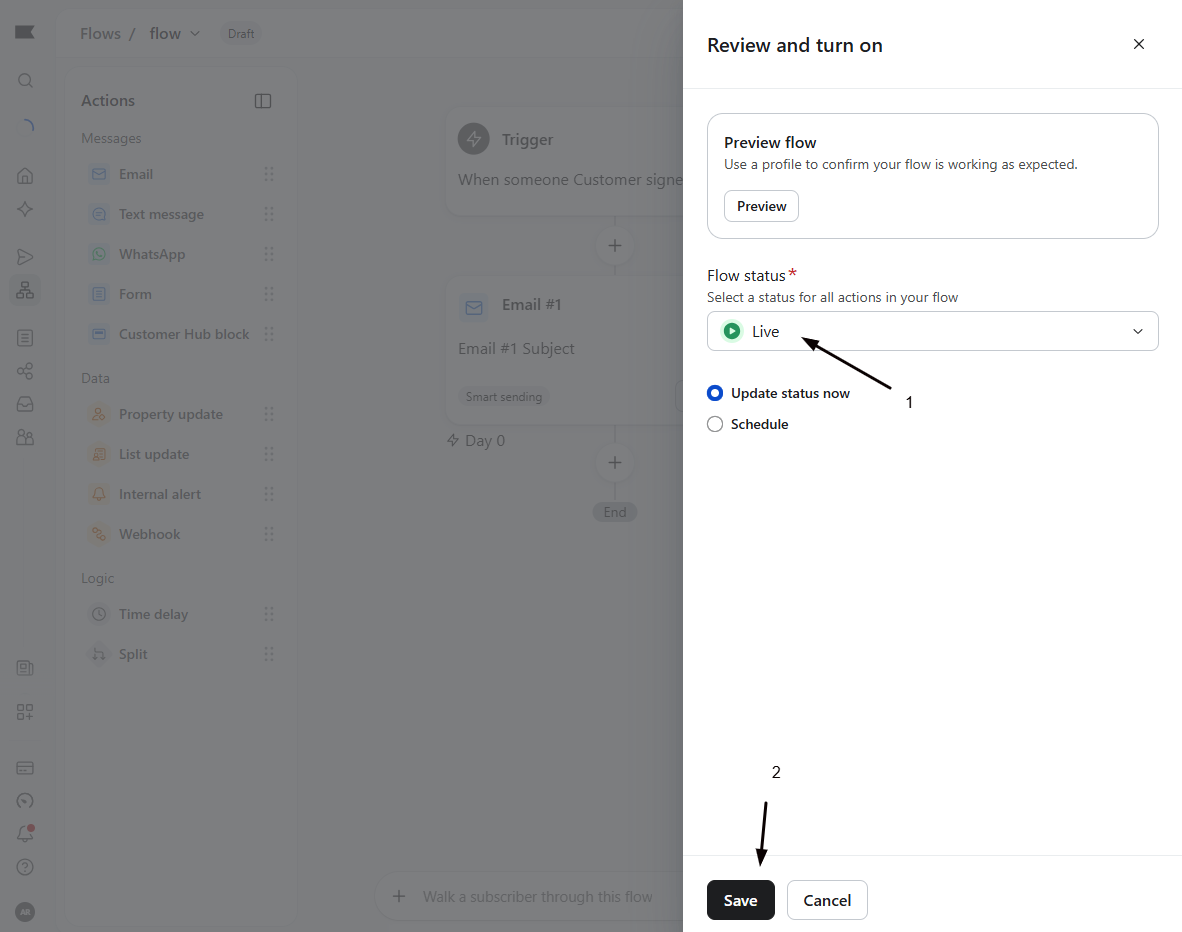
Set the flow live
Change the flow status to Live. New signups now receive the confirmation.
What you can put in it
Section titled “What you can put in it”Because the metric carries the product and customer details, a confirmation email can do more than confirm: recommend similar products, share a first-order discount, or set expectations for when the alert will arrive. See Personalize Klaviyo back in stock emails for the full variable list.
Check your setup
Section titled “Check your setup”Sign up for an alert on your storefront with a test email, then confirm the flow fires and the confirmation email arrives with the product name filled in.
Is this the same as the restock alert?
No. This fires on signup, the moment a customer joins the waitlist. The restock alert fires later, when the product is back. They’re separate metrics and separate flows.
A variable like the image is blank
Some properties can be empty for a given signup, for example image_url when the product has no image. Check the product in Shopify, and confirm the property name matches the variable reference.
The confirmation doesn't send right away
If you use double opt-in, delivery can wait until the customer confirms. See Set up double opt-in.
I can't change the trigger metric
A flow’s trigger is fixed once created. If you picked the wrong metric, create a new flow with the correct one.
Related guides
Section titled “Related guides”Thanks for letting us know.
Still stuck? Ask Quinn or chat with support