Remove the Powered by STOQ watermark
Hide the Powered by STOQ branding on your signup popup and your back in stock emails.
Last updated
STOQ adds a small Powered by STOQ watermark to the signup popup and to the back in stock emails it sends. On a paid plan you can turn it off in two places, one for the popup and one for the email.
Remove it from the signup popup
Section titled “Remove it from the signup popup”On a phone, this menu is collapsed. In the Shopify mobile app, tap the STOQ logo at the top of the screen to open it, then choose the section named below. There is no hamburger icon. See Finding the STOQ menu.
-
Open the signup form editor
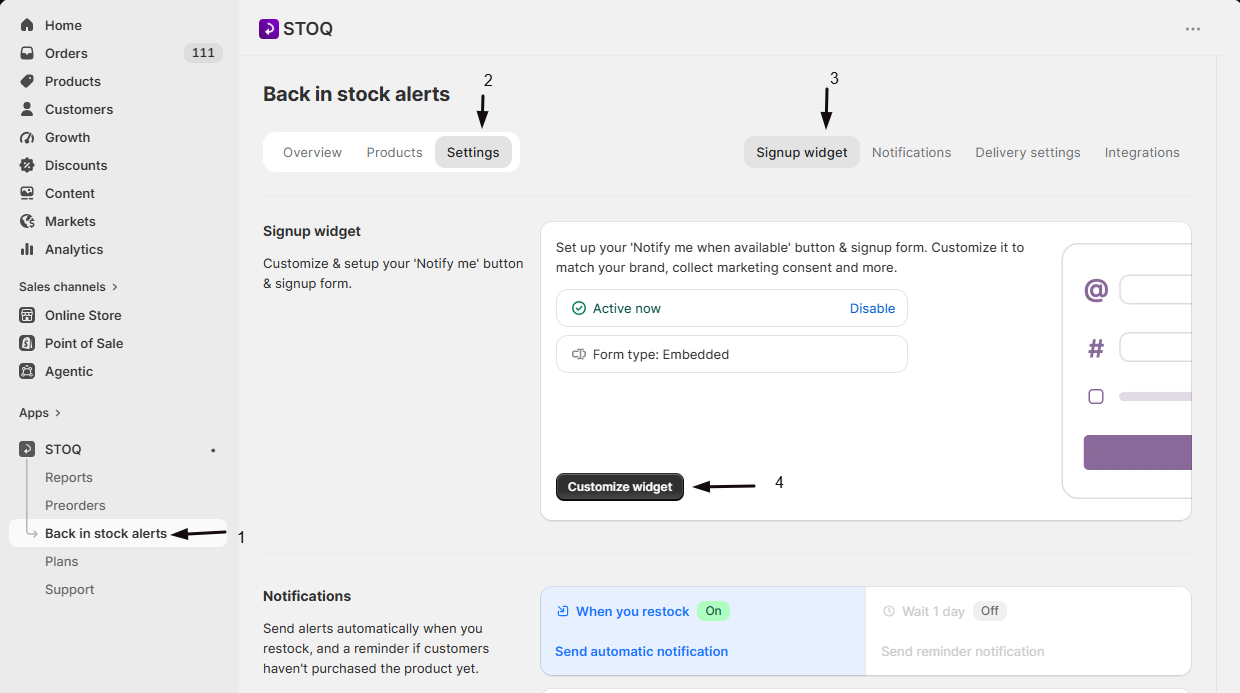
- In the left menu bar of the STOQ app, click Back in stock alerts.
- Click the Settings tab, then open the Signup widget sub-tab.
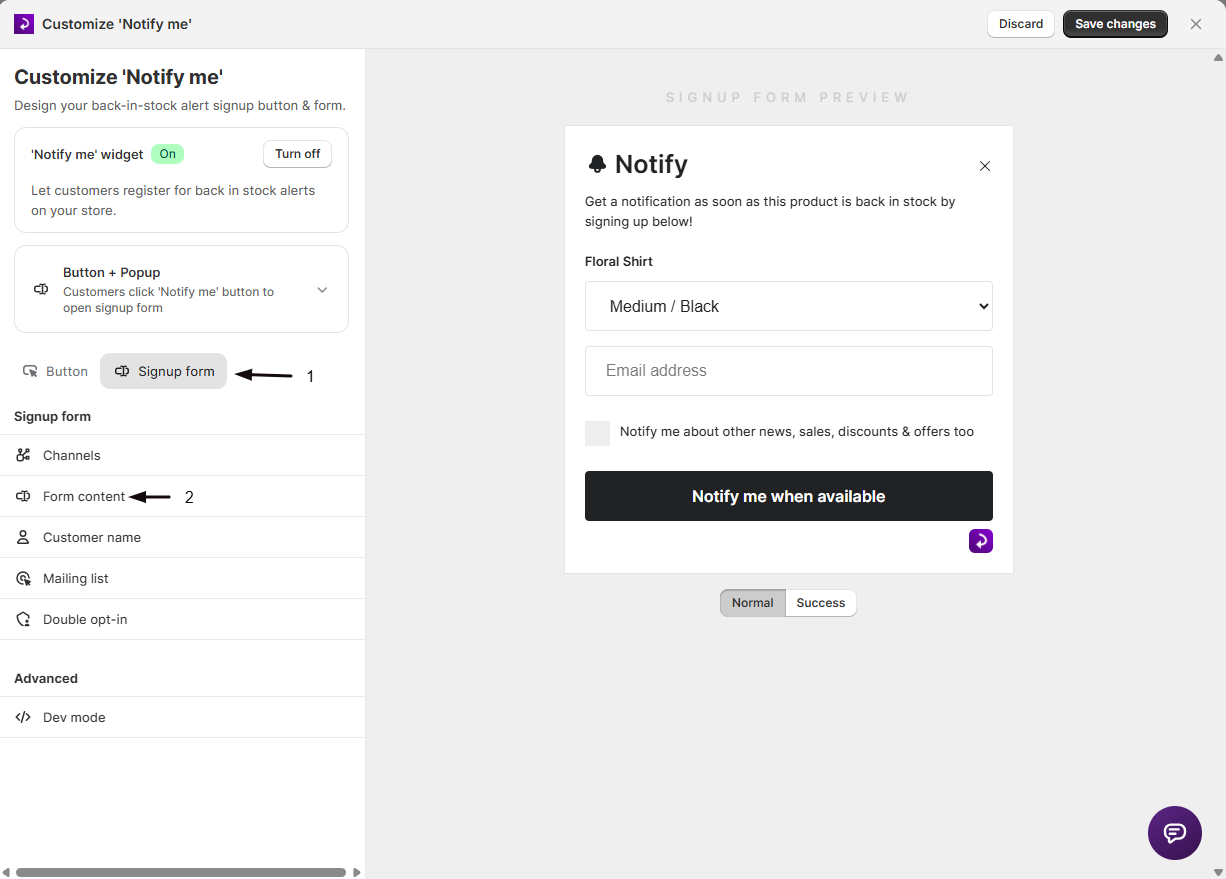
- Click Customize widget, open the Signup form tab, and choose Form content from the sidebar.
-
Turn off the watermark
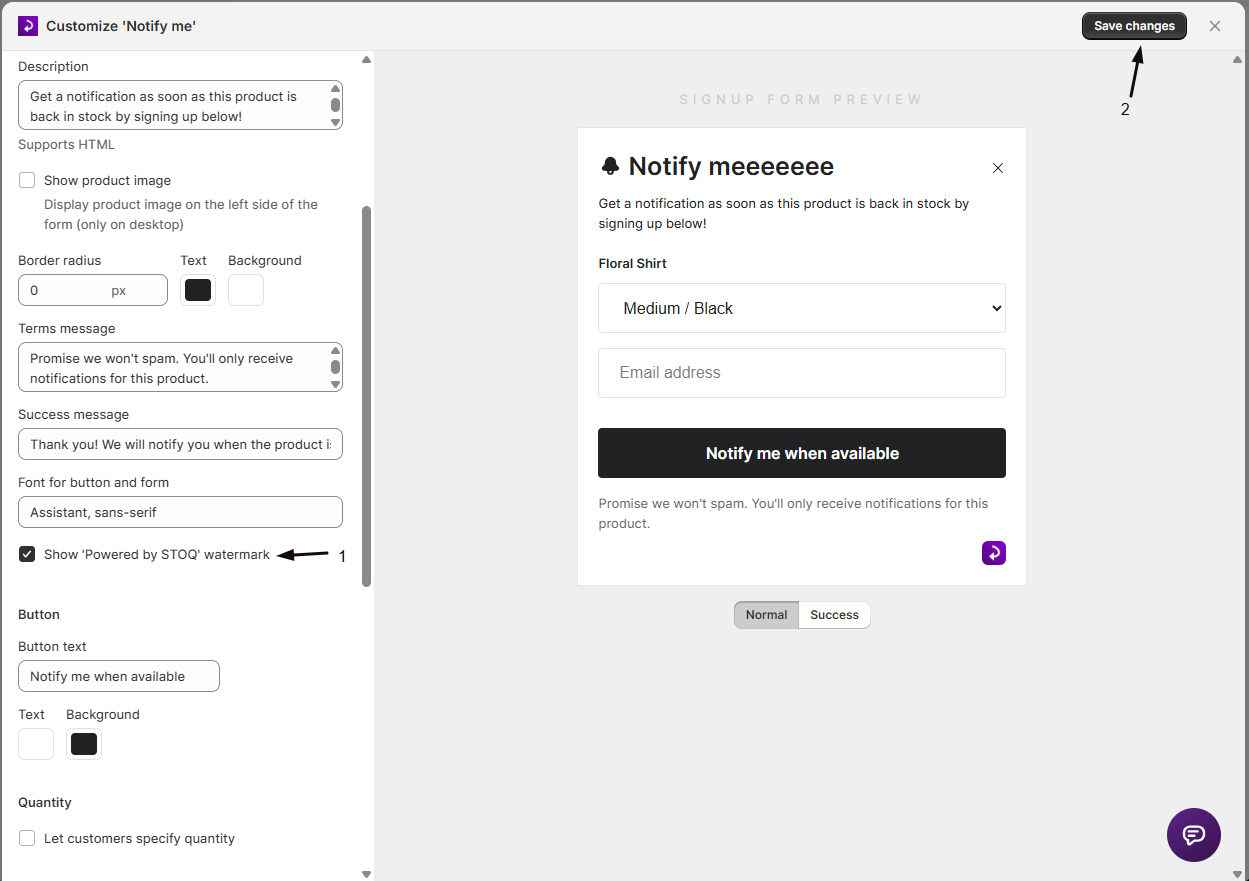
Uncheck Show ‘Powered by STOQ’ watermark.
-
Save
Save your changes, then check your storefront popup to confirm the watermark is gone.
Remove it from back in stock emails
Section titled “Remove it from back in stock emails”-
Open the email content editor
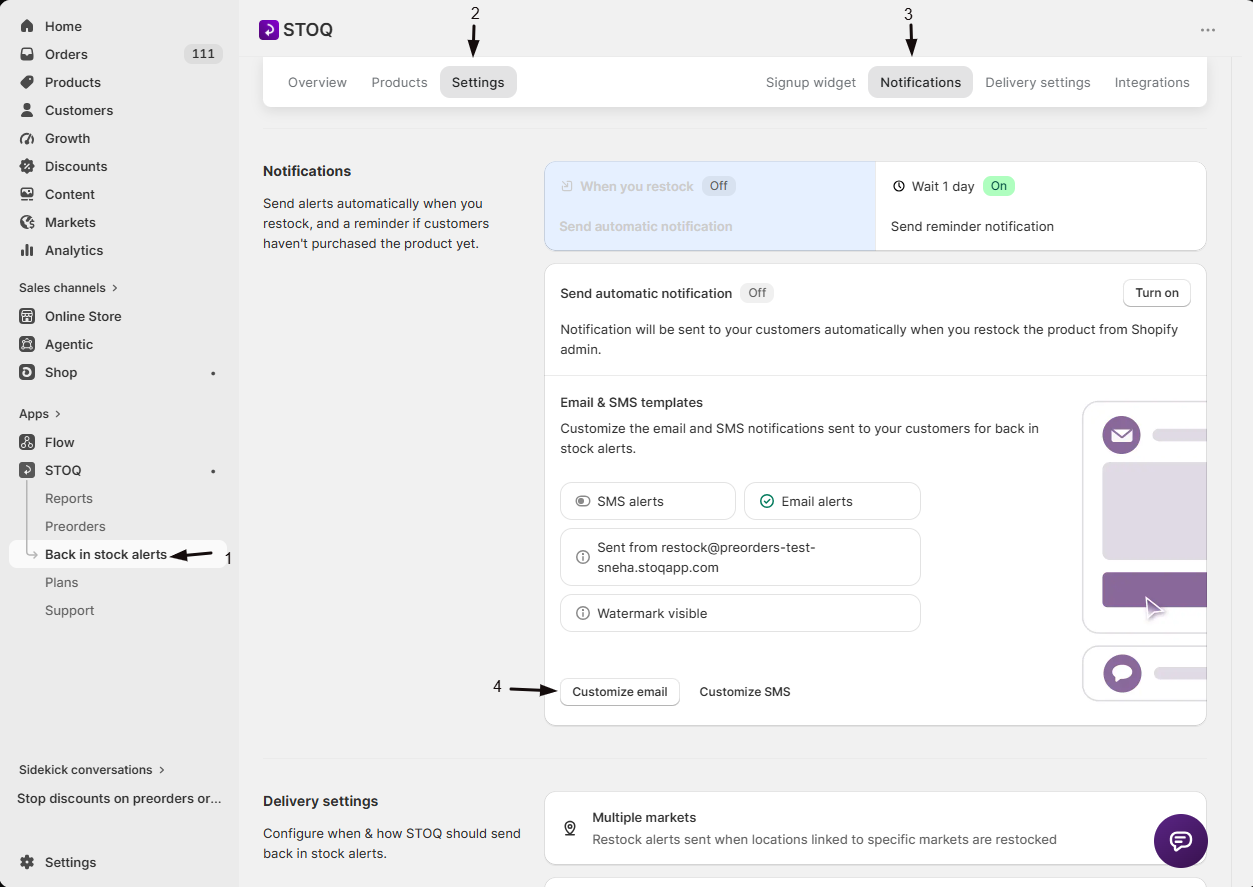
- In the left menu bar of the STOQ app, click Back in stock alerts.
- Click the Settings tab, then open the Notifications sub-tab.
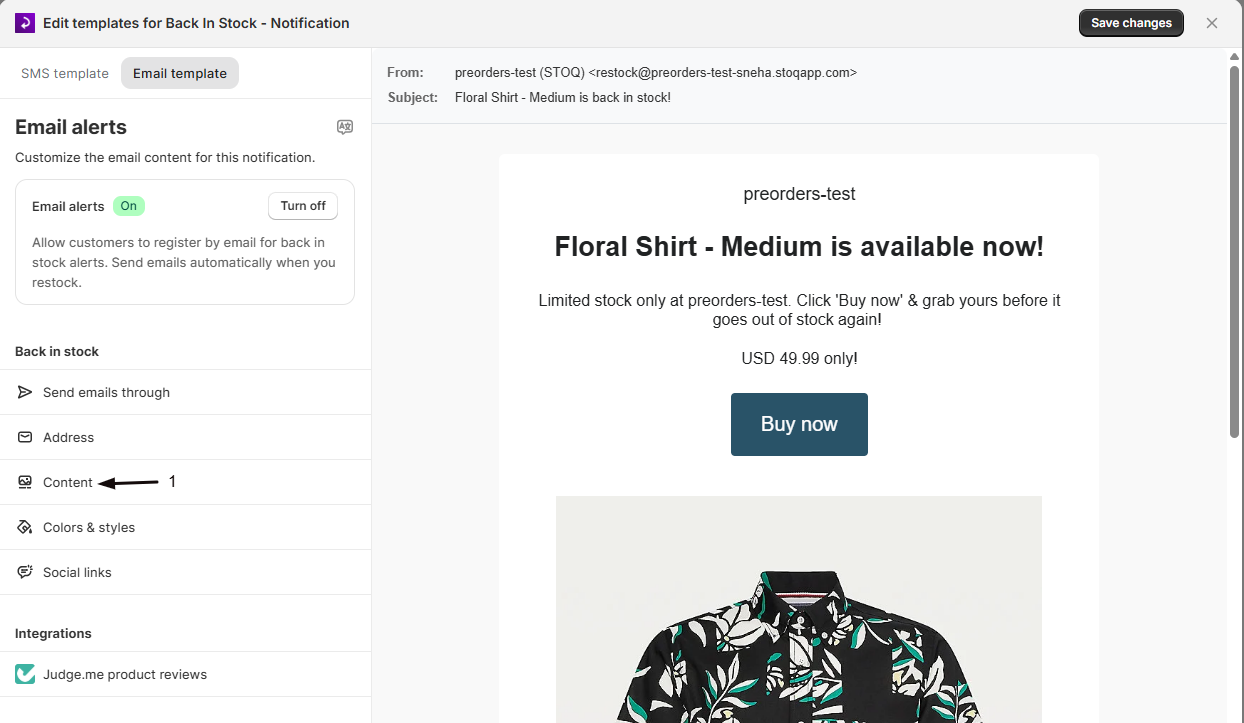
- Select the email alert, click Customize email, then click Content in the sidebar.
-
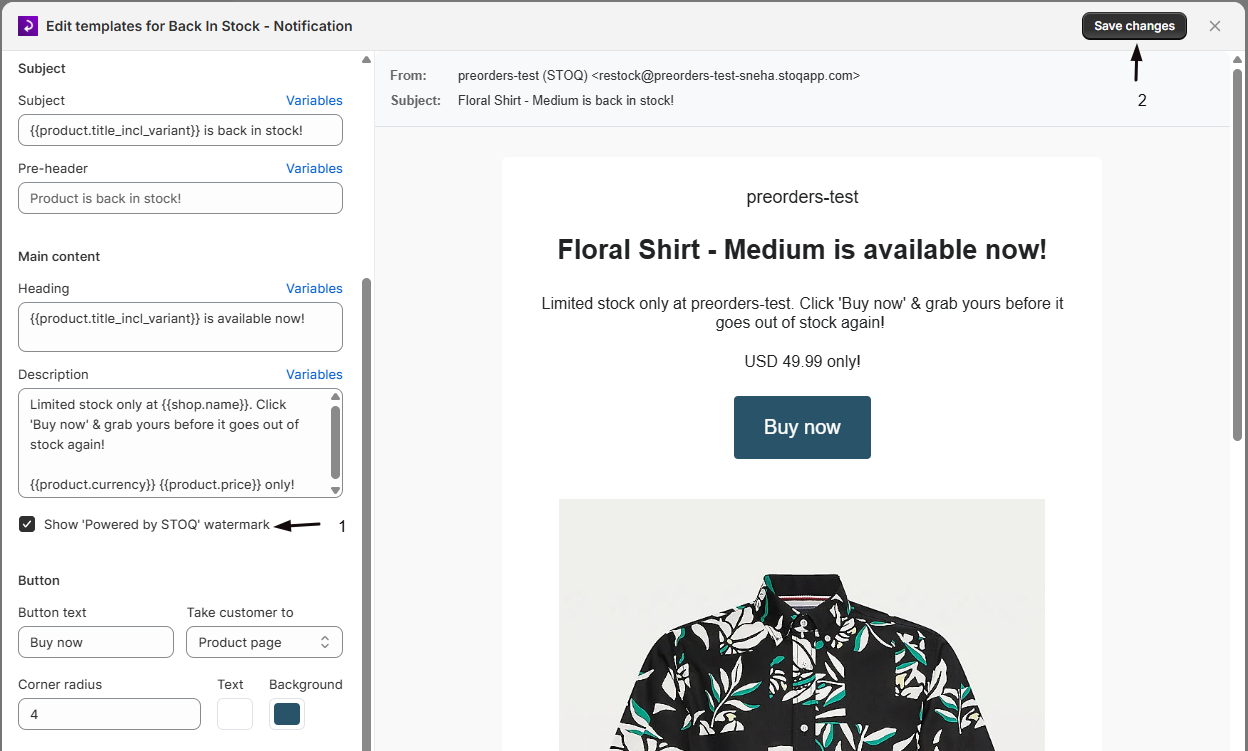
Turn off the watermark
Uncheck Show ‘Powered by STOQ’ watermark.
-
Save
Click Save changes. Send yourself a test alert to confirm the footer no longer shows the branding.
Check your setup
Section titled “Check your setup”Trigger a test signup and a test alert (sign up on your storefront, then restock the product) and confirm neither the popup nor the email shows the Powered by STOQ watermark.
The watermark toggle is greyed out
Removing the watermark is a paid-plan feature. Upgrade to enable the toggle. On the email side, the toggle is also disabled when your alerts send through Klaviyo rather than STOQ. On a Shopify partner development store, the watermark stays on and can’t be removed.
I turned it off but still see it in the email
Each template has its own toggle, so turn it off on the specific alert you’re testing, and re-send the test. If you send through Klaviyo, remove the branding from the Klaviyo email template instead.
Does this affect SMS alerts?
The watermark applies to the popup and email. SMS messages don’t carry the watermark.
Related guides
Section titled “Related guides”Thanks for letting us know.
Still stuck? Ask Quinn or chat with support