Move signups to another product
Transfer a product or variant's current waitlist to a different product or variant.
Last updated
Use Move waitlist when a product or variant is discontinued, replaced, or merged into another listing, so its waiting customers get notified about the right item instead.
Before you begin
Section titled “Before you begin”The destination you pick must resolve to a single variant. If you pick a product with more than one variant, STOQ shows an error and asks you to pick a single-variant product or a specific variant instead.
Open a product’s or variant’s waitlist page
Section titled “Open a product’s or variant’s waitlist page”-
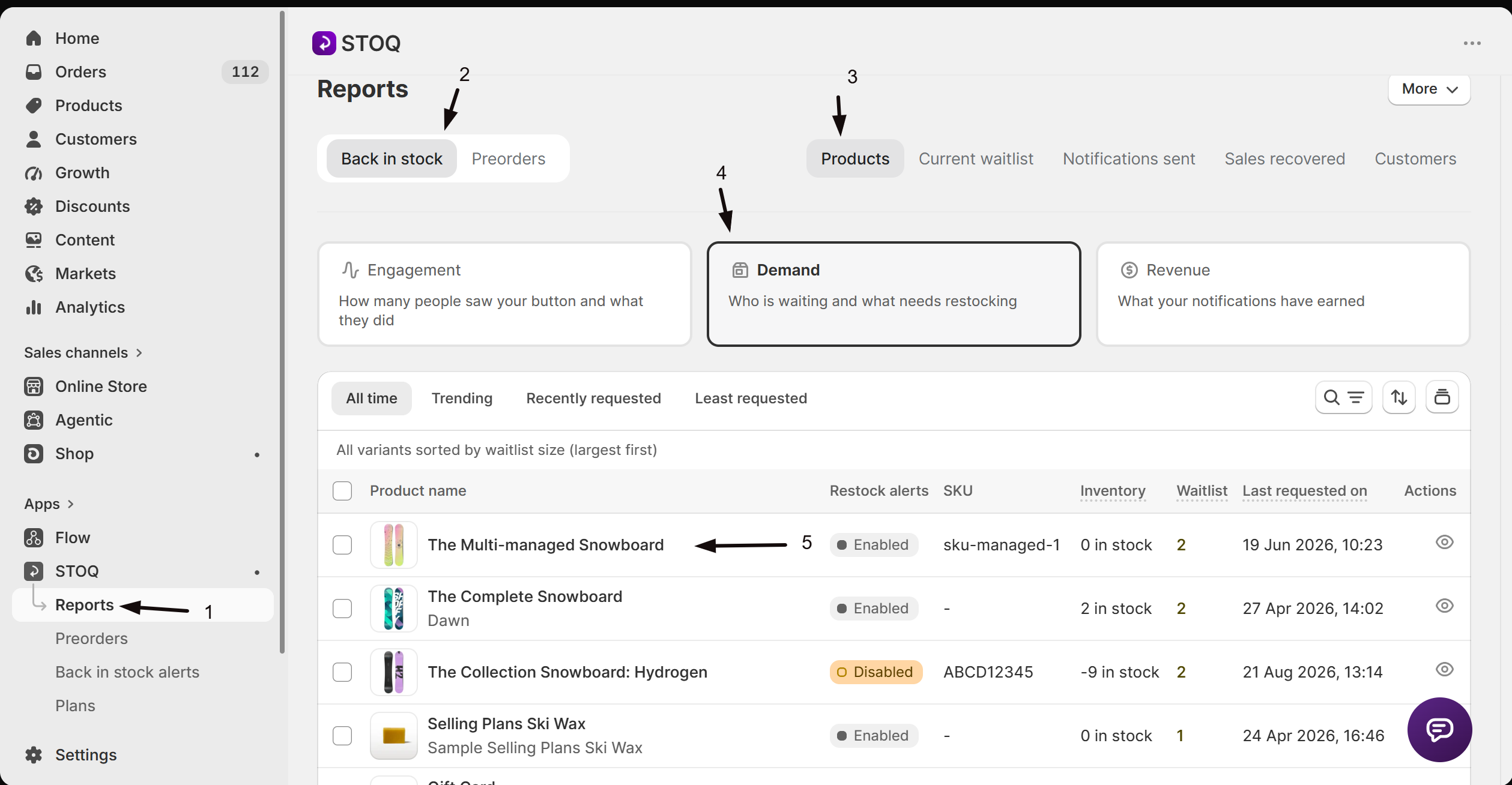
Open the waitlist page
- In the left menu of the STOQ app, click Reports.
- Click the Back in stock tab at the top.
- Click the Products sub-tab.
- Click a product’s name to open that product’s waitlist page, or click a variant’s name to open that single variant’s waitlist page instead.
Move the waitlist
Section titled “Move the waitlist”-
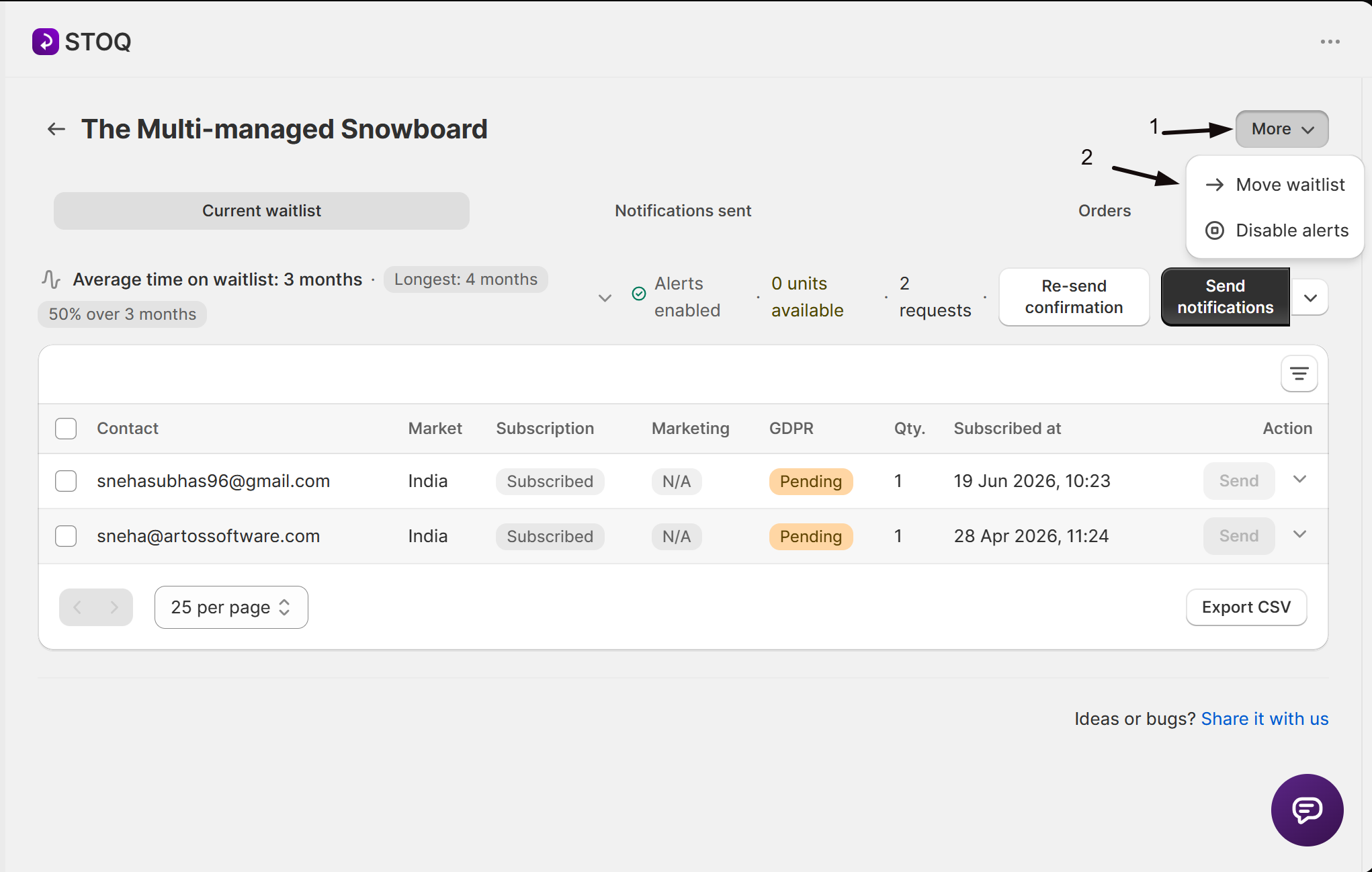
Open Move waitlist
- Click the More button in the page header.
- Click Move waitlist.
-
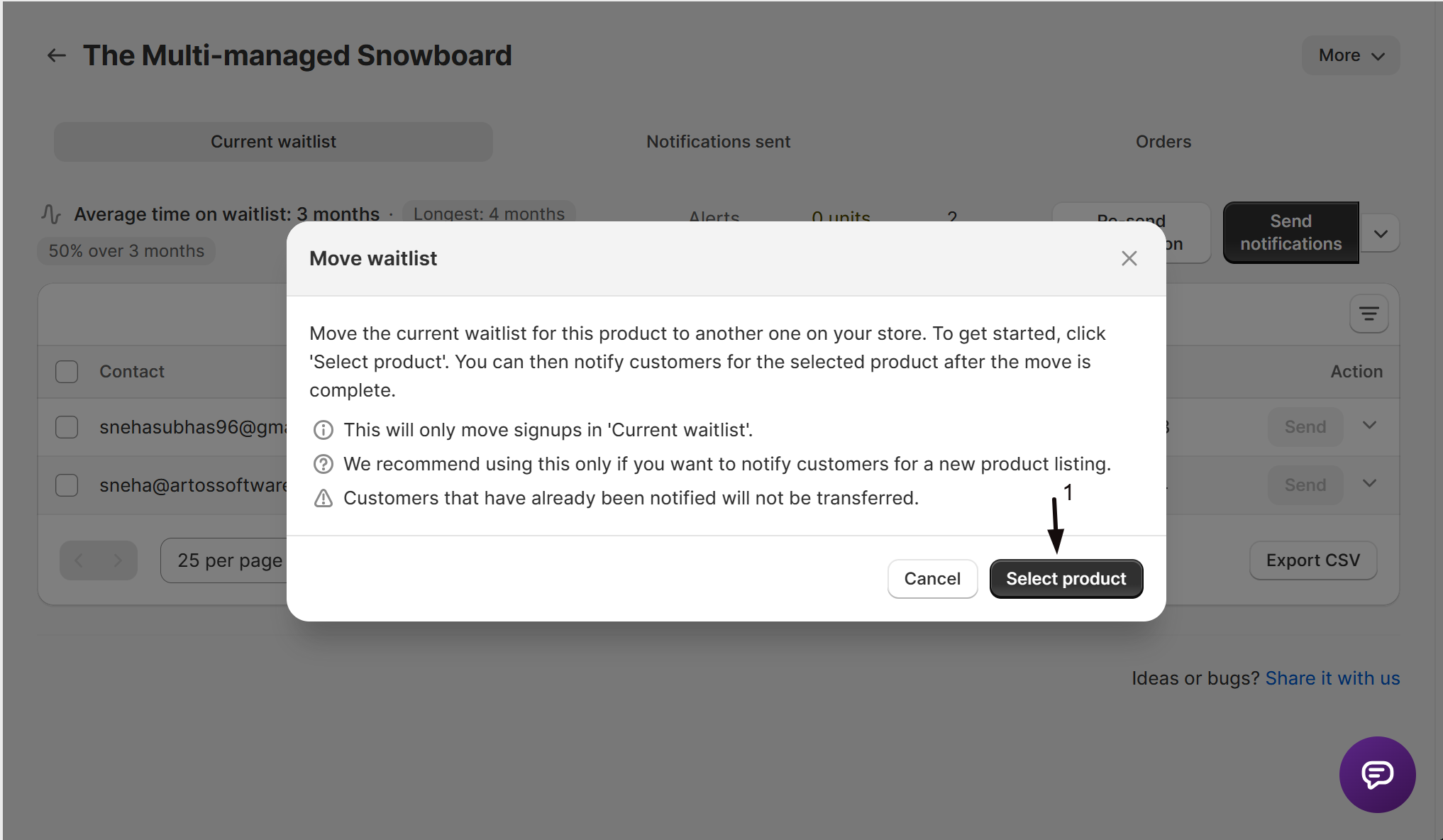
Pick the destination
In the Move waitlist modal, click Select product to open Shopify’s product picker, then choose the destination product. It must be a single-variant product, or a product where the variant it resolves to is unambiguous.
-
Confirm
Selecting a valid destination starts the move right away, there’s no separate confirm step after the picker closes.
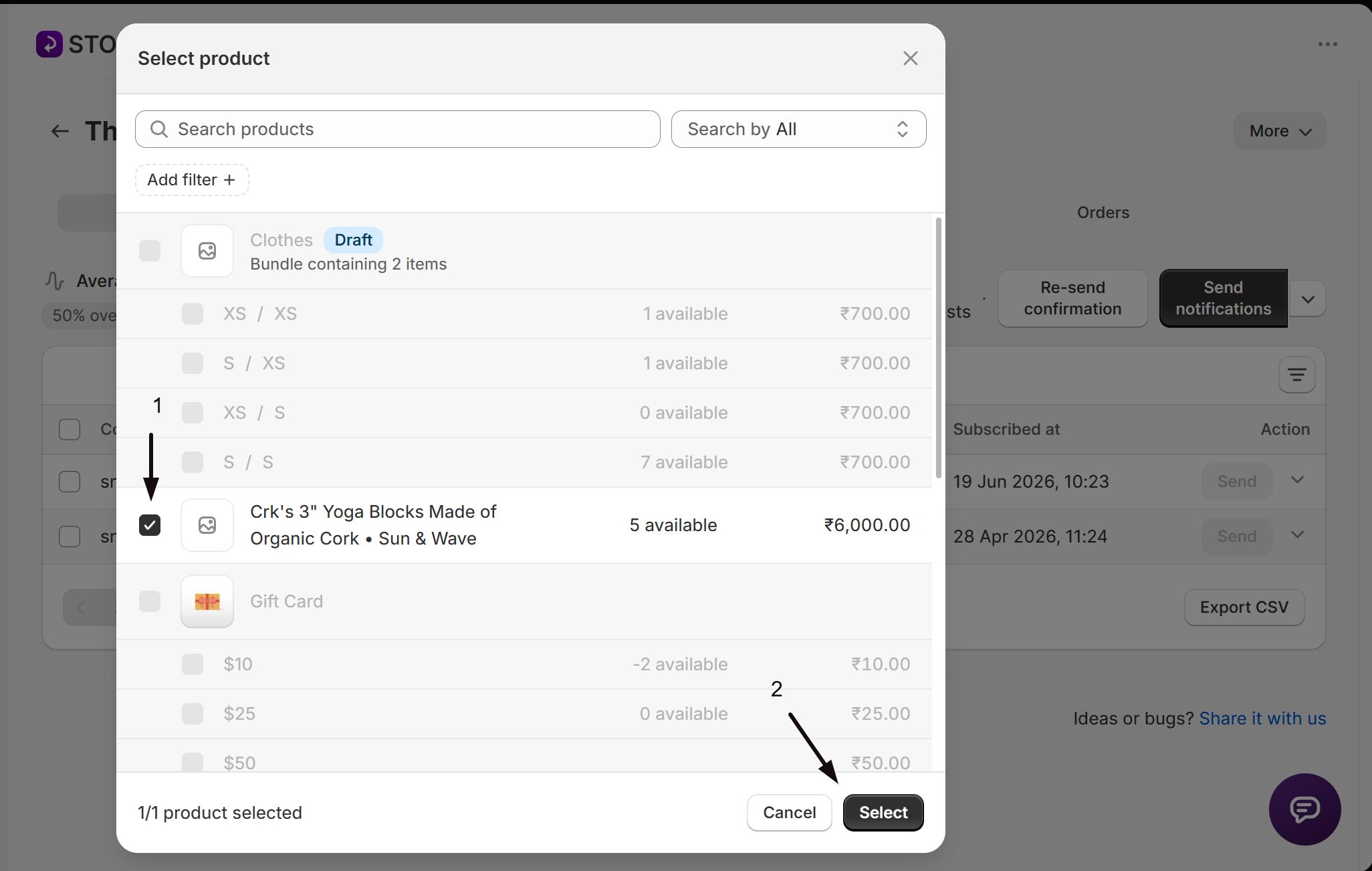
Only signups currently on the Current waitlist tab move. Customers who’ve already been notified aren’t transferred. Moving a large waitlist can take a moment, STOQ shows a Moving in background toast instead of Requests moved while it works, and either way takes you to the destination’s Current waitlist tab once the move starts.
What customers will see
Section titled “What customers will see”Moved customers get notified about the destination product or variant instead of the original one, whether that’s an automatic alert on restock or one you send manually.
Does Move waitlist notify customers right away?
No. It only transfers outstanding signups to the destination product or variant, it doesn’t send anything. Send manually or wait for a restock on the destination to notify them.
Why did I get an error after picking a product?
The product you picked has more than one variant, so STOQ can’t tell which one to move the waitlist to. Pick a product with a single variant, or move to that specific variant’s own waitlist page instead.
What happens to customers who were already notified?
They stay put. Move waitlist only transfers signups still on the Current waitlist tab, already-notified customers aren’t touched or moved.
Can I move a waitlist between a product and one of its own variants?
Yes. The source and destination can be any product or variant page, the only requirement is that the destination resolves to a single variant.
Related guides
Section titled “Related guides”Thanks for letting us know.
Still stuck? Ask Quinn or chat with support