Use branded links in SMS
Show your store's own domain in the purchase link inside your back in stock SMS alerts.
Last updated
By default, the link in your back in stock SMS uses a STOQ short domain. You can switch it to your own store’s domain so the link looks like it comes from you, which builds trust and keeps your branding consistent.
Before you begin
Section titled “Before you begin”- SMS alerts must be turned on. See Set up SMS alerts.
- This uses your Shopify app proxy, so you set a small path prefix and suffix that match your store.
Turn on branded links
Section titled “Turn on branded links”On a phone, this menu is collapsed. In the Shopify mobile app, tap the STOQ logo at the top of the screen to open it, then choose the section named below. There is no hamburger icon. See Finding the STOQ menu.
-
Open the SMS content editor
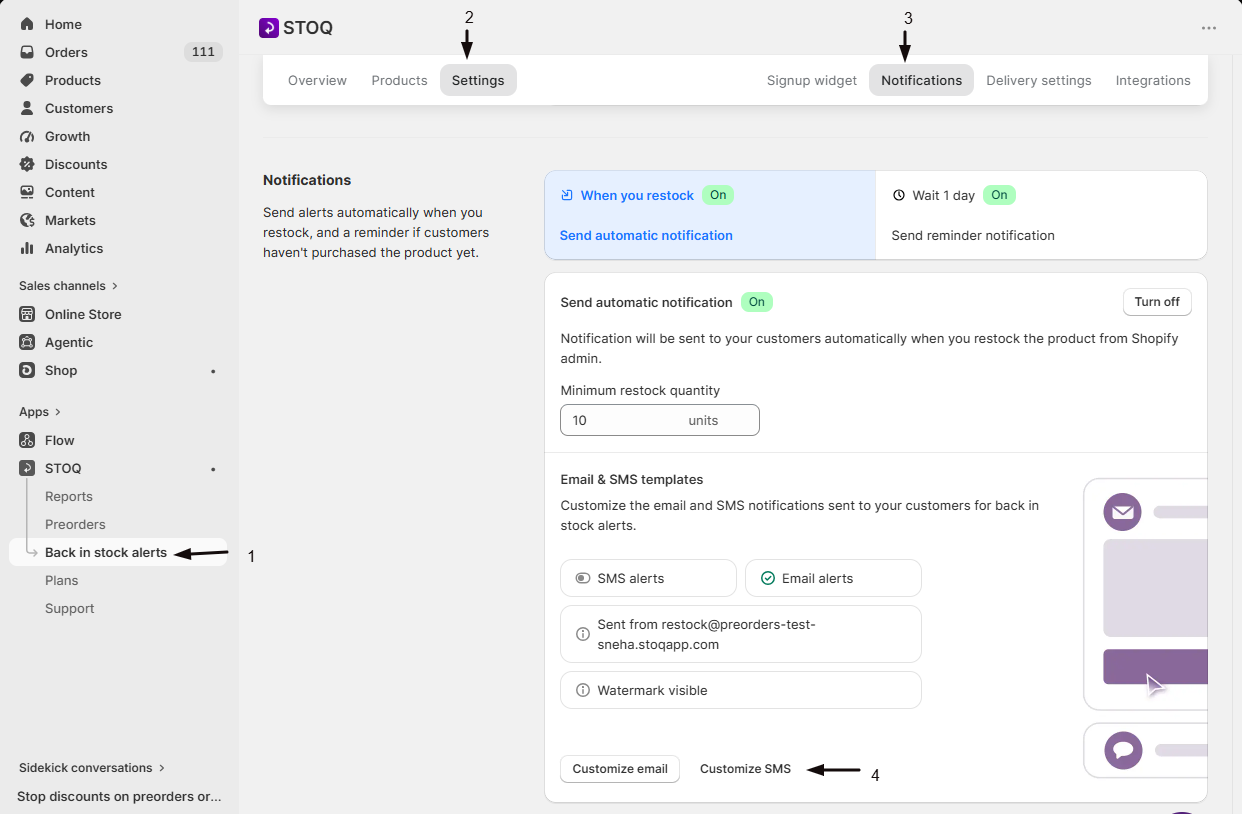
- In the left menu bar of the STOQ app, click Back in stock alerts.
- Click the Settings tab, then open the Notifications sub-tab.
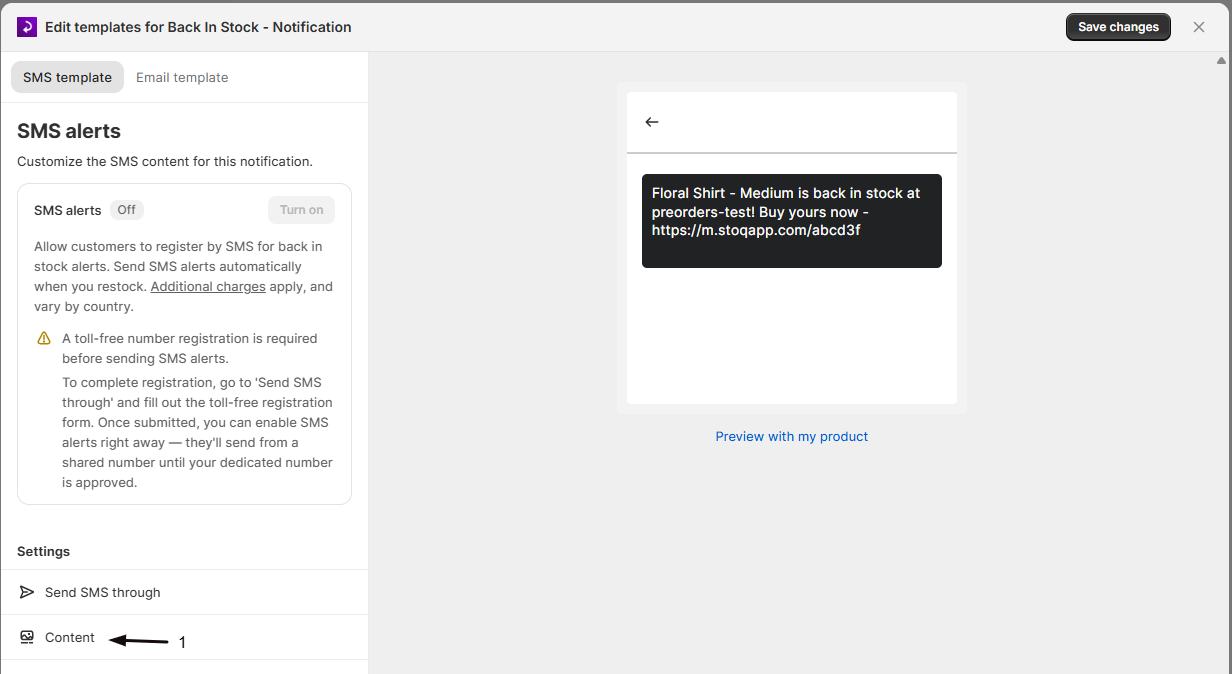
- Select the alert, click Customize SMS, then click Content in the sidebar.
-
Enable the store domain
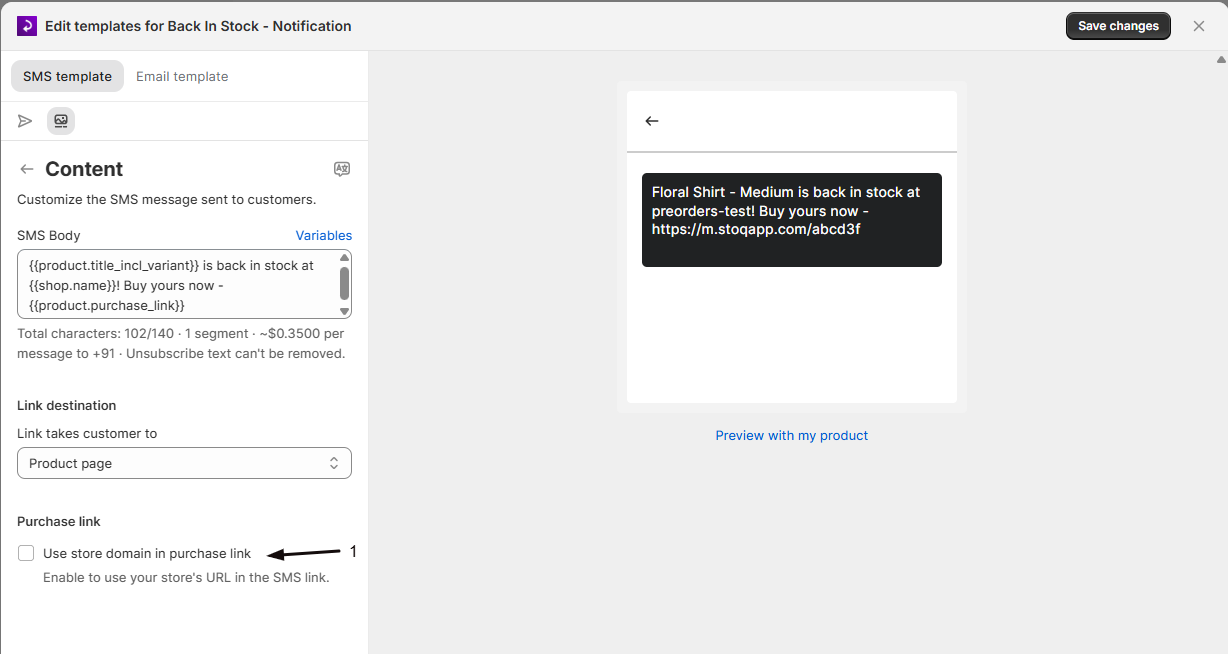
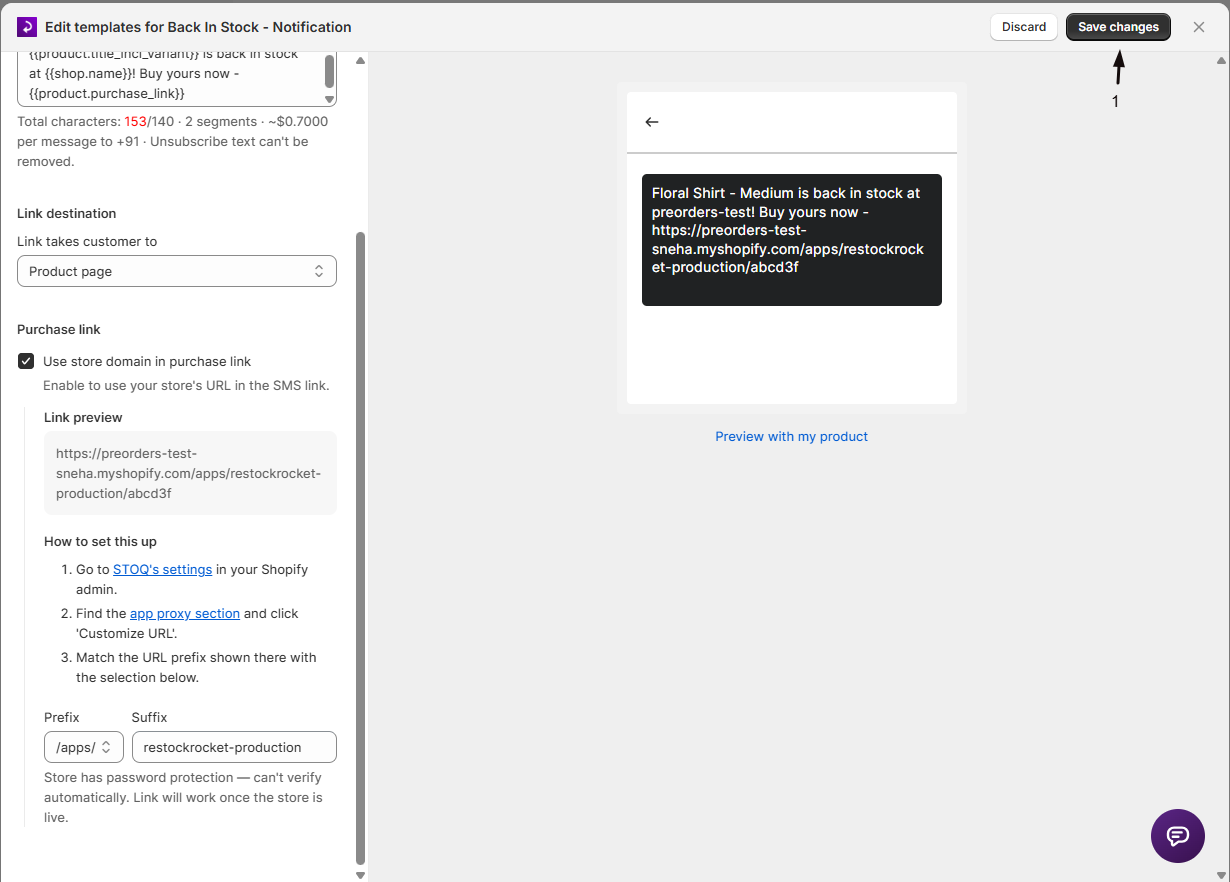
Scroll to Purchase link and check Use store domain in purchase link. The Link preview updates to show how the URL will look.
-
Match your app proxy
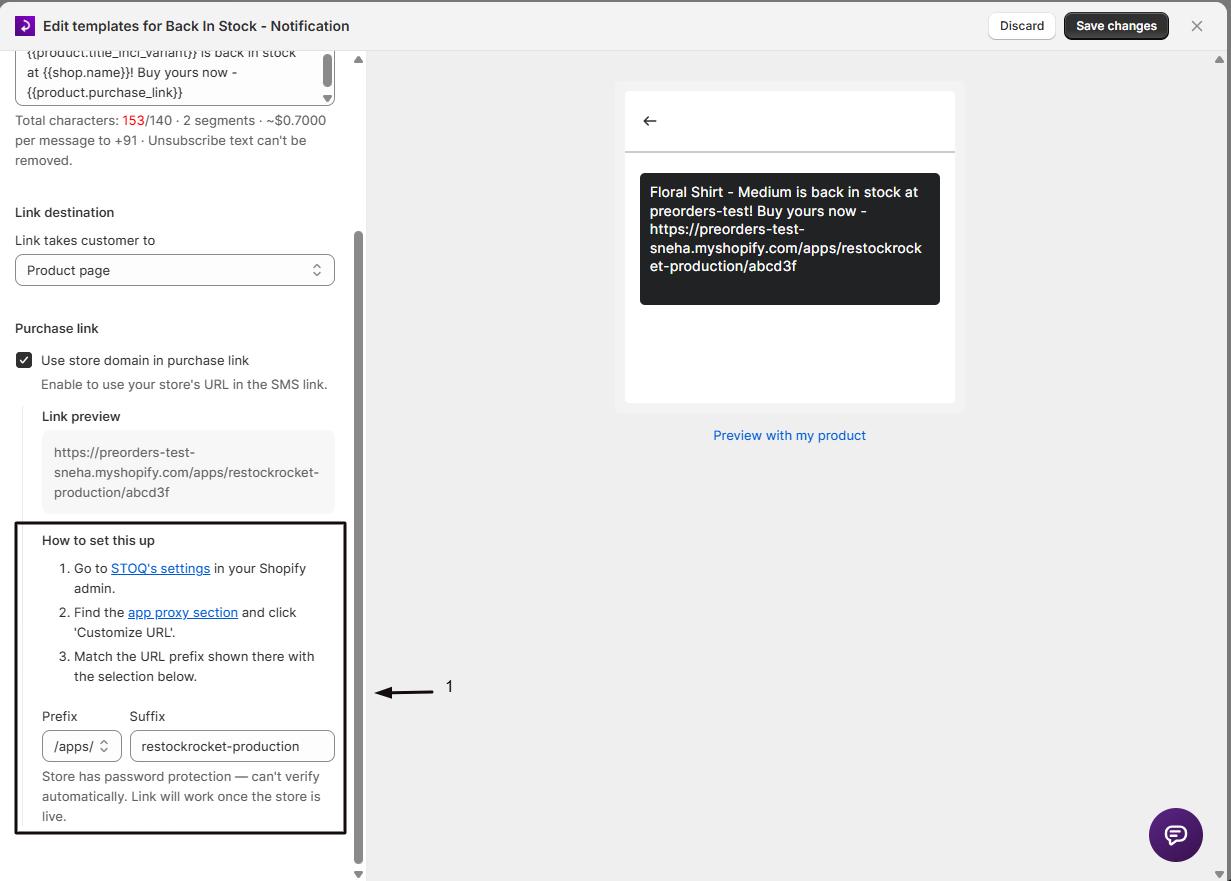
Follow the How to set this up steps to set the path prefix and suffix so they match the app proxy in your Shopify admin. The link preview confirms when it’s valid.
-
Save
Click Save changes. New alerts use the branded link.
Check your setup
Section titled “Check your setup”Send yourself a test alert (sign up with your phone number and restock the product) and confirm the link shows your store’s domain and opens the right page.
Related guides
Section titled “Related guides”Thanks for letting us know.
Still stuck? Ask Quinn or chat with support