Unsubscribe or resubscribe a customer
Stop or resume all of a customer's back in stock alerts from their detail page.
Last updated
Use this guide if you want to stop one customer from getting any more back in stock alerts, or bring them back after they’ve been unsubscribed. It changes their subscription across every product they’re waiting on at once, not just one.
Open a customer’s detail page
Section titled “Open a customer’s detail page”-
Open a customer’s detail page
- In the left menu of the STOQ app, click Reports.
- Click the Back in stock tab at the top.
- Click the Customers sub-tab.
- Click a customer’s name or contact to open their detail page.
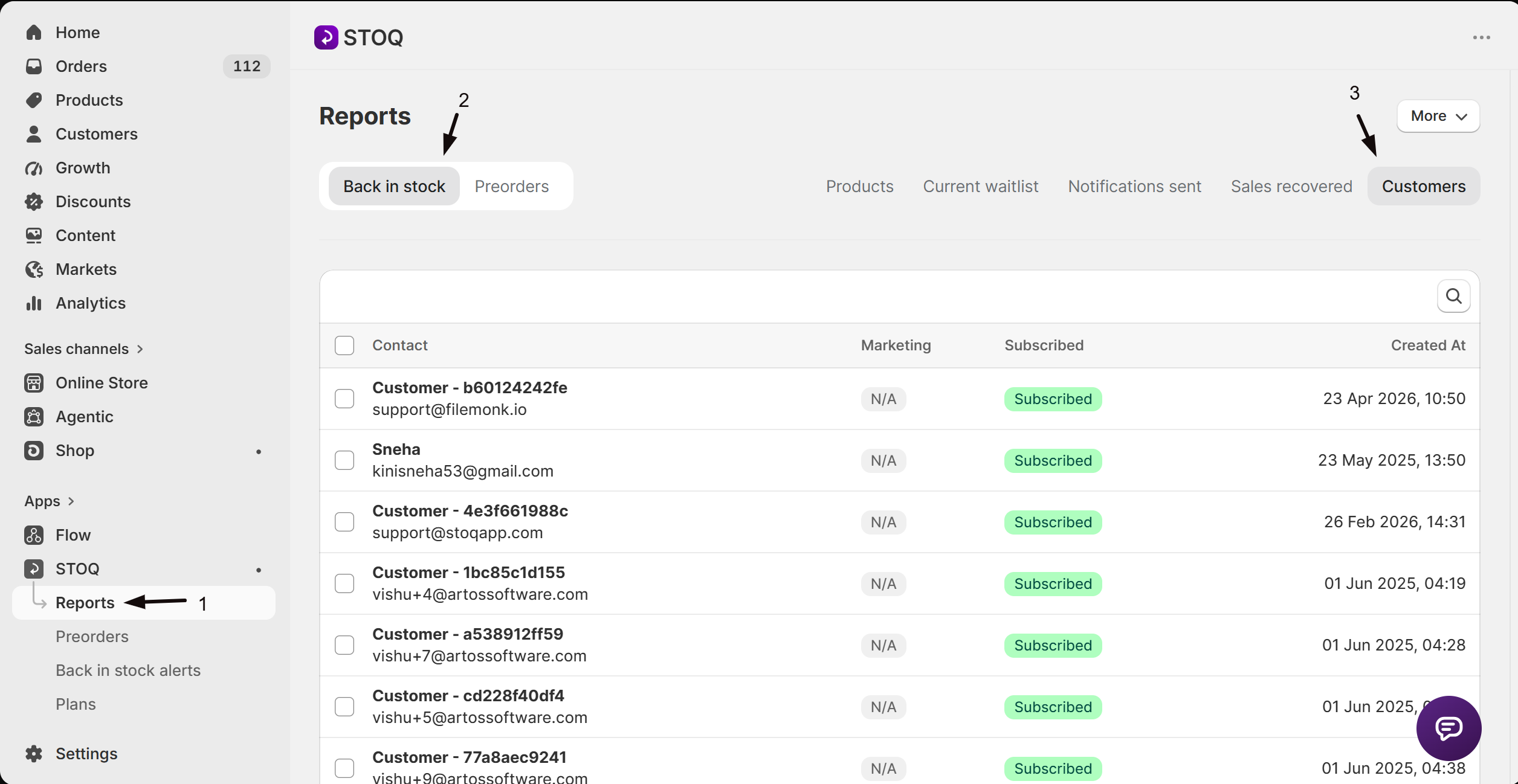
The page title shows a Subscribed or Unsubscribed badge next to the customer’s name, so you can tell their current status before doing anything.
Subscribe or unsubscribe the customer
Section titled “Subscribe or unsubscribe the customer”-
Toggle the customer’s subscription
- Click More at the top of the customer’s detail page.
- Click Unsubscribe from alerts if the customer is currently subscribed, or Subscribe to alerts if they’re currently unsubscribed.
- In the confirmation modal, click Unsubscribe or Subscribe to confirm.
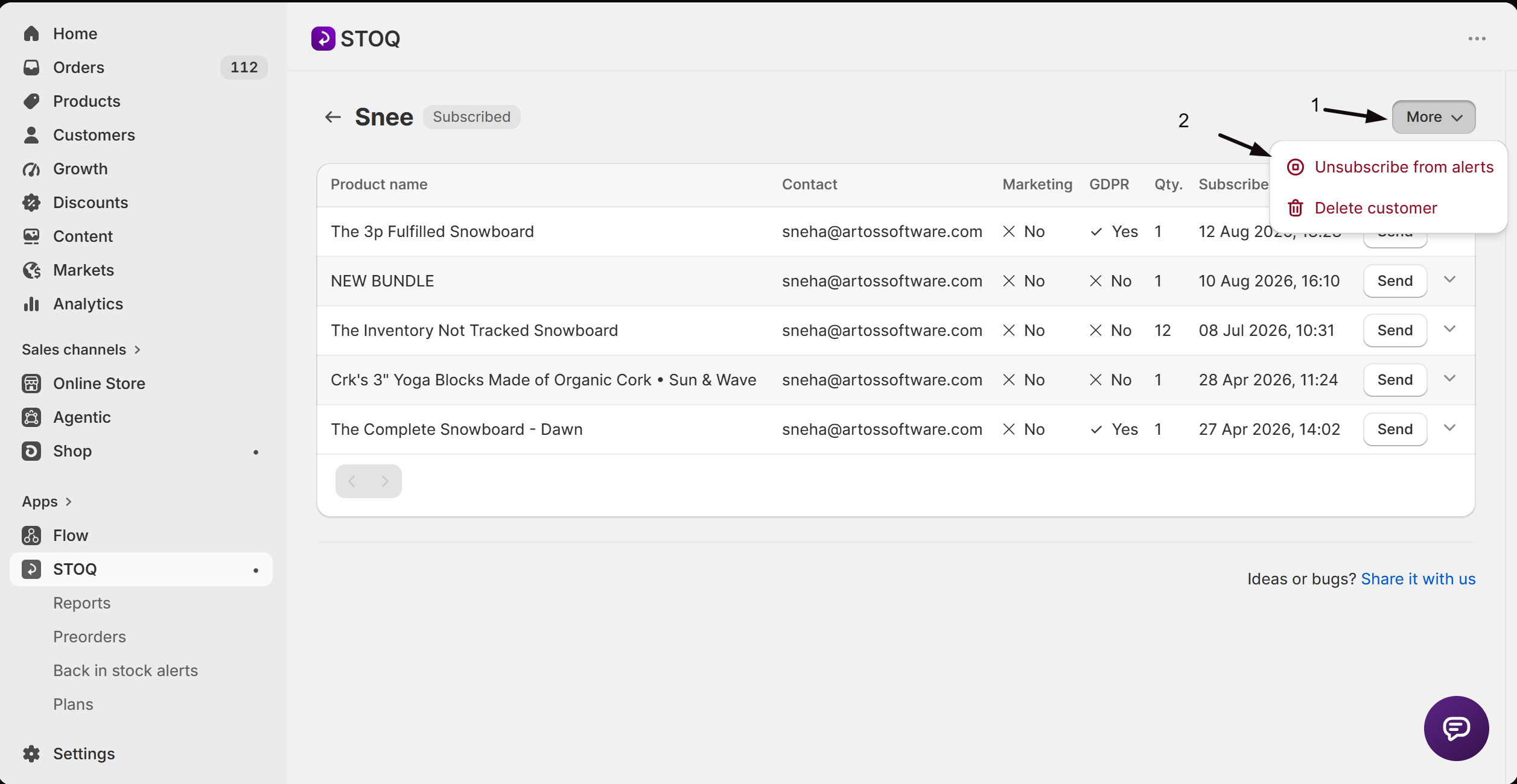
STOQ flips the customer’s subscription across all of their waitlist entries at once. There’s no way to unsubscribe them from just one product from here.
What customers will see
Section titled “What customers will see”An unsubscribed customer stops receiving back in stock alerts and reminders on every product they signed up for, even if a product they’re waiting on restocks. Resubscribing them starts alerts again for all of those products. Neither action removes them from the waitlists themselves, so their pending requests stay listed on their detail page either way.
After confirming, STOQ shows a toast reading Customer subscribed successfully or Customer unsubscribed successfully, and the title badge updates to match.
Does unsubscribing a customer remove them from product waitlists?
No. It only stops alerts from being sent. Their pending requests stay on the waitlist and still show on their detail page.
Can I unsubscribe a customer from just one product?
No. Subscribing or unsubscribing from the More menu applies to all of that customer’s waitlist entries at once.
Will an unsubscribed customer get an alert if I click Send on one of their pending requests?
No. Unsubscribing stops all back in stock alerts and reminders to that customer, including manual sends, until you subscribe them again.
How do I check a customer's current status without opening their detail page?
The Subscribed column on the Customers sub-tab shows Subscribed or Unsubscribed for every customer in the list.
Related guides
Section titled “Related guides”Thanks for letting us know.
Still stuck? Ask Quinn or chat with support