
Check your plan usage and remaining alerts
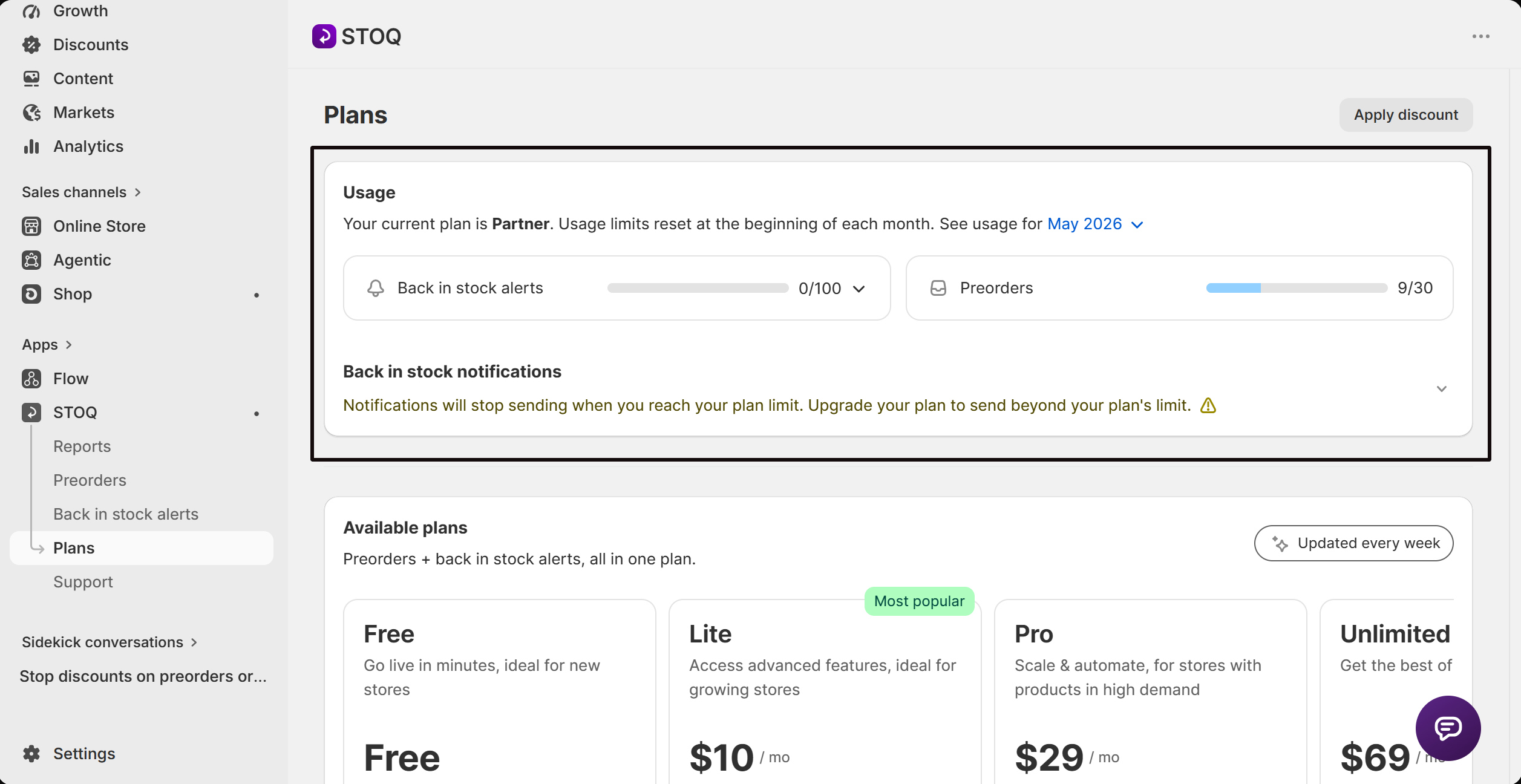
The Usage card on the Plans page shows how many back in stock alerts you've sent this month against your plan's limit, split by email and SMS, with a picker to check past months too.
Open the Usage card
Open Plans
In STOQ, click Plans in the sidebar menu. The Usage card loads at the top of the page.
What the Usage card shows
The card header names your current plan and reminds you that usage limits reset at the start of each month. Below it are two boxes side by side:
- Back in stock alerts, a progress bar and a count in the form sent/limit (for example,
128/500), covering every restock alert and reminder email or text sent this month. - Preorders, the same count/limit format for preorder orders placed this month. See Preorder plans and billing for how that limit works.
If your plan includes unlimited notifications, the limit shows as ∞ instead of a number.
Read the email vs SMS breakdown
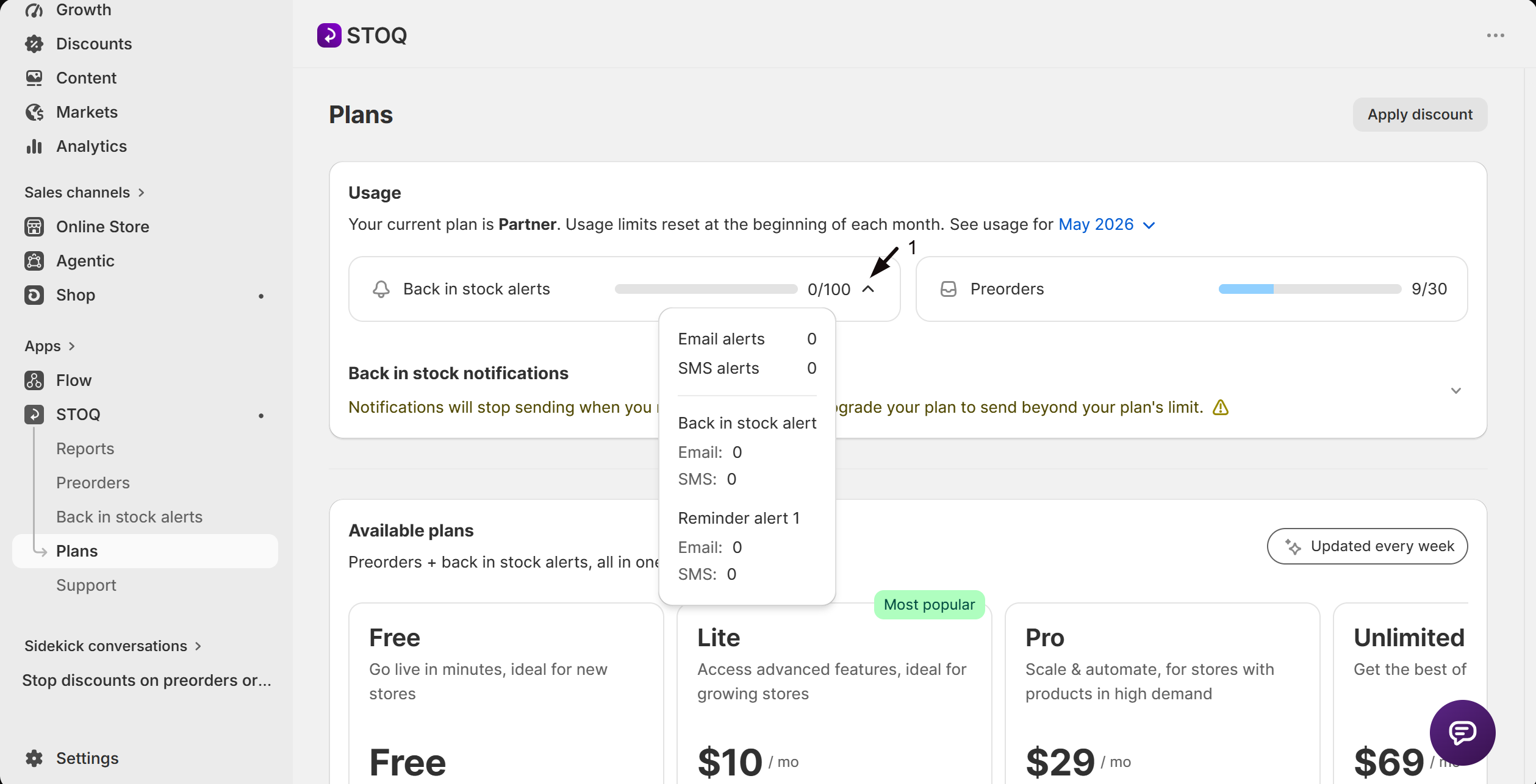
Click the count next to Back in stock alerts (for example, 128/500) to open a breakdown popover:
Email alerts and SMS alerts show the total sent this month for each channel.
Below a divider, each notification type, Back in stock alert and Reminder alert 1, lists its own Email and SMS counts.
If you've sent any text alerts, a line below reports how many SMS segments were sent this month and links to Set up SMS alerts for how SMS charges work.
If you've sent notifications above your plan limit, an Overage notifications section reports how many were sent above the limit and how many were charged, at the per-notification overage fee for your plan.
Check usage for a past month
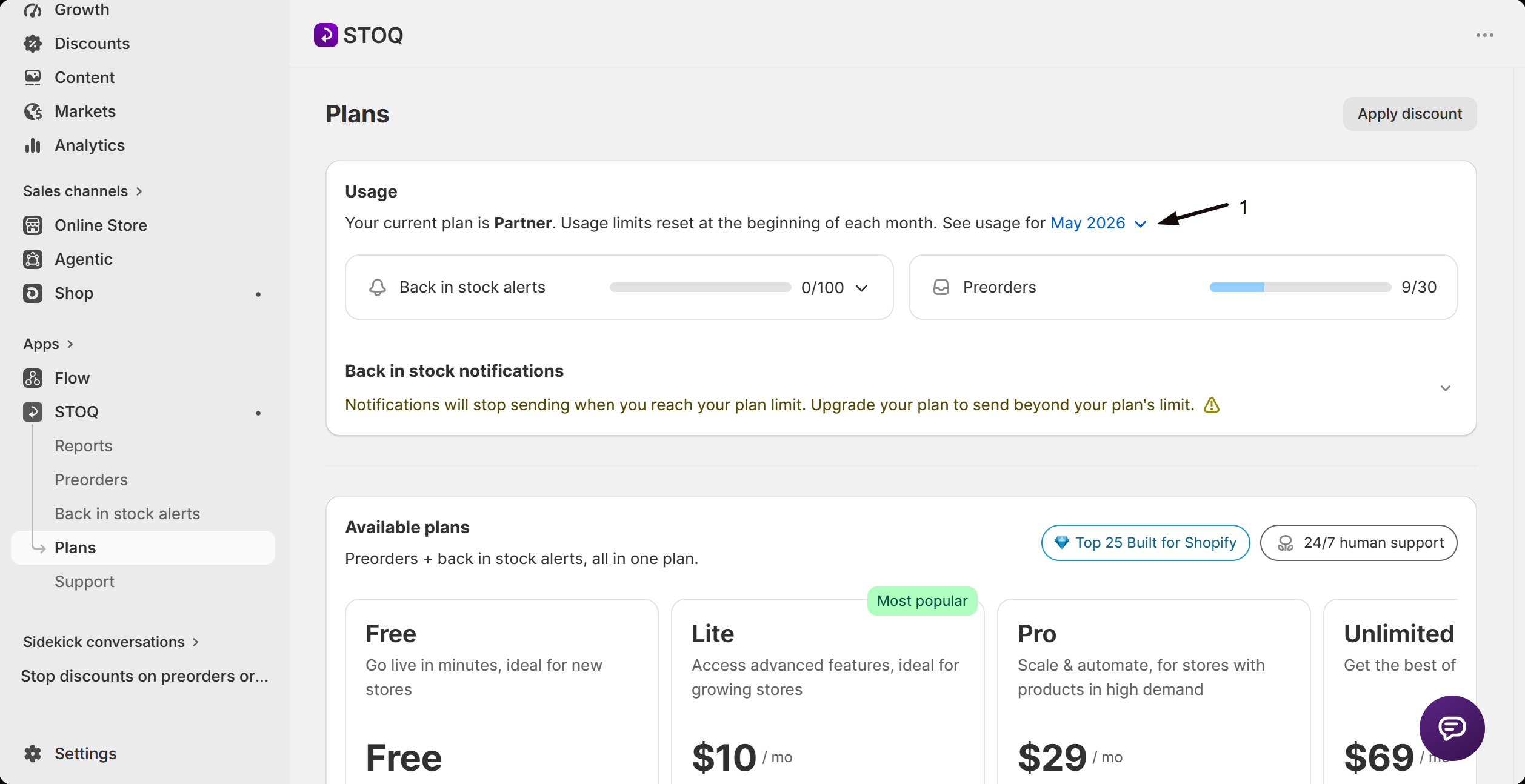
Next to See usage for, click the month name to open the month picker. It lists the current month plus the five before it; selecting one reloads the whole Usage card, both boxes and the breakdown popover, with that month's figures.
How to read remaining alerts
The count/limit shown next to Back in stock alerts (for example, 128/500) is what you've sent so far this month over your plan's monthly limit. Subtract the first number from the second to see how many you have left before you hit the limit, or before overage charges start on a plan that allows them.
If the card shows a caution notice that you're on a legacy plan, your email and SMS alerts are billed against separate limits instead of one combined number. Switch to a current plan for a single combined limit.
FAQ
What counts toward the back in stock alerts limit?
Every restock alert and reminder email or SMS sent this month, combined into one count. Preorder notifications aren't included, they have their own separate limit shown in the Preorders box.
How do I see email vs SMS separately?
Click the count next to Back in stock alerts (for example, 128/500) to open a popover with the Email alerts and SMS alerts totals, plus a per-notification-type breakdown.
Does checking usage send anything to my customers?
No. The Usage card only reports counts of alerts already sent this month, opening it or the month picker doesn't send or resend anything.
Can I see usage from a previous month?
Yes. Click the month name next to See usage for and pick from the current month plus the five before it.
What happens when I go over my plan's alert limit?
It depends on your plan. See Plans for what happens on your plan when you exceed the limit.
Why does my limit show as an infinity symbol?
Your plan includes unlimited back in stock notifications, so there's no monthly cap to count against.
Related guides
Plans
What happens when you reach your plan's alert limit, and how to upgrade.
Set up SMS alerts
How SMS back in stock alerts are charged and counted.
View your reports
See the alerts you've sent in more detail, beyond the monthly count.
Back in stock overview
How Back in Stock alerts work end to end.
