Do STOQ preorders work with the Shop app?
Why preorders don't work on Shopify's Shop app, and how to keep those products out of it.
Last updated
Preorders don’t work on Shopify’s Shop app. This is a Shopify platform limitation, not a STOQ one: preorder products rely on Shopify selling plans, which the Shop app doesn’t support. Preorders are supported on the Online Store and Custom Storefront channels only.
What goes wrong if you leave them there
Section titled “What goes wrong if you leave them there”If preorder products stay published to the Shop app, customers may see them at full price without the preorder context, place a normal order instead of a preorder, or hit unexpected checkout behavior.
Keep preorder products out of the Shop channel
Section titled “Keep preorder products out of the Shop channel”-
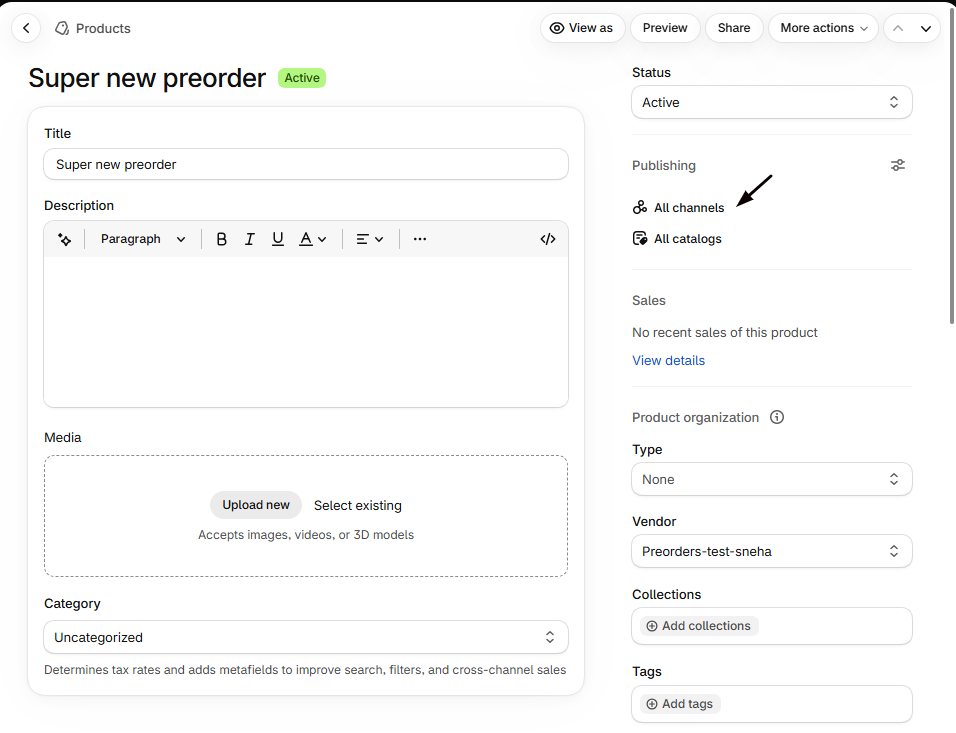
Open the product’s publishing settings
In Shopify admin, open the preorder product and find the Publishing section.
-
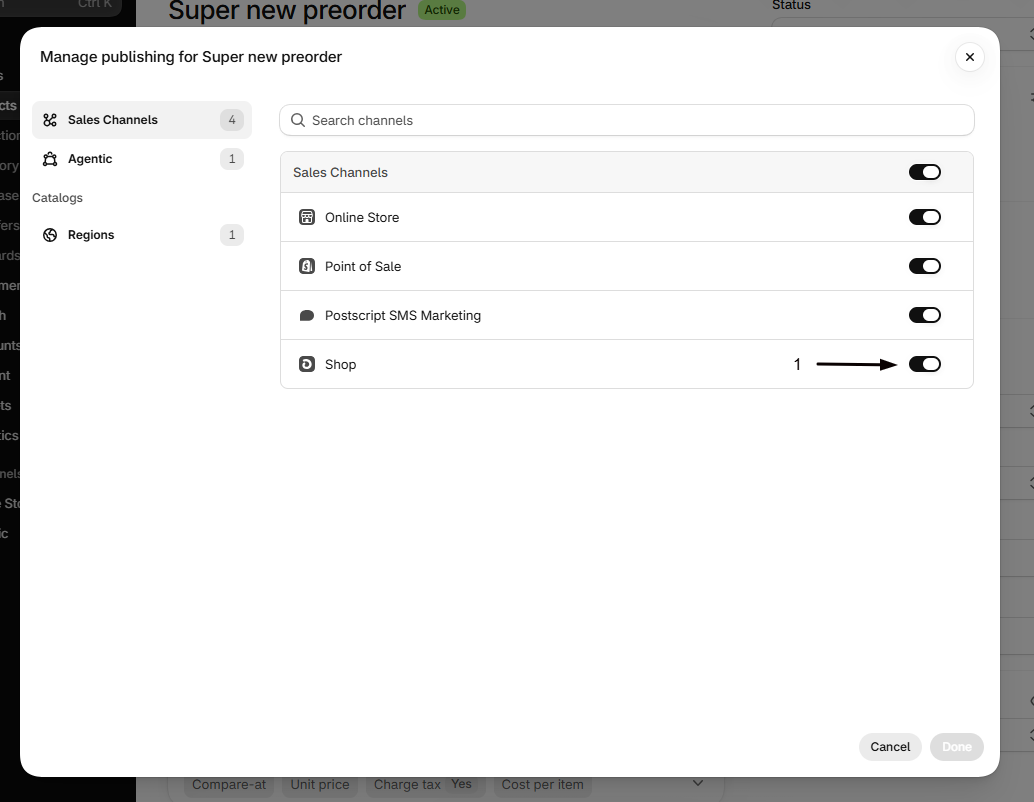
Remove the Shop channel
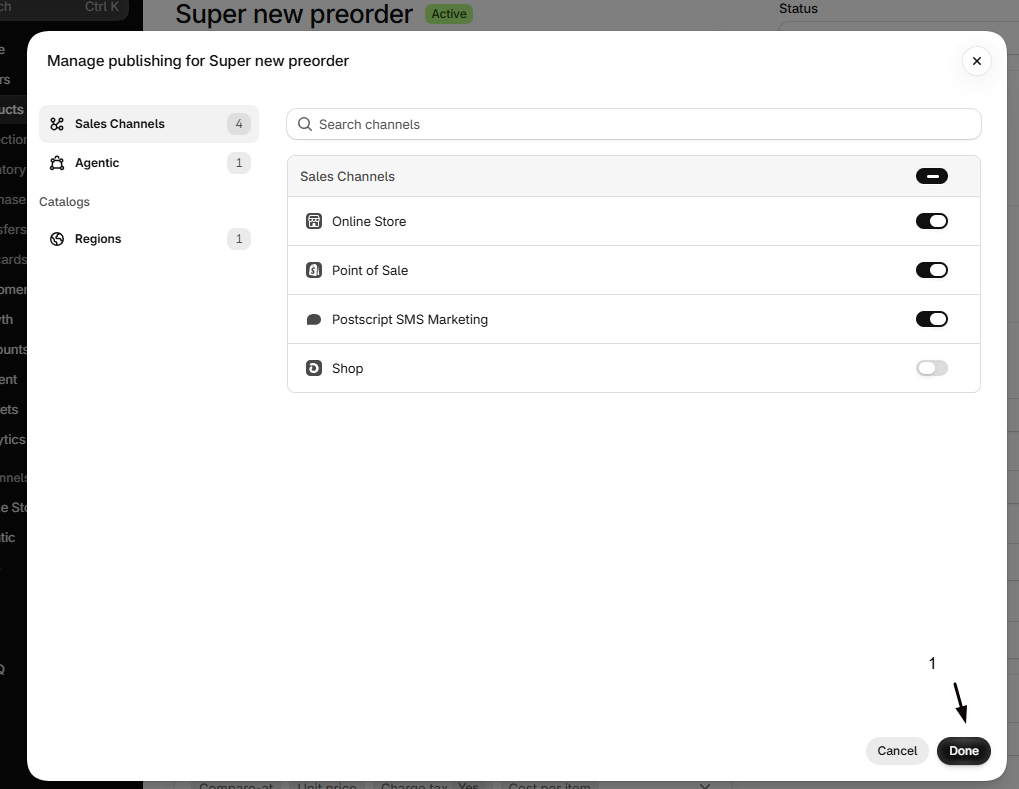
Uncheck the Shop channel and save. To do many at once, select the products in your product list, use bulk edit, and exclude the Shop sales channel.
When a preorder campaign ends and the product sells normally again (no selling plan), you can re-add it to the Shop channel the same way. To find preorder products that are still published to the Shop channel, look for the sales channel icon in your offer’s products table; see Find affected products in STOQ.
Channel support at a glance
Section titled “Channel support at a glance”| Channel | Preorders |
|---|---|
| Online Store | Yes |
| Custom Storefront | Yes |
| Shop app | No |
| Shopify POS | Through STOQ’s POS integration |
| Facebook / Instagram, Google | Only if the channel sends buyers to your Online Store to check out, see below |
On the Facebook / Instagram and Google channels, the preorder button doesn’t show on the channel itself. What matters is where the buyer completes the purchase:
- If the channel sends buyers to your Online Store to check out, the order goes through as a preorder, whether or not the Shopify purchase option (selling plan) is enabled.
- If the channel uses its own checkout, separate from your store, preorders don’t apply there.
How checkout works is configured per channel in your Shopify admin, so check your channel’s settings to confirm which applies to your store.
If you sell through the Google & YouTube or Facebook & Instagram channels, see Preorders on Google, YouTube, Instagram, and Facebook for the full detail on how preorders behave there.
Related guides
Section titled “Related guides”Thanks for letting us know.
Still stuck? Ask Quinn or chat with support