
Get help from STOQ
Beyond this help center, you can talk to STOQ's team directly or get hands-on setup help, all from the Support section in the app.
Book an onboarding call
A member of STOQ's Merchant Success team can set STOQ up around your store, across preorders, back in stock alerts, and fulfillment.
Open Support in STOQ
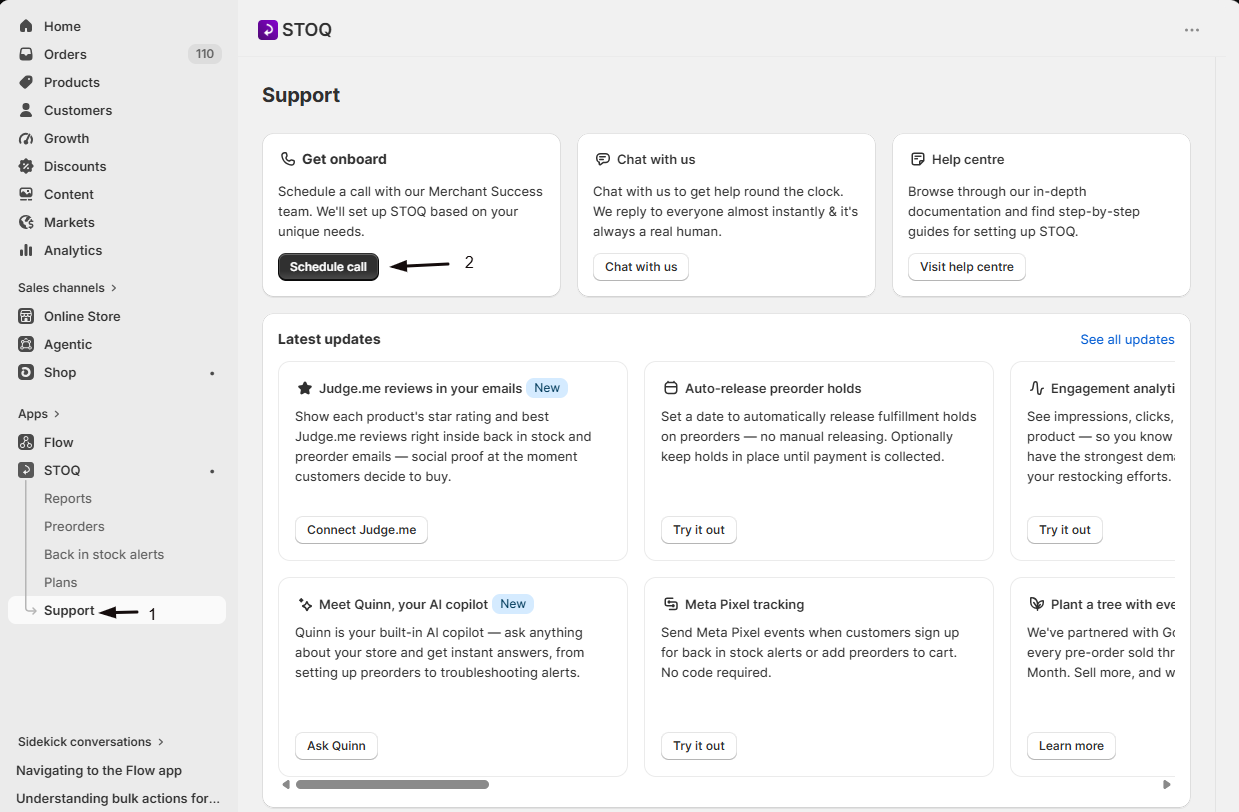
In the STOQ app, go to the Support section.
Schedule the call
Find the Get onboard card and click Schedule call. A booking page opens where you pick a time.
You don't need a paid plan to book. To reschedule or cancel, use the link in your booking confirmation email.
Chat with support
The Support section also has live chat (Chat with us) for questions as they come up, and this help center for step-by-step guides. For an urgent problem or a bug, chat is the fastest way to reach the team.
